Technical Support Manual – 05/2018 Rel. 2.1.3 Page 20
1
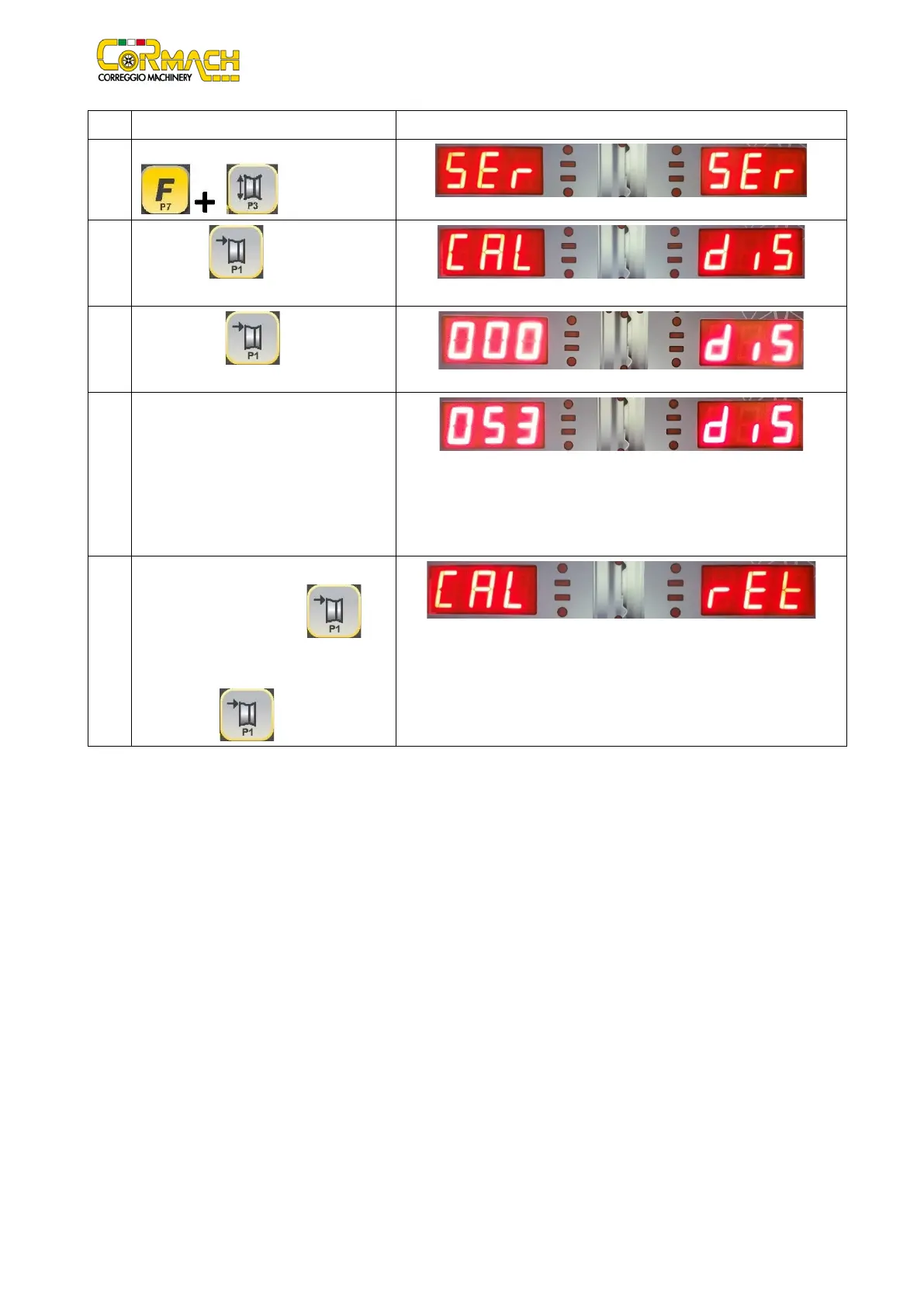
Enter the SERVICE mode by pressing [F+P3]
.
2
Press [P1] to enter in Sensors
3
Press [P1]
to confirm the
DISTANCE sensor calibration program.
4
Take out the distance sensor and move it
forwards and backwards to test whether
the magnetic band takes correct readings.
The values
displayed are expressed in
millimeters and must match the graduated
scale. The distance is always measured in
Example
5 Take back the distance sensor in the not
working position. Press [P1] the
DISTANCE sensor calibration program.
Select the option “Ret” and confirm by



 To Next Page