EasyManua.ls Logo

Corometrics 145 - Page 18

Default Icon
33 pages
Print Icon
To Next Page IconTo Next Page
To Previous Page IconTo Previous Page
Loading...
i
1
ms
р
ή
г
1
м
i
.
: i
SECTION
4
7.
The
Model
145
contains
a
test
routine
which
checks
the
calibration
and
internal
circuitry
of
the
monitor.
When
the
Power
pushbutton
is
depressed,
the
following
will
occur:
A)
The
green
“power
on”
indicator
will
be
lit.
B)
The
paper
will
advance
at
25
cm/min.
C)
The
front
panel
heart
rate
numeric
display
will
sequence
through
“111”
to
“999”.
D)
Three
continuous
lines
will
be
drawn
across
the
paper
to
insure
that
all
the
dots
in
the
printhead
are
functional.
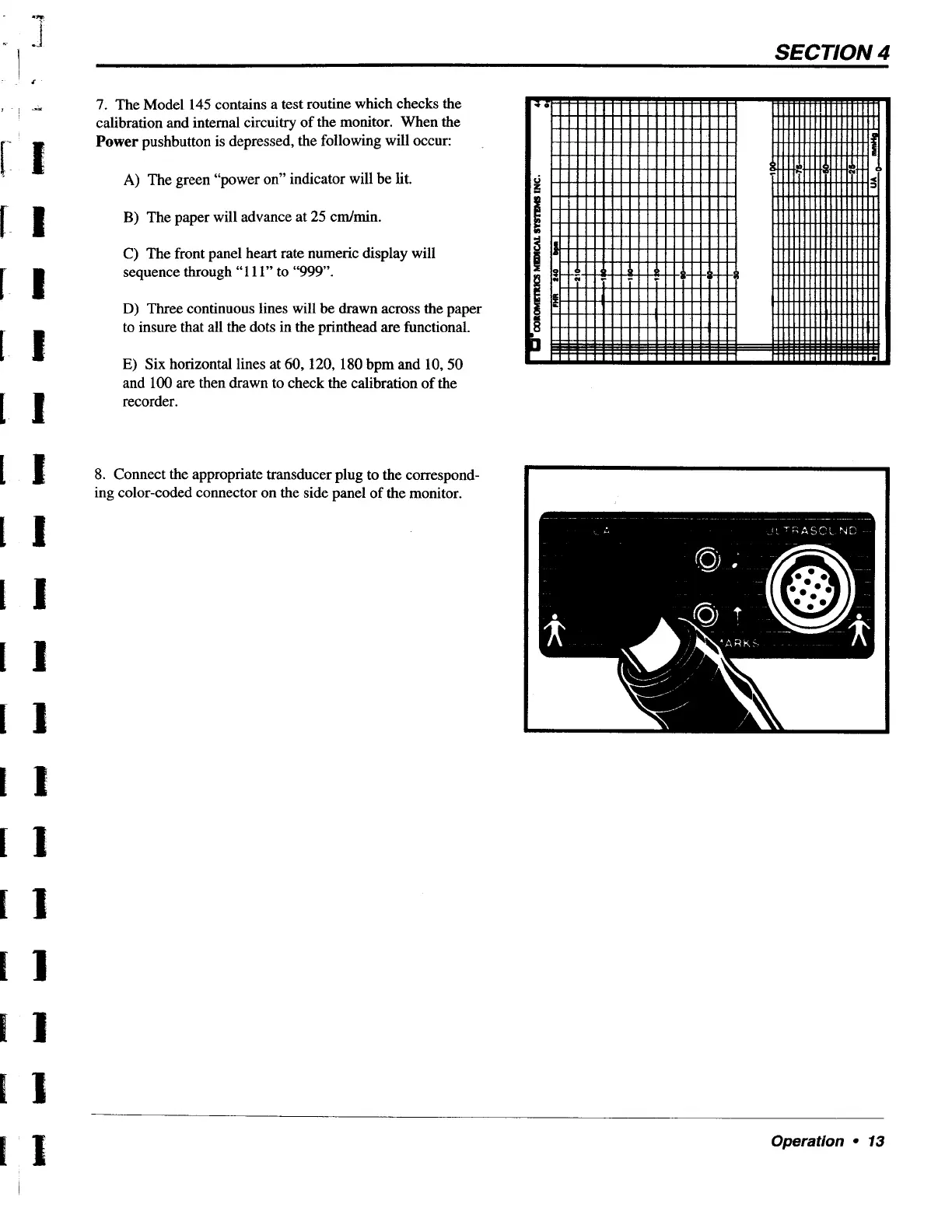
E)
Six
horizontal
lines
at
60,
120,
180
bpm
and
10,
50
and
100
are
then
drawn
to
check
the
calibration
of
the
recorder.
8.
Connect
the
appropriate
transducer
plug
to
the
correspond-
ing
color-coded
connector
on
the
side
panel
of
the
monitor.
Operation
+
13