EasyManua.ls Logo

Corometrics 145 - To Set Hours; To Set Day

Default Icon
33 pages
Print Icon
To Next Page IconTo Next Page
To Previous Page IconTo Previous Page
Loading...
SECTION
5
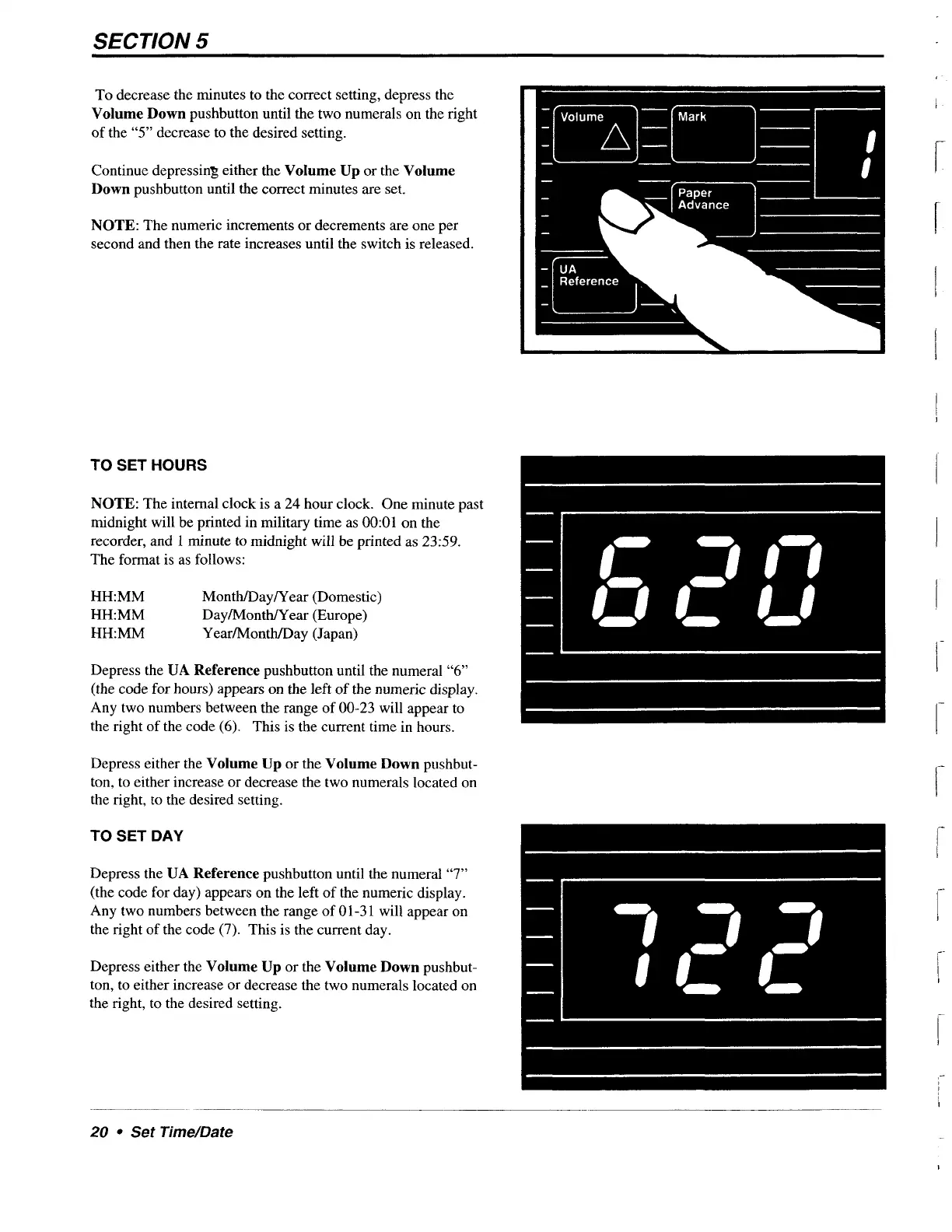
To
decrease
the
minutes
to
the
correct
setting,
depress
the
Volume
Down
pushbutton
until
the
two
numerals
on
the
right
of
the
“5”
decrease
to
the
desired
setting.
Continue
depressing
either
the
Volume
Up
or
the
Volume
Down
pushbutton
until
the
correct
minutes
are
set.
NOTE:
The
numeric
increments
or
decrements
are
one
per
second
and
then
the
rate
increases
until
the
switch
is
released.
—|
ЧА
_|
Reference
TO
SET
HOURS
NOTE:
The
internal
clock
is
a
24
hour
clock.
One
minute
past
midnight
will
be
printed
in
military
time
as
00:01
on
the
recorder,
and
|
minute
to
midnight
will
be
printed
as
23:59.
The
format
is
as
follows:
HH:MM
Month/Day/Year
(Domestic)
HH:MM
Day/Month/Year
(Europe)
HH:MM
Year/Month/Day
(Japan)
Depress
the
UA
Reference
pushbutton
until
the
numeral
“6”
(the
code
for
hours)
appears
on
the
left
of
the
numeric
display.
Any
two
numbers
between
the
range
of
00-23
will
appear
to
the
right
of
the
code
(6).
This
is
the
current
time
in
hours.
Depress
either
the
Volume
Up
or
the
Volume
Down
pushbut-
ton,
to
either
increase
or
decrease
the
two
numerals
located
on
the
right,
to
the
desired
setting.
TO
SET
DAY
Depress
the
UA
Reference
pushbutton
until
the
numeral
“7”
(the
code
for
day)
appears
on
the
left
of the
numeric
display.
Any
two
numbers
between
the
range
of
01-31
will
appear
on
the
right
of
the
code
(7).
This
is
the
current
day.
Depress
either
the
Volume
Up
or
the
Volume
Down
pushbut-
ton,
to
either
increase
or
decrease
the
two
numerals
located
on
the
right,
to
the
desired
setting.
20
*
Set
Time/Date