DEFINING THE AOI
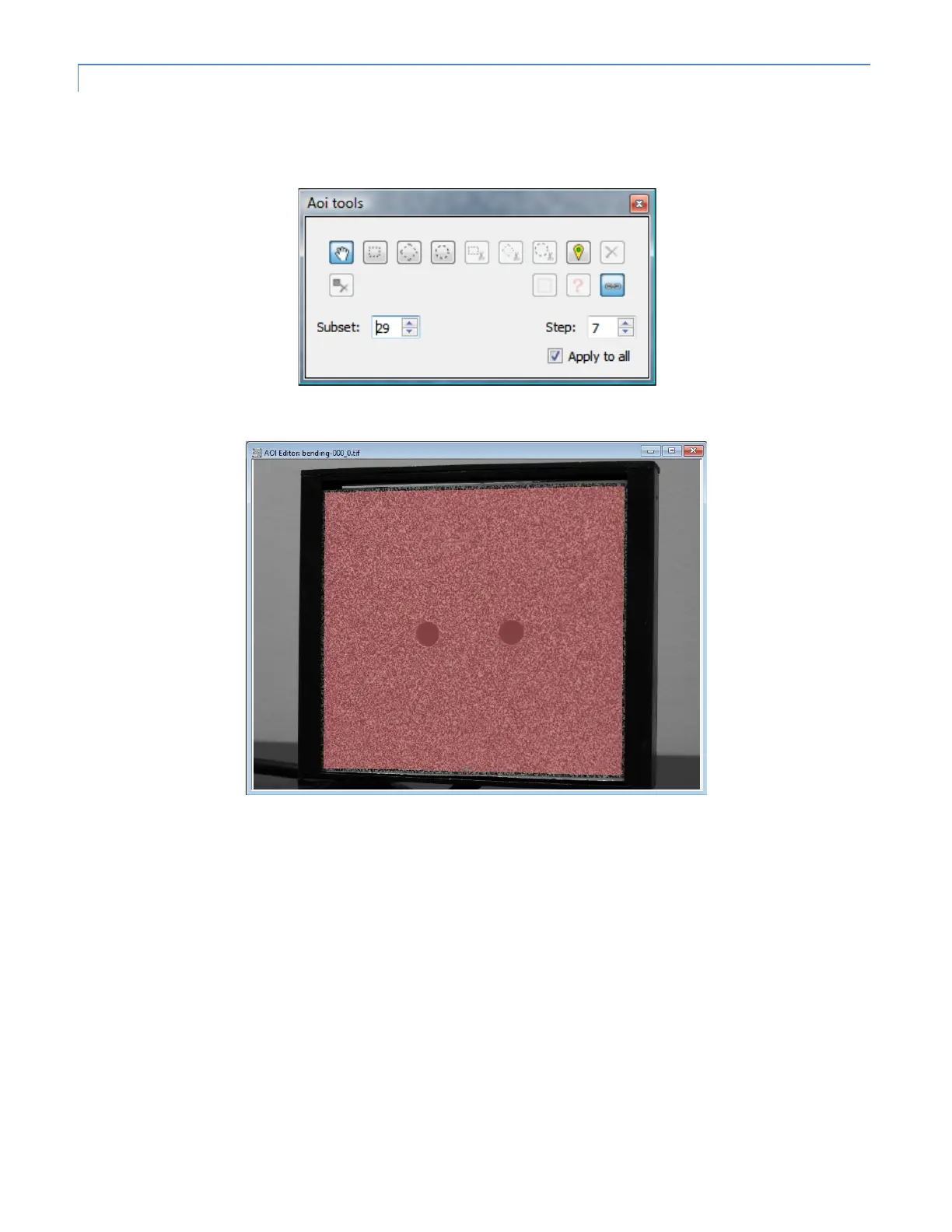
Before running the correlation, we have to define an area of interest (AOI). This is the portion of the image that contains
the speckle pattern and which will be analyzed for shape and displacement. To begin, double-click on the reference image
to open the AOI Editor. The reference image will be displayed; here, we select the Polygon tool from the set of AOI tools.
Then, click a series of points to define the boundaries of the AOI; double-click to finish.
Here, we want to exclude the two holes in the image from analysis. We’ll select the Cut circle tool from the AOI tools and
click three points on the edge of each circle. The mouse wheel can be used to zoom in for detail work.


 To Next Page
 Loading...