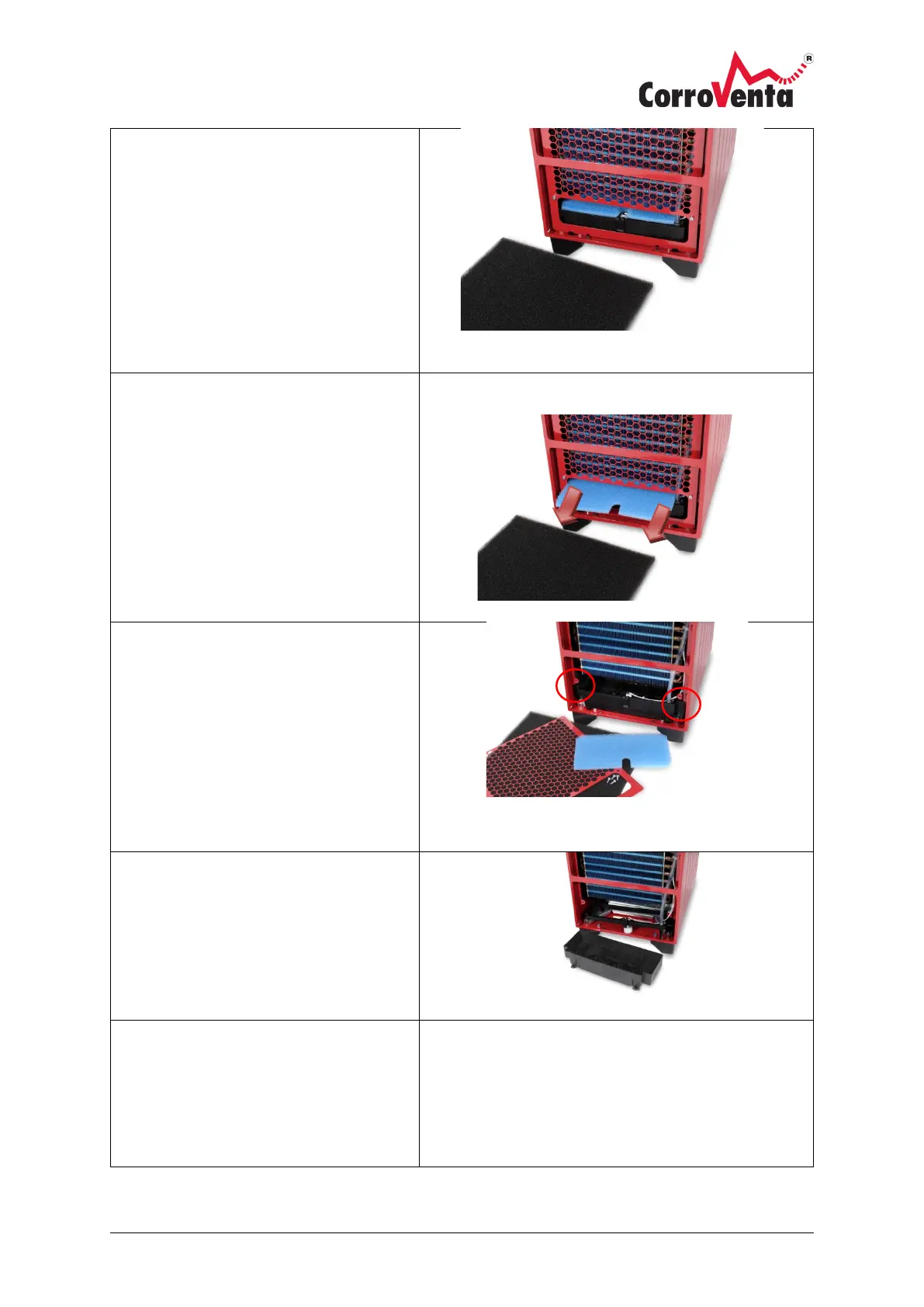
Replacing/cleaning process air filter
1. Remove, carefully pull out the
process air filter. Clean or replace as
necessary. Carefully replace the air
filter, ensure it is inside the support
edge and seals tightly.
Replacing/cleaning condensation water
filter
2. Remove, carefully pull out the
condensation water filter. Clean or
replace as necessary. Reinstall the
water filter
Cleaning collection receptacles
3. Remove the process air filter and
water filter according to point 1-2.
4. Slacken off the 4 mounting screws
and remove the filter grille for the
process air filter.
5. Carefully remove the collection
receptacle.
If necessary, the cover can be
unclipped from the collection
receptacle. This facilitates cleaning
and access to the overflow sensor.
6. Then start reassembling the
machine:
1.
Clip the cover onto the collection
receptacle, if removed. Ensure
that the overflow sensor moves



 To Next Page