MOBILTEX® DATA LTD.
Calgary, Alberta
www.corTalk.com
TITLE: uDL2 Configuration and Operation Guide
DOCUMENT NO.:
UDL2-MAN-001
4.2.2 Driver Installation
To prevent potential hardware driver issues in Windows, do not attach the uDL2 to the PC USB port before
installing the device drivers.
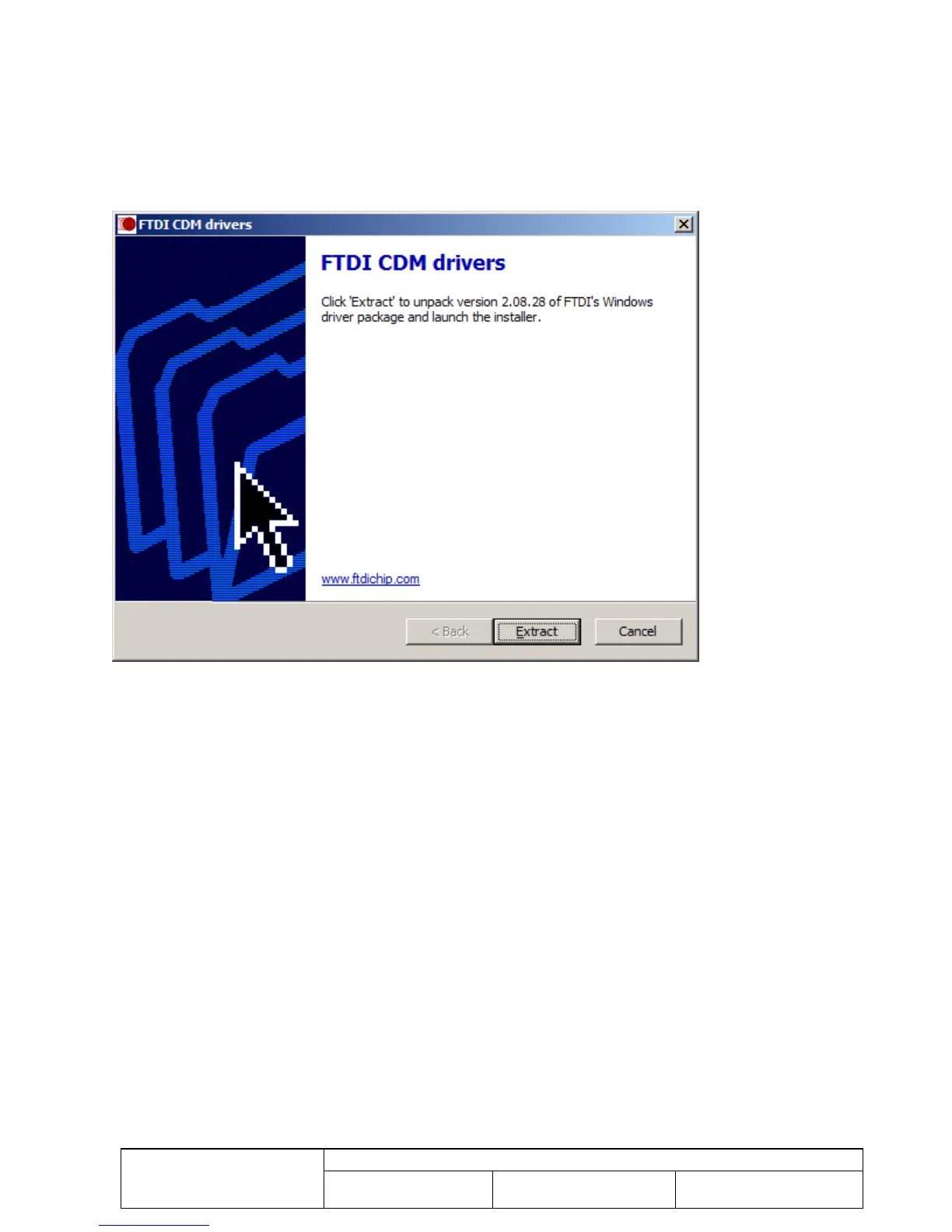
From the uDL Installer screen, click the “Install uDL1/2 USB Interface Drivers” button. Note that to install drivers,
you must be logged into the PC with an account that has administrative privileges. The following screen should
display. Follow the installation instructions presented by the driver installer application.
Figure 16 Driver Installation Screen
Once the driver installer completes, you may then plug in the uDL2 through the USB cable into an available USB port
on the PC.
4.2.3 Adobe Acrobat Reader XI
Adobe Acrobat Reader XI is provided on the installation media to allow viewing of the PDF version of the uDL2 manual.
If Acrobat Reader is already installed on the PC, it is not necessary to re-install it. To install Acrobat Reader, click on
the “Install Adobe Acrobat Reader XI” button on the uDL Installer dialog, and follow the instructions provided by the
Acrobat Reader installation application.



 To Next Page