12
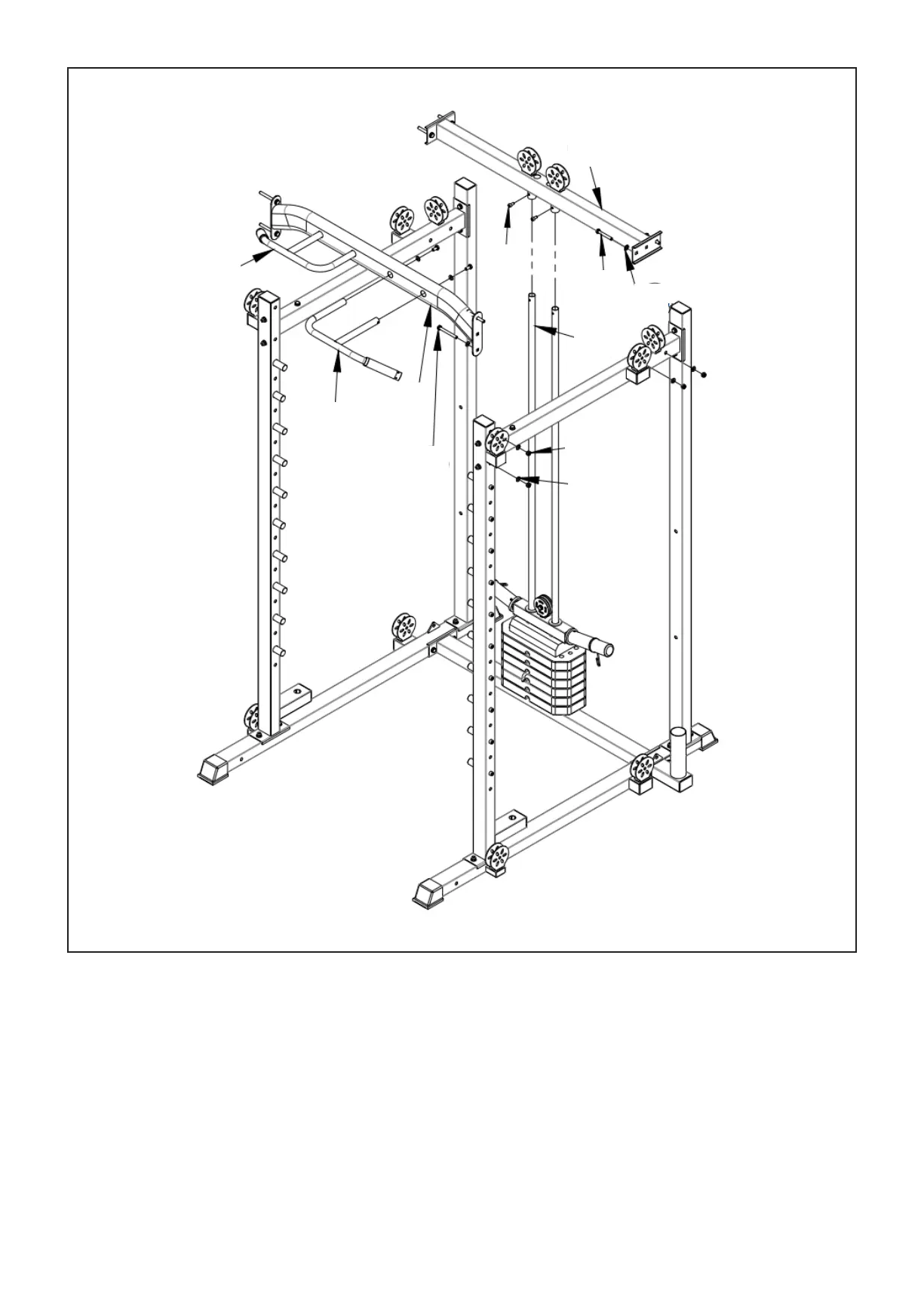
1. Attach (#15) onto (#10), then both sides to (#8) and (#9). Secure with bolts (#59), flat spacers (#63),
nut (#64). After, secure screw (#68) into (#10).
2. Install (#16) and (#17) onto (# 4) and secure with a bolt (#61) and flat spacer (#63).
3. The loaded (#14) sides were connected to (#5) and (#6), respectively, and fixed with bolts (#60), flat
spacers (#63), and nut (#64).
STEP 4
| ASSEMBLY INSTRUCTIONS
15
68
59
63
10
64
63
60
14
16
17



 To Next Page