EasyManua.ls Logo

Cosori CTO-R251S - User Manual

Cosori CTO-R251S
36 pages
Print Icon
To Next Page IconTo Next Page
Loading...
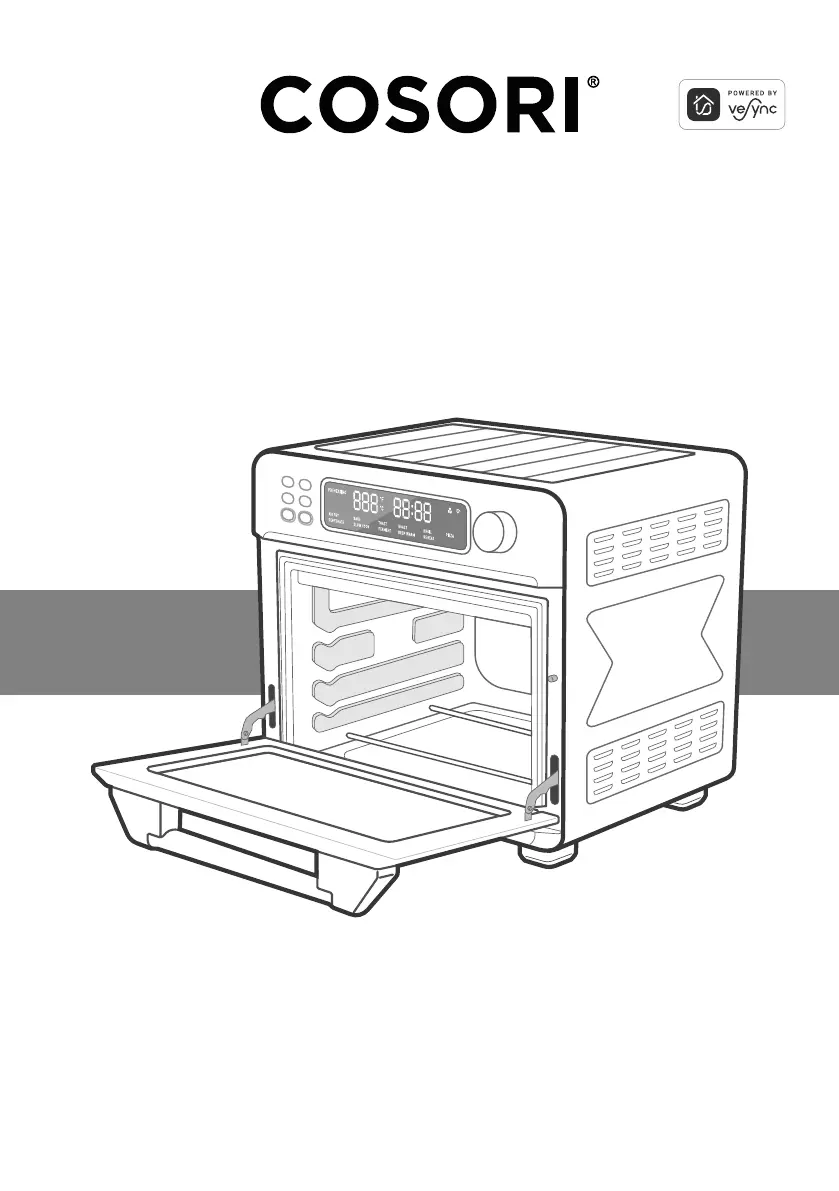
Smart Air Fryer Toaster Oven
User Manual
Questions or Concerns?
Mon–Fri, 9:00 am–5:00 pm PST/PDT
support@cosori.com | (888) 402-1684

Questions and Answers

  • M
    maryfordAug 17, 2025
    What to do if dark smoke is coming out of my Cosori CTO-R251S?
    • M
      Matthew PerkinsAug 18, 2025
      If you see dark smoke coming from your Cosori Oven, immediately press the control knob to pause cooking and unplug the oven. This indicates that food is burning. Wait for the smoke to clear before opening the oven door.
  • R
    Robert AdamsAug 20, 2025
    Why is my food overcooked or burned in my Cosori CTO-R251S?
    • L
      Laura GarciaAug 20, 2025
      If your food is consistently overcooked or burned in your Cosori Oven, try decreasing the cooking temperature or time. Also, ensure that food items are not too large and are not touching the heating elements.
  • T
    Travis NicholsAug 23, 2025
    Why is white smoke or steam coming out of my Cosori CTO-R251S?
    • T
      timothyallisonAug 23, 2025
      It's normal for the Cosori Oven to produce some white smoke or steam during cooking. If it’s the first time using the oven, dust from packing may cause this. Also, excess oil or fatty foods may produce white smoke, so ensure the oven's interior is clean.
  • M
    Michele DavisAug 26, 2025
    Why does my thermometer show a different temperature than the Cosori CTO-R251S Oven setting?
    • L
      Lisa CraigAug 26, 2025
      Commonly used thermometers usually have low sensitivity and take over 10 minutes to measure the correct temperature. This will not affect cooking.
  • R
    Robert TorresAug 27, 2025
    What does Error Code “E04” mean on my Cosori CTO-R251S?
    • K
      kelly62Aug 28, 2025
      Error code “E04” on your Cosori Oven indicates that the oven has been plugged into an incorrect power source, such as a 220–240V outlet. Unplug the oven and only use it with 120V, 60Hz outlets, like those in North America.
  • A
    Andrew AllenAug 30, 2025
    Why is white smoke coming out of my Cosori Oven?
    • S
      Sandra HarrisAug 30, 2025
      White smoke or steam may be produced by the Cosori Oven during cooking, which is normal. During the first use, dust from the packing process may cause white smoke. Excess oil or fatty foods may also produce white smoke, so ensure the inside of the oven is cleaned properly and isn’t greasy.
  • D
    Daniel FisherSep 1, 2025
    What does error code E04 mean on my Cosori CTO-R251S Oven?
    • L
      Linda CruzSep 2, 2025
      If your Cosori Oven displays Error Code “E04,” it means the oven has been plugged into an incorrect power source, such as a 220–240V outlet. Unplug the oven and only use it with 120V, 60Hz outlets, such as those in North America.
  • Y
    yvonne14Sep 4, 2025
    How to fix unevenly cooked food in Cosori CTO-R251S Oven?
    • H
      hansenchristopherSep 4, 2025
      To fix unevenly cooked food in your Cosori Oven, make sure food items are not too closely packed into a tray, rack, or other container.
  • R
    rsuttonSep 6, 2025
    What to do if food is overcooked in Cosori CTO-R251S?
    • J
      Jasmine HuberSep 6, 2025
      If food is overcooked or burned in your Cosori Oven, decrease the cooking temperature or time. Also, make sure food items are not too large and are not touching the heating elements.
  • E
    Ethan AndersonSep 9, 2025
    How to fix my Cosori Oven if it will not turn on?
    • M
      Michael GoldenSep 9, 2025
      If your Cosori Oven will not turn on, make sure it is plugged in.

Summary

Product Specifications

VeSync App Integration

Important Safeguards

Key Safety Points

Crucial safety advice for handling the appliance and its parts during operation.

General Safety Guidelines

Essential safety guidelines for appliance usage, cleaning, and maintenance.

Safe Cooking Practices

Safety precautions to prevent fire, shock, and overheating during cooking operations.

Electrical and Cord Safety

Guidelines for safe power cord usage, extension cords, and EMF compliance.

Getting to Know Your Oven

Component Identification

Identifies and labels all parts and controls of the air fryer toaster oven.

Display Information

Understanding the Display Screen

Explains the various indicators and displays on the appliance's screen.

Controls and Operation

Main Controls and Buttons

Details the functions of the control knob and primary operating buttons.

Before First Use

Setup, Test Run, and App Configuration

Steps for initial setup, test run, and VeSync app configuration.

Cooking Basics

Using Trays and Basket

Explains how to use the included trays and fry basket for various cooking functions.

Cooking Functions Overview

Function Customization & Reset

Explains how to customize and reset default settings for cooking functions.

Tray Positions

Recommended Rack Positions

Illustrates and explains the top, mid, and low rack positions for cooking functions.

VeSync App Features

Remote Control & Smart Functions

Details remote control, in-app recipes, voice control, and the convection fan.

Preheating Operation

Preheating Procedure

Steps to initiate and complete the preheating cycle before cooking.

Detailed Cooking Functions Part 1

Air Fry, Bake, Toast Functions

Guides for Air Fry, Bake, and Toast functions, including settings and rack positions.

Roast, Broil, Keep Warm Functions

Guides for Roast, Broil, and Keep Warm functions, including settings and rack positions.

Dehydrate, Pizza, Slow Cook Functions

Guides for Dehydrate, Pizza, and Slow Cook functions, including settings and rack positions.

Reheat and Ferment Functions

Guides for Reheat and Ferment functions, including settings and rack positions.

Care & Maintenance

Cleaning Accessories and Interior

Instructions for cleaning oven accessories and the interior surfaces.

Storage Guidelines

Recommendations for storing the oven and its accessories properly.

Troubleshooting Guide

Common Issues and Solutions

Addresses common problems and provides solutions for the air fryer toaster oven.

VeSync App Troubleshooting

Connection and Offline Issues

Solves common problems related to connecting to or using the VeSync app.

Warranty Information

Terms and Policy Details

Outlines the warranty terms, conditions, and policy for the product.

Customer Support

Contact Information and Hours

Provides contact details, support hours, and helpful tips for customer assistance.

Cosori CTO-R251S Specifications

General IconGeneral
ModelCTO-R251S
CategoryOven
TypeConvection Toaster Oven
Interior MaterialStainless Steel
Exterior MaterialStainless Steel
Racks Included2
Rotisserie IncludedYes
Air Fry FunctionYes
Voltage120V
Frequency60Hz
Interior LightYes
Timer60 minutes
Capacity25L
Cooking FunctionsAir Fry, Bake, Broil, Toast, Pizza, Warm, Roast, Dehydrate
DoorGlass
AccessoriesAir Fry Basket, Baking Pan, Crumb Tray

Related product manuals