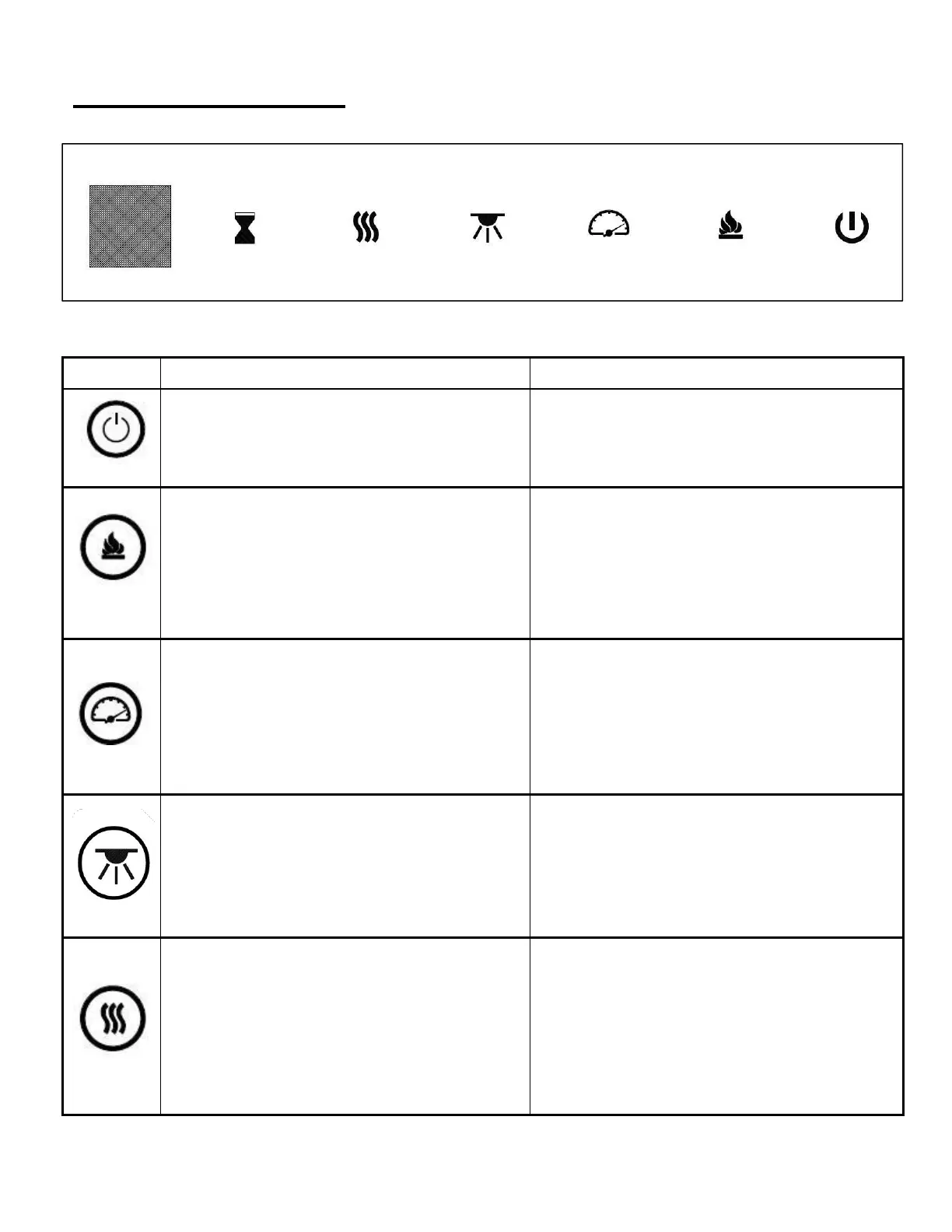
Touch Panel Operation
Control Panel / Remote Control Operation
ON: Enables control panel functions and
remote control. Turns on flame effect.
OFF: Disables control panel functions and
remote control. Turns off flame effect.
1. Press once. Indicator light turns on. Power
turns on. All functions enabled.
2. Press again. Flame effect turns off. Power
and all functions turn off.
COLOUR button: Makes the FLAME &
EMBER colors effect changing.
NOTE: Colour effect stays on until power
button is turned off. Colour flame effect must
be on for heater to turn on.
1. Press once. Indicator light turns on. Flame &
Ember colour effect gets changing.
2. Press again. until desired setting is
reached.Display window shows setting.
Flame speed button: Makes the flame speed
changing.
NOTE: Flame speed effect stays on until
power button is turned off.
1. Press once. Indicator light turns on. Flame
speed effect gets changing.
2. Press again. until desired setting is reached.
Cycle from 03-01-02-03-01-02-03
“03” is the default speed
LED Down light button ( 1 ): Makes the
color on TOP effect changing.
NOTE: Down light color effect stays on until
power button is turned off.
1. Press once. Down light color effect gets
changing.
2. Press again. until desired setting is reached.
Cycle from d1-d2-d3-d4-d5-d0-d1-d2
“d0” Down lights off
HEATER button: Turns heater on and off.
NOTE: The heater only works when the flame
effect is on. If the flame effect is off, the heater
will not turn on.
NOTE: To prevent overheating, the heater
blows cool air for 10 seconds before the
heater turns on, and after it turns off.
1. Press once. The Display shows “H0” and
heat is off
2. Press again. The Display shows “H1” and
Low heat is turned on.
3. Press again. The Display shows “H2” and
High heat is turned on.
Cycle from H0-H1-H2


 To Next Page