
 Need help?
Do you have a question about the Costway SuperFit SP37619CA and is the answer not in the manual?
Read all instructions, retain for reference, separate and count parts, and assemble near location.
Use indoors, wear sportswear/shoes, ensure grounded power, use dedicated circuit.
Keep children away, avoid overload, reduce dust, maintain humidity, ensure fresh air.
Fasten safety lock, consult doctor if unwell, keep silicone oil away from children.
Check clothing, avoid hot objects/children, do not use outdoors or if unauthorized. Limit to 15A circuit.
List of medical conditions requiring doctor consultation before use, e.g., back pain, circulatory issues, pregnancy.
Stop if dizzy/painful. Do not allow children to use or play around the product.
Do not use if damaged. Do not jump. Ensure no pets/children nearby. Do not use if shell is cracked.
Avoid damp places, direct sunlight, damaged cords, or loose sockets. Do not bend cord.
Do not use with multiple people, if unconscious, or if unfit. Avoid strenuous exercise if not accustomed.
Do not use after eating/tired. Do not use in schools/gyms. Do not use while eating/drinking or after alcohol.
Do not use plug with foreign objects. Do not pull plug during use. Do not dissemble. Never use with wet hands.
Avoid water contact. Pull out the power plug when not in use to prevent leakage and fire.
Grounding minimizes electric shock risk. Use properly installed, grounded outlets.
Risk of shock if not grounded. Consult electrician for checks. Do not use adapter sockets.
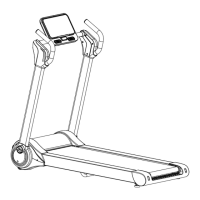
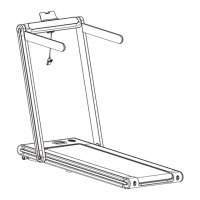
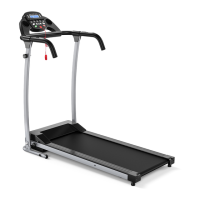
Lists the main machine, riser covers, and spare parts package included with the treadmill.
Details working voltage, load capacity, dimensions, motor power, speed, and lists accessories with quantities.
Unpack, attach foot pads, lift and secure risers, and attach computer display using specified screws.
Fasten lower riser covers, insert safety key, turn on power, and check all bolts are locked.
Warm-up for 5-10 mins, coordinate breathing with movement, and ensure adequate rest between workouts.
Determine training load, relax post-exercise, and follow dietary guidelines for optimal digestion.
Perform stretching exercises before and after workouts to improve flexibility and prevent injury.
Detailed instructions for cool-down stretches: stretch down, hamstring, calf, quadriceps, and sartorius muscle.
Step-by-step guide for turning on, setting speed, clipping safety lock, starting, and stopping the treadmill.
How to increase/decrease speed using buttons and use the 3 mph direct selection for speed adjustment.
Details on LED display functions: Time, Speed, Distance, Calorie, Pulse, and their respective ranges.
Explanation of buttons: 3 mph, Speed +/-, Stop, Start, Program, and Mode for controlling the treadmill.
Steps for initial setup: place safety lock, power on, press start, adjust speed, and hold grips for heart rate.
How the safety lock functions and the 'E07' error code displayed when disengaged.
System enters power-saving mode after 10 minutes of inactivity, automatically turning off the display.
Addresses issues like connectivity, power, safety lock, signal circuits, and blown fuses.
Solutions for running belt not running smoothly due to lubrication or incorrect tightness.
Corrects running belt slipping caused by improper belt tightness.
Explains error codes E01-E07, their causes, and the corresponding maintenance methods.
Guidance on lubrication frequency based on usage and steps for applying silicone oil to the running belt.
Procedure to check if lubricant is needed by feeling the running belt's dryness.
Instructions for adjusting belt tightness to prevent stopping, slipping, and motor strain.
How to adjust the running belt alignment using adjustment bolts to prevent damage.
Covers app features for device control, data recording, sports mall, community sharing, and settings.
Explains multiple login methods including Facebook, E-mail, and Apple for user convenience.
Steps to recover forgotten passwords via the e-mail login interface and password retrieval screen.
Guide on how to edit user profile details like nickname, gender, height, and weight within the app.
Users can select device types on the homepage and connect to the treadmill.
Procedure for connecting the app to the treadmill and starting the exercise with a countdown.
The app synchronizes exercise data and allows speed control, with real-time user rankings displayed.
Displays total running distance and options to share sports data to the community or save it locally.
Users can add their own sports plans by clicking 'Add More Training Plans'.
Users can set specific sports goals, such as mileage, duration, or calorie targets.
Users can choose from various training courses and start exercising with a virtual fitness coach.
Users can access and view detailed records of their past exercise sessions on the device page.
Users can browse and purchase various sports devices through the Sports Mall feature.
Users can share their activities, comment on others' posts, and engage in community communication.
Users can remove or manage their own posted dynamics in the 'Me-My Dynamic' section.
Provides access to system settings including unit preferences, feedback, terms, privacy, and cache management.
Allows users to select between metric and imperial standards for unit measurements.
Enables users to clear system cache, including web page and image load caches.
Users can submit suggestions and report issues to help improve the product's performance.


 To Next Page
 General