EasyManua.ls Logo

Costway SuperFit SP37681US - User Manual

Costway SuperFit SP37681US
17 pages
Print Icon
To Next Page IconTo Next Page
Loading...
Please give us a chance to make it right and do better !
Contact our friendly customer service department for help first.
Replacements for missing or damaged parts will be shipped ASAP !
Contact Us!
Do NOT return this item.
Treadmill
SP37681US
USER’S MANUAL
THIS INSTRUCTION BOOKLET CONTAINS IMPORTANT SAFETY INFORMATION. PLEASE READ AND KEEP FOR FUTURE REFERENCE.
US office: Fontana UK office: Ipswich AU office: Truganina
DE office: Hamburg
FR office: Saint Vigor d'Ymonville
PL office: Gdańsk
US:cs.us@costway.com
UK:cs.uk@costway.com
AU:cs.au@costway.com
Question and Answer IconNeed help?

Do you have a question about the Costway SuperFit SP37681US and is the answer not in the manual?

Summary

Preparation Before Operation

Essential Preparation Steps

Key steps to take before starting treadmill use.

General Treadmill Safety

Safe Operating Precautions

Critical safety measures for operating the treadmill.

Environmental and Placement Safety

Guidelines for safe treadmill placement and environmental conditions.

Accident Prevention Regulations

Clothing and Personal Safety

Recommendations for attire and personal items for safe treadmill use.

Electrical and Environmental Safety

Precautions for power cord, circuits, and avoiding outdoor use.

Health Conditions Requiring Medical Advice

Pre-Exercise Medical Consultation

Specific health issues or symptoms necessitating doctor's advice before use.

Usage Prohibitions and Restrictions

Operational Prohibitions

Actions and conditions strictly forbidden during treadmill operation.

Environment and User State Restrictions

Prohibitions regarding operating environment and user's physical state.

Water Exposure and Wet Hand Safety

Product Overview and Packing

Treadmill Component Identification

Identification of the main parts of the treadmill.

Included Items in Packaging

List of all accessories and parts provided with the treadmill.

Power Plug and Grounding Safety

Safe Power Plug Handling

Guidelines for safe plugging and unplugging of the power cord.

Proper Grounding Procedures

Instructions for ensuring correct electrical grounding of the treadmill.

Treadmill Technical Specifications

Treadmill Installation Guide

Initial Frame and Riser Assembly

Steps for unpacking and connecting the main frame and risers.

Console and Cover Attachment

Steps for attaching the display console and securing external covers.

Treadmill Folding Instructions

Exercise Advice and Guidelines

Warm-up, Breathing, and Diet

Guidance on pre-exercise warm-up, breathing techniques, and dietary recommendations.

Exercise Load, Frequency, and Relaxation

Advice on exercise intensity, recovery, and post-workout relaxation.

Stretching Techniques

Recommended stretching exercises for flexibility and injury prevention.

Operating the Treadmill

Starting, Speed Control, and Stopping

How to start, adjust speed, and stop the treadmill safely.

Safety Lock and Display Usage

Using the safety lock and understanding the console display.

Treadmill Controls and Features

LED Display and Button Functions

Explanation of the control panel's LED display and button operations.

Startup, Safety, and Power Saving

Startup procedures, safety lock, and power saving mode functions.

Troubleshooting Common Issues

Treadmill Maintenance and Lubrication

Lubrication Schedule and Advice

Recommended lubrication frequency and application tips for the treadmill.

Checking Lubricant Needs

Method to determine if the treadmill requires lubrication.

Error Messages and Solutions

Belt and Motor Adjustment Procedures

Running Belt Tightness Adjustment

How to adjust the running belt tension for optimal performance.

Running Belt Alignment Correction

Steps to correct the running belt's alignment if it drifts.

Motor Belt Tension Adjustment

Procedures for adjusting the motor belt for proper function.

Gymax App Overview and Setup

App Features and Installation

Summary of the Gymax app's capabilities and how to install it.

User Sign-in and Profile Management

Methods for signing into the app and managing user profile information.

Editing Personal Information

How to update user profile details such as nickname and physical attributes.

Gymax App: Sports Scenes

Connecting to Treadmill via App

Process for pairing the Gymax app with the treadmill device.

Starting Treadmill Workouts

Steps to initiate and control treadmill exercise sessions using the app.

Gymax App: Sports Plans and Goals

Customizing Training Plans

Creating and managing personalized sports training plans within the app.

Setting Exercise Targets

Configuring personal exercise goals, such as duration or distance.

Gymax App: Training Courses and Records

Selecting Pre-set Training Courses

Choosing from various guided training programs available in the app.

Viewing Workout History

Accessing and reviewing past exercise data and performance metrics.

Gymax App: Sports Mall and Community

Browsing the Sports Mall

Navigating the app's marketplace to find and purchase sports equipment.

Community Interaction Features

Sharing activities and commenting on other users' posts in the app community.

Gymax App Settings and Customization

Configuring System Settings

Adjusting units, feedback, privacy agreements, and cache management.

Gymax App: Unit and Cache Settings

Unit Preference Settings

Selecting preferred measurement units (metric or imperial) for the app.

Feedback Submission and Cache Clearing

Submitting user feedback and clearing application data cache.

Overview

This document describes the SuperFit Treadmill (SP37681US), a home-use fitness device designed for walking and running exercises.

Function Description

The treadmill is designed to provide a convenient and effective way to exercise indoors. It features a running belt for walking or running, a control panel for adjusting settings, and a safety key for emergency stops. The device can be used in manual mode or with pre-set programs, and it also offers a power-saving mode.

The treadmill integrates with the Gymax App (v1.0.5), available for both Android and iOS devices. This app enhances the user experience by offering:

  • Device Control: Users can control the treadmill directly from their smartphone.
  • Sports Data Recording: Tracks exercise data such as distance, time, calories, and speed.
  • Sports Mall: Allows users to browse and purchase sports equipment.
  • Community Dynamic: Enables users to share their exercise progress and interact with other users.
  • System Settings: Provides options for unit settings (metric/imperial), feedback submission, and clearing cache.
  • Sports Scenes: Offers various training courses and challenges.
  • Sports Plan: Users can create and add their own customized training plans.
  • Exercise Record: Stores a history of past workouts for tracking progress.

The Gymax App supports multiple login methods, including Facebook, E-mail, and Apple ID (for iOS users), making it easy to get started. It also allows users to edit their personal information, including their avatar.

Important Technical Specifications

  • Operating Voltage: AC-110V 60Hz
  • Maximum Load: 189.5 lbs
  • Outline Dimension: L44.5" x W23" x H37" inch
  • Running Area: 37.4" x 14.2" inch
  • Motor Power: 2.25HP
  • Speed Range: 0.6-7.5 mph
  • Product Weight: 56.2 lbs

Accessory Kit Contents:

  • M6 plum knob (2) - For electronic meter and riser fixing
  • 4mm Hexagonal wrench (1) - For electronic meter and riser fixing
  • 5mm Hexagonal wrench (1) - For assembling machines
  • 6mm T-type inner hexagon wrenches (1) - For main frame and riser locking, and to adjust the running belt
  • Security lock (1)
  • Open-end wrench (1) - 13-15#
  • Methyl silicone oil (2)
  • Instruction manual, Certificate of Conformity (1)
  • Riser cover (2)

LED Window Functions:

  • Display Cycle: Switches every 5 seconds between time, speed, distance, calorie data, and heart rate.
  • Time Display Range: 0:00-99:59
  • Speed Display Range: 0.0-7.5 mph
  • Distance Display Range: 0.00-99.99
  • Calorie Display Range: 0.00-999.9
  • Heart Rate Display Range: 50-200

Electronic Watch Function Buttons:

  • 3MPH: Direct speed selection to 3MPH.
  • SPEED+: Increases speed during exercise.
  • SPEED-: Decreases speed during exercise.
  • STOP: Decelerates and stops the treadmill.
  • START: Starts the running belt from a stop.
  • PROGRAM: Cycles through pre-set programs (P01-P12) from manual mode.
  • MODE: In manual mode, cycles through countdown time (30:00), countdown distance (1.0), countdown calorie (50), and Normal Mode.

Usage Features

Installation: The treadmill requires some assembly. Key steps include:

  1. Unboxing and placing the machine on a soft surface.
  2. Loosening screws with a 6mm "T" wrench to lift and rotate the riser.
  3. Locking the screws clockwise to secure the risers and frame.
  4. Pressing down the digital display flat, ensuring communication lines are not crushed.
  5. Locking the digital display with M6 knobs.
  6. Adjusting the console to the proper position.
  7. Fastening the lower cover of the riser.

Folding Instruction: The treadmill can be folded for storage:

  1. Unscrew the two M6 plum knobs and lay the display console flat.
  2. Loosen screws with a 6mm "T" wrench and slowly lower the display riser onto the running table.
  3. Lock the screws clockwise with the 6mm "T" wrench to complete folding.

Starting the Treadmill:

  1. Place the security lock on the panel and turn on the power switch.
  2. The buzzer will sound, and the treadmill enters manual normal mode.
  3. Press the START button; the time window will display a 3-second countdown, and the motor will start at 0.6 MPH.
  4. Adjust speed using the "+" or "-" buttons or the "3MPH" direct selection button.
  5. For heart rate testing, hold the hand grips with both hands; heart rate data will display after a few seconds (for reference only).

Safety Lock Function: The safety lock is a critical safety feature. If pulled off during exercise, the machine will stop immediately, display "E07", and the buzzer will sound. The treadmill cannot be started if the safety lock is disengaged.

Power Saving Mode: If no key command is input within 10 minutes in standby state, the system automatically turns off the display. Press any key to wake it up.

Sports Advice and Guidelines:

  • Warm-up: 5-10 minutes before each operation.
  • Breathing: Inhale through the nose, exhale through the mouth, coordinating with movement.
  • Frequency: Allow 48 hours of rest for the same muscle group.
  • Load: Adjust training intensity based on individual physical condition.
  • Relax: Perform reductive actions for 5 minutes after each workout to maintain muscle flexibility.
  • Diet: Avoid eating at least 1 hour before training and half an hour after to protect the digestive system. Drink plenty of water.
  • Stretching: Stretch before and after training, especially when muscles are warm.

Prohibitions and Warnings:

  • Do not use if the shell is cracked or damaged.
  • Do not jump on or off during exercise.
  • Avoid damp places, direct sunlight, or high-temperature areas.
  • Do not use if the power cord or plug is damaged or loose.
  • Do not damage or forcibly bend the power cord.
  • Only one person should use the treadmill at a time.
  • Do not use if unable to operate consciously.
  • Do not disassemble, repair, or re-elect the treadmill.
  • Avoid spraying water or conductive liquids on the machine.
  • Do not exercise strenuously if not accustomed to it, after eating, or when tired/in an abnormal physical state.
  • This product is for home use only.
  • Do not use while eating, drinking, or with hard objects in pockets.
  • Do not pull out the power plug or switch the power during use.
  • Never use with wet hands.
  • Always wear appropriate sportswear and sports shoes.
  • Ensure the power plug is reliably grounded.
  • Keep children away from the machine.
  • Avoid prolonged overload operation.
  • Maintain regular maintenance to prevent wear and aging of components.
  • Keep the room clean and fresh during use.
  • Fasten the safety lock clip to clothing.
  • Stop exercising and consult a doctor if feeling uncomfortable.
  • Keep silicone oil out of reach of children.
  • Ensure clothing is not caught in the treadmill.
  • Do not place the power cord near hot objects.
  • Do not open the upper guard cover or rear housing without authorization.
  • The treadmill requires a 15A circuit.
  • Consult a doctor before use if you have back pain, leg/waist/neck injuries, disc herniation, spondylolisthesis, cervical herniation, deformed sex arthritis, rheumatism, gout, osteoporosis, circulatory system obstacles (heart disease, blood-vessel disease, hypertension), difficulty breathing, artificial pacemakers, malignant tumors, thrombosis, skin infections, perceptual disabilities, skin injuries, high fever, abnormal/crooked dorsal bones, pregnancy, or general poor physical condition.
  • Do not allow children to use or play around the product.
  • Ensure no persons or pets are around the product during use or when moving it.

Maintenance Features

Lubrication: The running belt requires lubrication with special methyl silicone oil after a period of use.

  • Usage < 1 hour/week: Lubricate once every 6 months.
  • Usage < 3 hours/week: Lubricate once every 3 months.
  • Usage 3-6 hours/week: Lubricate once every 2 months.
  • Usage > 6 hours/week: Lubricate once a month.
  • Avoid over-lubrication. Proper lubrication is crucial for treadmill longevity.

Checking for Lubricant Need: Touch the middle of the running belt back with your hand. If your hand is slightly damp with silicone, no lubrication is needed. If the pad is dry, lubrication is required.

Lubrication Procedure:

  1. Stop running and fold the machine.
  2. Lift the running belt from the underside of the main body.
  3. Insert the oil pot as far as possible into the middle of the running belt and spray methyl silicone oil inside and on both sides.
  4. Run the treadmill at 1km/h to evenly distribute the lubricant and step on the running belt from left to right for a few minutes until the oil is absorbed.

Running Belt Deviation Adjustment: Running belts are adjusted before delivery and installation but may deviate over time due to:

  1. Uneven placement of the main body.
  2. Users not walking in the center of the running belt.
  3. Uneven force from users' feet.

If deviation is caused by user action, it will self-correct after a few minutes of no-load rotation. If not, adjust with a 6mm wrench:

  • Left Deviation: Adjust the left bolt clockwise or the right bolt counterclockwise by half a circle.
  • Right Deviation: Adjust the right bolt clockwise or the left bolt counterclockwise by half a circle.
  • Avoid making the belt too loose (feet will slip) or too tight (increases motor load, damages components).

Motor Belt Adjustment: Motor belts are adjusted before delivery but may loosen over time.

  1. Adjust the parallelism of the motor with a wrench by turning the bolt half a turn counterclockwise.
  2. Turn the belt tightening bolts clockwise by half a circle.
  3. Regularly clean the belt and pulley grooves.

Error Messages and Elimination Methods:

  • E01 (Poor Communication): Signal line not plugged in properly. Plug it in again.
  • E02 (Power Assault): Power tube breakdown or electronic control sensing wire not plugged in. Replace power tube or plug in sensing wire correctly.
  • E03 (Non-Sensing Signal): Sensing wire not plugged in properly. Plug it in again correctly.
  • E04 (Controller or Motor Abnormal): Overload, replace controller or motor.
  • E05 (Overload Protect): Overload, replace controller.
  • E06 (System Self-Check Failed): System failure, replace controller.
  • E07 (Safety Lock Drop): Safety lock not in correct position. Put it in correct position.
  • Abnormal Display (External Disturbance): Turn off power switch, then turn it on after one minute.

For any other questions or issues, users are advised to contact after-sales service.
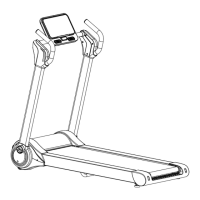
Costway SuperFit SP37681US Specifications

General IconGeneral
BrandCostway
ModelSuperFit SP37681US
CategoryTreadmill
LanguageEnglish

Related product manuals