21
iAUDIO E2
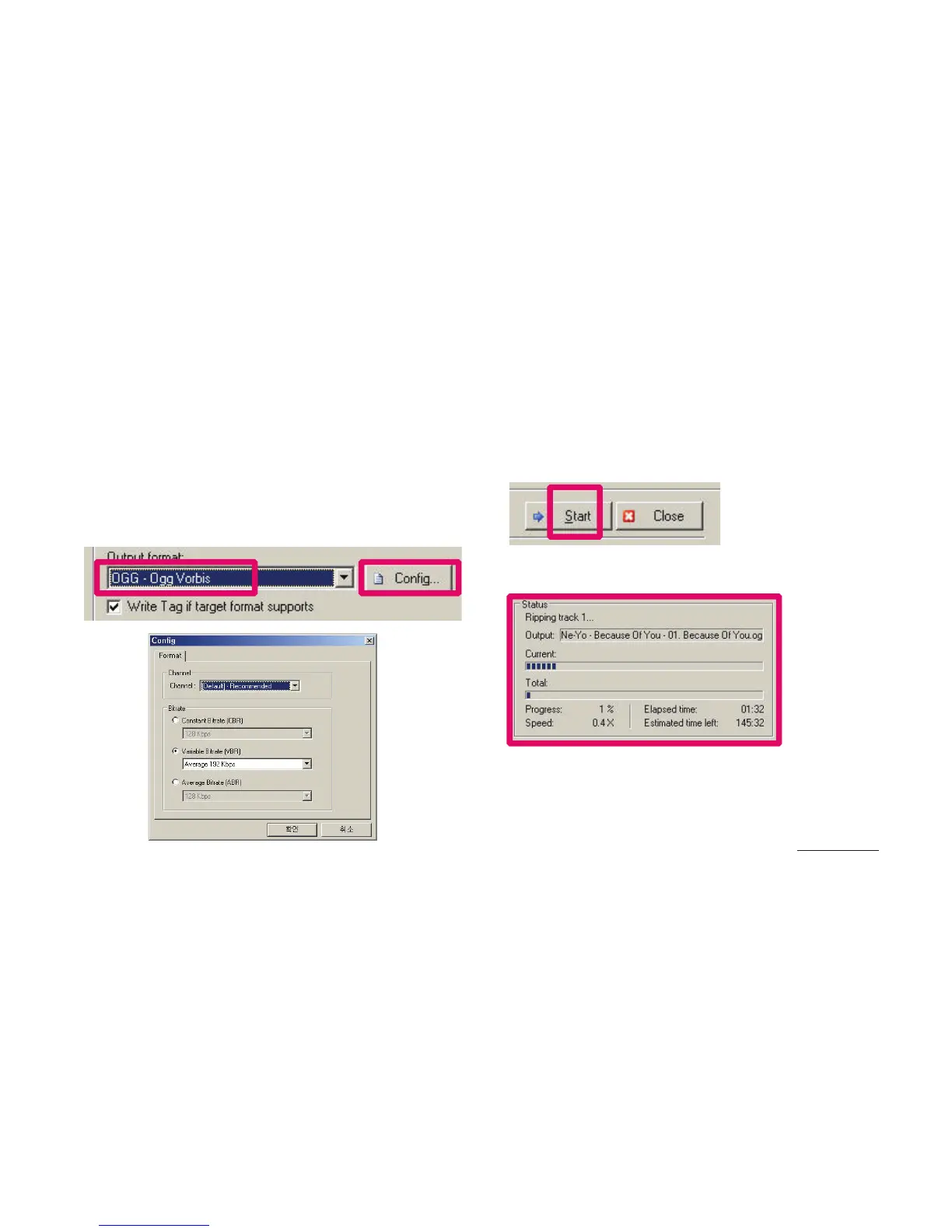
4. Check the track information and other ID3 tag information,
and then specify the format of the audio file to save.
(This manual assumes an OGG file.)
For more detailed information on the specified audio format, click
the ‘Configuration’ button.
5. Specify the file format to convert and finish the detailed setup,
and then press the ‘Start’ button.
6. The CD track will be converted to the specified audio file format.
7. Copy/move the converted audio file to the memory of iAUDIO E2.
+ COWON MediaCenter – Converting Music CDs with JetAudio
Additional









 To Next Page