EasyManua.ls Logo

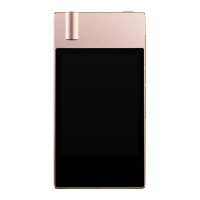
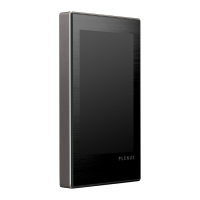
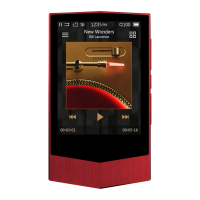
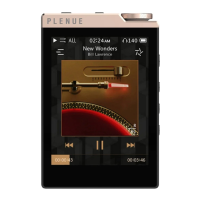
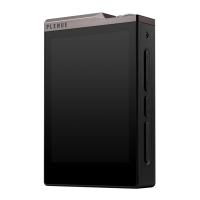
Cowon PLENUE 2 - User Manual

Cowon PLENUE 2
27 pages
Print Icon
To Next Page IconTo Next Page
Loading...
USER’S GUIDE ver. 1.0 EN
2

Questions and Answers

Summary

Copyright and Legal Notice

Website and Registration Info

Information about the official website, downloads, and user registration process.

General Copyright Policies

Covers company trademarks, manual copyright, and reproduction restrictions.

BBE Technology Licensing

Details BBE licensing, patents, and trademark status for the product.

Product Introduction and Setup

Product Precautions and Safety

Crucial safety guidelines, handling, and environmental advice.

Electrical and Impact Safety

Precautions against electrical hazards, static, magnets, drops, and power surges.

Package Contents

Lists all items included in the product packaging for user verification.

Device Overview and Functions

Identifies and describes the player's physical components and their purposes.

Button Operations

Explains how to use the product's various physical buttons for control.

Multi Wheel Controls

Details the functions and usage of the Multi Wheel for navigation and settings.

Volume Wheel Operations

Describes the operation of the Volume Wheel for adjusting audio levels.

Basic Operations and Usage

Power Connection and Charging

Instructions on how to connect the device to power and charge the battery.

PC Connection and Disconnection

Steps for connecting the device to a PC and safely removing it.

MicroSD Card Management

Instructions for inserting, removing, and managing the microSD card.

Headphone Mode Usage

How to activate and use the headphone mode for increased output.

Balanced Audio Port Connection

Guidance on connecting to the balanced audio output port.

Firmware Upgrade Procedure

Steps to download and install firmware updates for the device.

Advanced Features and Settings

Playback Screen Interface

Explanation of the music playback display elements and controls.

Music Selection Methods

How to browse and select music files by folder, artist, album, or genre.

Playback Settings Configuration

Options for customizing playback behavior like skip interval and resume.

Detailed Settings - JetEffect 7

Advanced audio customization options including EQ and effects.

JetEffect 7 Presets and Effects

Overview of available sound effects, presets, and their functions.

Music, Display, and System Settings

Configuration for various system-level settings like language and brightness.

Technical Specifications

General and Audio Specifications

Lists model, capacity, display, dimensions, CPU, and audio codecs.

Audio Characteristics and Power

Details DAC, SNR, battery, playback time, and output ports.

Troubleshooting Common Issues

General Troubleshooting Advice

Tips for confusion, player not turning on, or no sound issues.

File and Connection Issues

Addresses files not appearing, PC connection problems, and formatting errors.

Cowon PLENUE 2 Specifications

General IconGeneral
Clock functionYes
Processor cores2
Product colorSilver
Volume controlButtons
Housing materialGlass, Metal
Player media typeHard disk drive
Total storage capacity128 GB
Compatible memory cardsMicroSD (TransFlash), MicroSDXC
Maximum memory card size256 GB
Display diagonal3.7 \
Display resolution480 x 800 pixels
Supported file systemsDFS
Audio formats supportedAIFF, ALAC, APE, DSD, FLAC, MP3, OGG, WAV
Headphone connectivity3.5 mm
Built-in speaker(s)No
Supported radio bandsNot supported
Interface3.5mm
USB connector typeMicro-USB
Battery voltage3.7 V
Battery capacity3050 mAh
Battery recharge time3 h
Continuous audio playback time9 h
Minimum processorPentium III
Minimum processor speed500 MHz
Mac operating systems supportedMac OS X 10.0 Cheetah
Windows operating systems supportedWindows 10, Windows 2000, Windows 7, Windows 8, Windows ME, Windows Vista, Windows XP
Quantity per pack1 pc(s)
Weight and Dimensions IconWeight and Dimensions
Depth16.5 mm
Width67.9 mm
Height116.7 mm
Weight192 g

Related product manuals