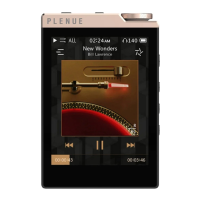
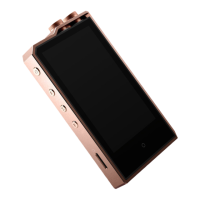
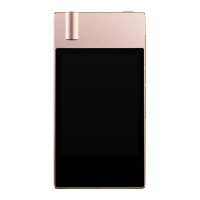
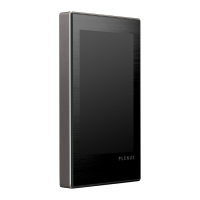
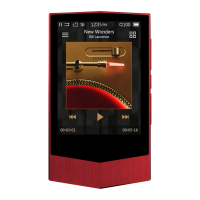
The PLENUE D2 is a high-quality digital audio player designed for an enjoyable digital experience with advanced sound technology and user-friendly features. This manual provides comprehensive information on its functions, technical specifications, usage, and maintenance.
Function Description:
The PLENUE D2 is primarily a portable music player that supports a wide range of audio file formats, including DSD (DFF, DSF, ISO), FLAC, WAV, AIFF, ALAC, APE, MP3, WMA, and OGG. It features a dual DAC (CS43131 X 2) for superior audio characteristics, including high SNR and low THD+N for both unbalanced and balanced outputs. The device offers a balanced line-out port (2.5mm) that outputs positive and negative audio signals, allowing for connection with balanced cable-supporting headphones. It also includes a standard 3.5mm earphone jack for unbalanced audio. The PLENUE D2 supports Gapless Playback, ensuring a seamless listening experience by removing gaps between tracks. It also has a firmware upgrade feature to improve product capabilities and fix bugs in the software, ensuring the device remains up-to-date with the latest enhancements.
Important Technical Specifications:
- Model Name: PLENUE D2
- Product Capacity: Built-in Memory: 64GB; External Memory: microSD SDXC
- Display: 2.8" Wide Angle Touch LCD (240x320)
- Dimensions & Weight: 53.1mm(W) x 79.2mm(H) x 14.9mm(D) / 97g
- Buttons: POWER, PLAY/PAUSE, VOL+, VOL-, FF, REW
- Supported File Formats: DSD (DFF, DSF, ISO), FLAC, WAV, AIFF, ALAC, APE, MP3, WMA, OGG
- Audio Codecs:
- DSD: ~5.64MHz (DSD64, DSD128)
- FLAC, WAV, AIFF, ALAC: ~24bit/192kHz (32bit WAV, WAV Tag Supporting)
- MP3: MPEG 1/2/2.5 Layer 3, ~320kbps
- WMA: ~320kbps, ~48kHz
- APE: Fast, normal, and high compression rates (~16bit/48kHz)
- OGG: ~Q10, ~44.1kHz
- Lyrics Support: LRC, LDB
- Playback Speed: 50~150%, Supports Pitch Correction
- JetEffect 5: 48 Presets (44 Presets + 4 User Presets), 5 Band Equalizer (EQ Filter), BBE+, Special Effect (Reverb 9 modes)
- DAC: CS43131 X 2 (Dual DAC)
- SNR: 125dB Unbalance / 130dB Balance
- THD+N: 0.0004% Unbalance / 0.0005% Balance (24bit, 48kHz)
- Stereo Crosstalk: -120dB Unbalance / -143dB Balance
- Output: 2.0Vrms Unbalance / 4.0Vrms Balance
- Output Impedance: 1.0Ω Unbalance / 1.5Ω Balance
- Volume: 140 Levels
- Battery: Built-in Rechargeable Lithium Polymer Battery
- Playback Time: Approximately 45 hours (MP3, 128kbps) / 30 hours (24bit, 96kHz, FLAC)
- Charging Time: Approximately 3.5 hours (with 5V/1A or higher Micro USB DC adapter)
- Output Port: Earphone Jack (3.5mm) / Balanced Audio Port (2.5mm)
- Player Features: Matrix Browser, Multi-Favorite
- CPU: Pentium III 500MHz or higher
- OS Compatibility: Windows 10 / 8 / 7 / Vista / XP / 2000 / ME (all functions supported); MAC OS 10.x / Linux v2.4 or higher (file transfer supported)
- USB Port: 2.0 High Speed (recommended)
Usage Features:
The PLENUE D2 offers a user-friendly interface with both physical buttons and a touch display.
- Power On/Off: Press and hold the power button to turn the product on or off.
- Display On/Off: Briefly press the power button to turn the screen on or off. While the screen is off, the touchscreen will not respond to inputs, and the LED will blink white.
- Volume Control: Adjusts the volume in 140 levels using the dedicated volume buttons. Press and hold to quickly raise or lower the volume.
- Playback Control: Dedicated buttons for Play/Pause, Previous Track/Next Track, and Rewind/Fast Forward.
- Touch Display: The 2.8" Wide Angle Touch LCD allows for intuitive navigation and selection.
- Music Selection: Browse track lists by folder, favorites, all tracks, artist, album, genre, song year, new files, and playlists.
- Playback Screen: Displays track information, playback progress, and offers controls for looping, shuffling, adding to favorites, replaying sections, and adjusting playback speed.
- JetEffect 5 Settings: Provides 44 presets and 4 user presets for sound customization. Users can adjust EQ (5 Band Equalizer), BBE+ (BBE, Mach3Bass, 3D Surround, MP Enhance), and Special Effects (Reverb with 9 modes) to refine sound quality.
- Detailed Settings:
- Display: Language (17 options), Font, Time Display (elapsed/remaining), Auto display off, Brightness (10 levels), Show song change (screen turns on for 5 seconds when song changes).
- Music: Skip interval (Track/2/3/4/5/10/20/30 seconds), Seek interval (3/5/10/20/30 seconds), Resume (on/off), Playback Speed (50%~150%), DAC filter (adjust sound by changing filter type).
- Timer: Set current time and date, Auto off (device turns off or enters sleep mode after inactivity), Sleep timer (device turns off or enters sleep mode after a specified time).
- System: Hearing Protection, Button lock (restricts physical buttons when screen is off, except power button), Sleep mode, Audio L/R (stereo balance), LED (on/off for back power button light), Database update, Load defaults, Information (firmware version, memory status).
- microSD Card Support: Allows for expansion of storage capacity. microSD cards (64GB or more) must be formatted using an FAT32 formatting tool (32KB or more allocation unit size recommended).
Maintenance Features:
- Charging: The device can be charged via a Micro USB cable connected to a PC or an authentic Micro USB DC adapter (5V/1A or higher recommended for approximately 3.5 hours charging time). The LED indicates charging status (Red for charging, Green for complete).
- Data Backup: It is recommended to back up all data before use, as the company is not responsible for data loss during service or repair.
- Firmware Upgrade: Users can download the latest firmware from the COWON website, copy it to the root folder of the device, and perform an upgrade. It is crucial to fully charge the player and not turn it off during the upgrade process to prevent damage.
- Troubleshooting: The manual provides solutions for common issues such as the player not turning on, no sound, incorrect language settings, files not appearing, PC not recognizing the player, and memory capacity discrepancies. For persistent issues, users are directed to the COWON website for FAQ and online customer advice.
- Safety Precautions: Emphasizes safe handling, avoiding extreme temperatures, moisture, external shock, and unauthorized disassembly. It also advises against charging in enclosed spaces and recommends using genuine cables and chargers.
- Formatting: For internal storage and external microSD cards (64GB or more), FAT32 formatting with a 32KB or more allocation unit size is recommended for proper recognition. The product does not support MAC OS format for internal storage.

 Need help?
 General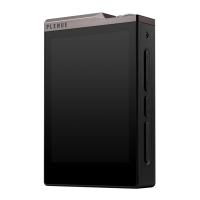

 To Next Page