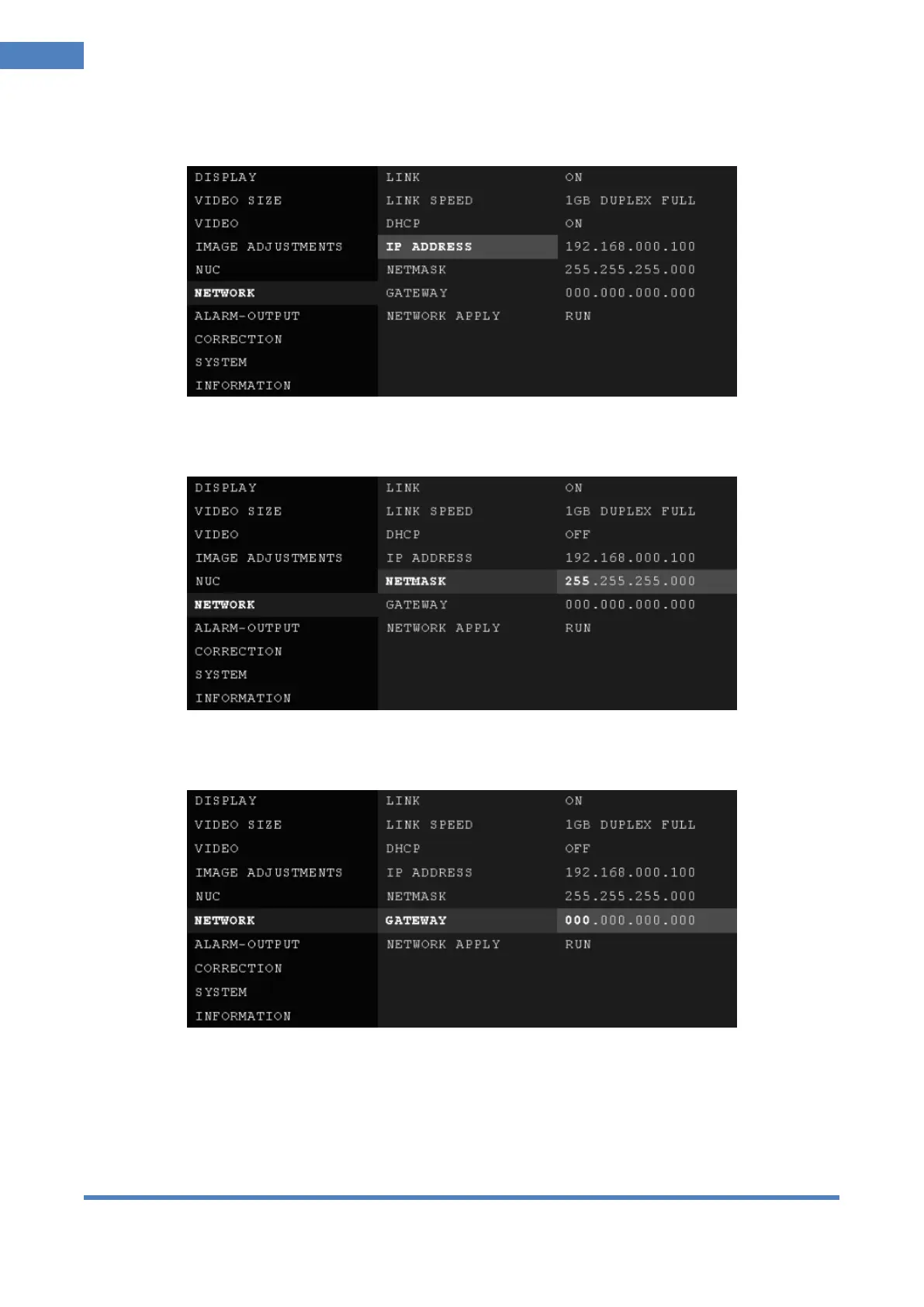
④ IP ADDRESS: Set IP ADDRESS.
Set IP address when DHCP is set at OFF.
⑤ NETMASK: Set NETMASK.
Set Netmask when DHCP is set at OFF.
⑥ GATEWAY: Set GATEWAY.
Set Gateway when DHCP is set at OFF.
⑦ NETWORK APPLY: Apply set parameters of network.
RUN: Push jog switch upward or downward and set parameter of network is applied.



 To Next Page