
 Need help?
Do you have a question about the COX CG320 and is the answer not in the manual?
Safety precautions for connecting power to the camera.
Safety precautions for installing the camera.
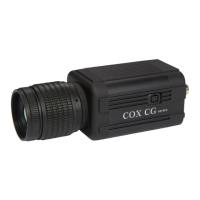
Overview of radiometric application and high image quality of CG series thermal cameras.
Artificial sensor equalization for maintaining image quality over time.
Navigation of OSD menu via jog switch or RS485 communication.
Bundled software for thermal analysis, control, and reporting.
Giga Ethernet capability for high-speed data transmission.
List of all items provided in the camera package for initial setup.
Identification of all physical ports and controls on the camera body.
Detailed explanation of each connector, control, and status LED on the camera.
Step-by-step guide for connecting the camera to monitor and network.
Procedures for achieving optimal lens focus.
Using RS-485 for remote OSD menu operation.
Best practices for maximizing performance and image quality.
Configuring OSD elements like icons, temperature, and color bar.
Adjusting video output resolution for NTSC, PAL, and HDMI.
Controlling brightness, contrast, zoom, and rotation.
Adjusting Automatic Gain Control and noise reduction filters.
Sharpening image edges and adjusting EE filter strength.
Settings for NUC execution modes, timing, and sensitivity.
Setting up IP address, DHCP, gateway, and network application.
Setting alarm signal types, modes, and duration.
Adjusting emissivity, transmission, atmosphere, zero offset, and distance.
Setting temperature mode, video outputs, protocols, and lens control.
Displaying camera hardware and firmware details.
Initial configurations for OSD display and video output.
Initial configurations for image quality and non-uniformity correction.
Initial configurations for network connectivity and alarm outputs.
Initial configurations for measurement correction and system parameters.
Proper procedures for storing the camera to prevent damage.
Solutions for problems like no image, startup failure, or poor image quality.
Detailed technical data including resolution, sensor, sensitivity, and modes.
Overview of various industries and uses for the thermal cameras.
Visual representation and measurements of the camera housing.
Understanding infrared radiation and its properties.
Impact of material emissivity and surface reflection on measurements.
Key elements affecting the precision of thermal measurements.
 General
| Thermal Sensitivity (NETD) | < 50 mK |
|---|---|
| Frame Rate | 9 Hz |
| Resolution | 320 x 240 |
| Accuracy | ±2°C or ±2% |
| Spectral Range | 8 - 14 µm |
| Battery Life | 4 hours |
| Temperature Range | -4°F to 1202°F (-20°C to 650°C) |

 To Next Page
