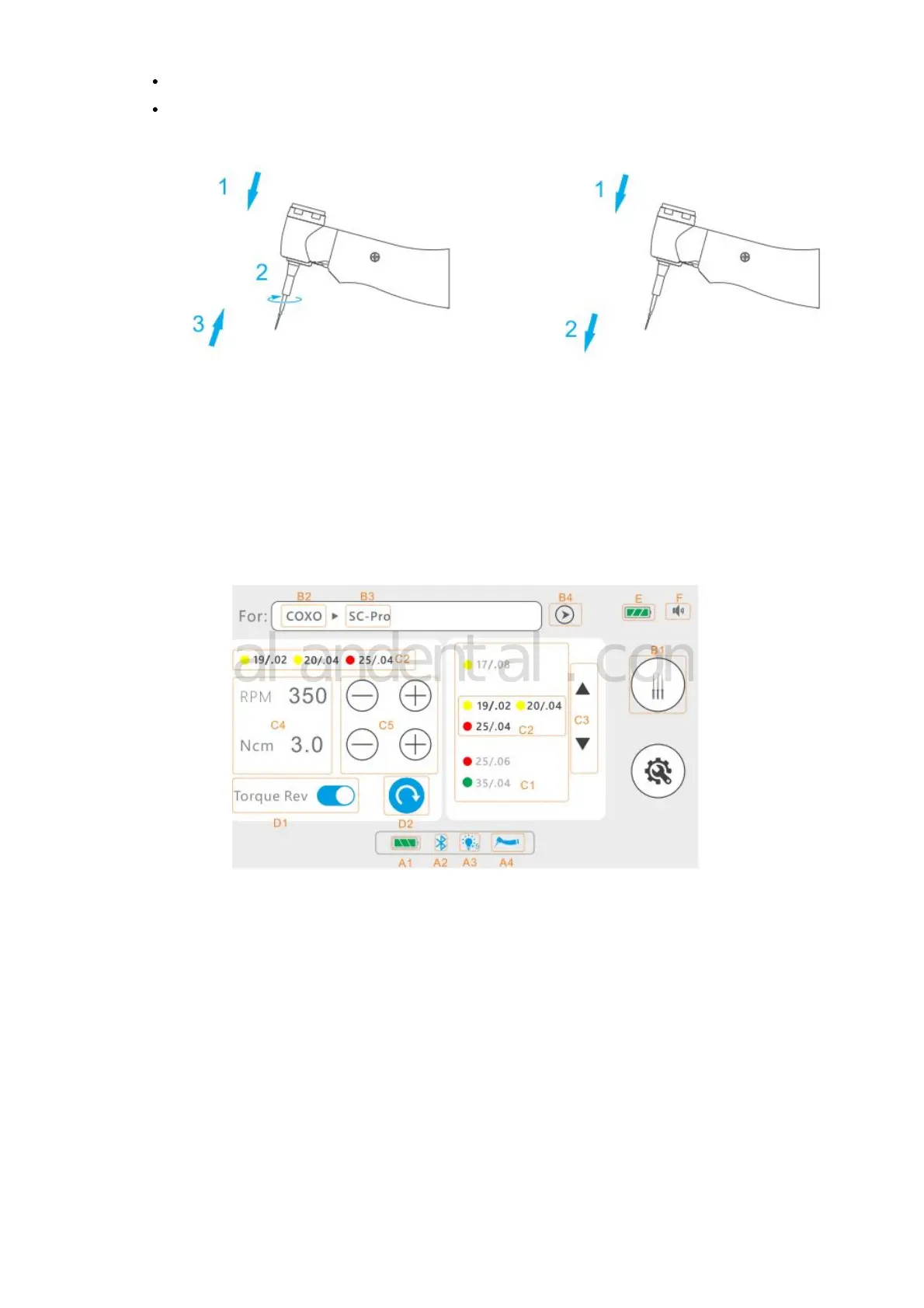
2. Connect File
Hold down the push button on the contra-angle and insert the file
Pull on the file gently to make sure it is locked.
Disconnecting: Press the push button and pull out the file.
WARNING:
• Make sure the connection is not damaged.
• Never use stretched, deformed or damaged files.
CUTION:
• Be careful when inserting and removing files to avoid injury.
• Inserting and removing files without holding the push button may damage the chuck.
• Gently drag the file to confirm that it is locked
2. Interface Overview



 To Next Page