CradlePoint MBR1000 | USER MANUAL Firmware ver. 1.6.9
© 2010 CRADLEPOINT, INC. PLEASE VISIT HTTP://KNOWLEDGEBASE.CRADLEPOINT.COM/ FOR MORE HELP AND RESOURCES PAGE 79
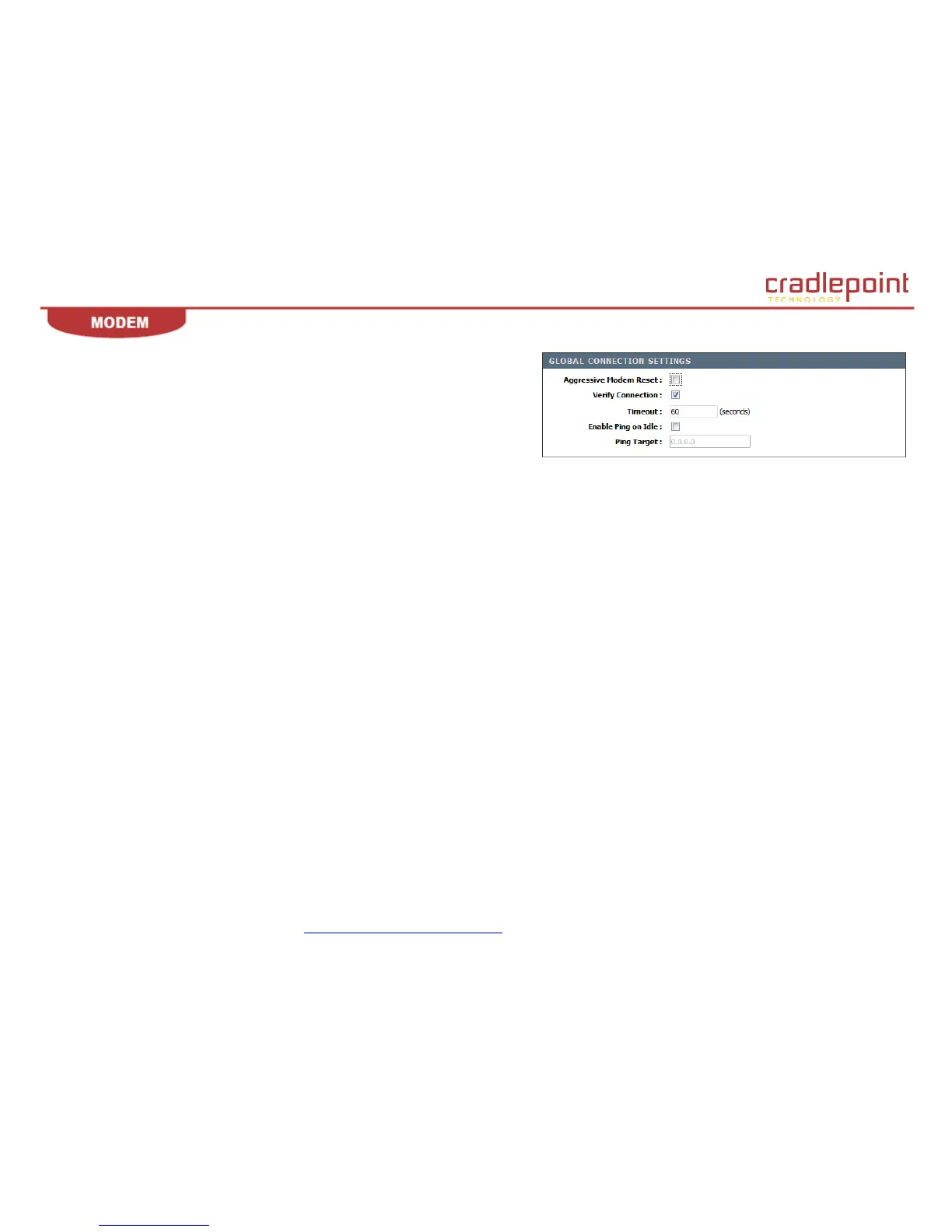
Verify Connection. This setting causes the router to periodically verify that the
modem connection to the Internet is still active. Due to the nature of cellular
networks, there are times the modem will report it is still active but data will not be
able to flow across the connection. This setting enables the router to detect this
condition (either actively or passively) and restart the connection if there is a
problem.
Timeout. This is how often the router will check to see if the modem connection is
still active. It does this by seeing if any new data was received over the connection during the previous Timeout seconds. This is the passive mode
of connection verification.
Enable Ping on Idle. This setting configures the router to send a ping packet when no data was received during the previous timeout period. If the
connection is still active, a response should be received. This is the active mode of connection verification.
Ping Target. This setting controls which IP address will be pinged.













 To Next Page