CradlePoint MBR1000 | USER MANUAL Firmware ver. 1.6.9
© 2010 CRADLEPOINT, INC. PLEASE VISIT HTTP://KNOWLEDGEBASE.CRADLEPOINT.COM/ FOR MORE HELP AND RESOURCES PAGE 90
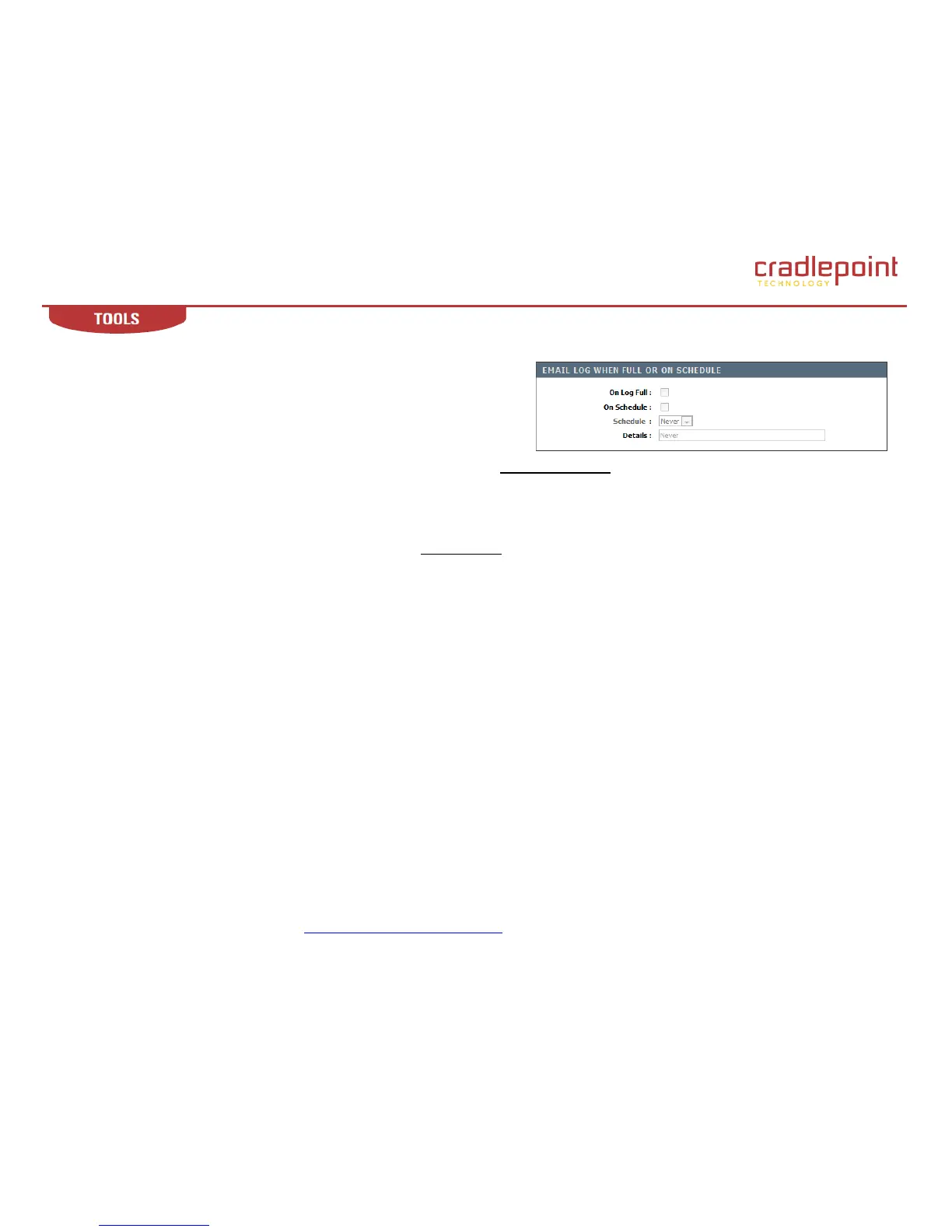
7.3.3 Email Log When Full or on Schedule
On Log Full. When this option is selected, logs will be sent via email when the
log is full.
On Schedule. Selecting this option will send the logs via email according to
schedule.
Schedule. This option is enabled when On Schedule is selected. You can select
a schedule from the list of defined schedules. To create a schedule, go to the Tools → Schedules sub-menu. NOTE: Normally email is sent at the
start time defined for a schedule, and the schedule end time is not used. However, rebooting the router during the schedule period will cause
additional emails to be sent.
Details. The text field description of the inbound filter you want to select. When you populate a new inbound filter rule, you attribute to it a
descriptor, which is what is shown here.
When you are done editing the settings, you must click the Save Settings button at the top of the page to make the changes effective and
permanent.













 To Next Page