CRAFTBOT PLUS PRO AND CRAFTBOT XL
DOME INSTALLATION MANUAL
www.craftbot.com
2. ACCESSORIES
Below you can see contents of the box. First of all, check the list to make sure nothing is missing!
1. Assembled dome with fan (1x)
2. Filament holder (1x)
3. Filament guide tube (1x)
Tools needed:
• 2.5mm allen key
• 10 mins
3. INSTALLATION
Please follow the steps listed below to install the dome.
• Remove the filament spool holder.
• Remove the FMS sensor.
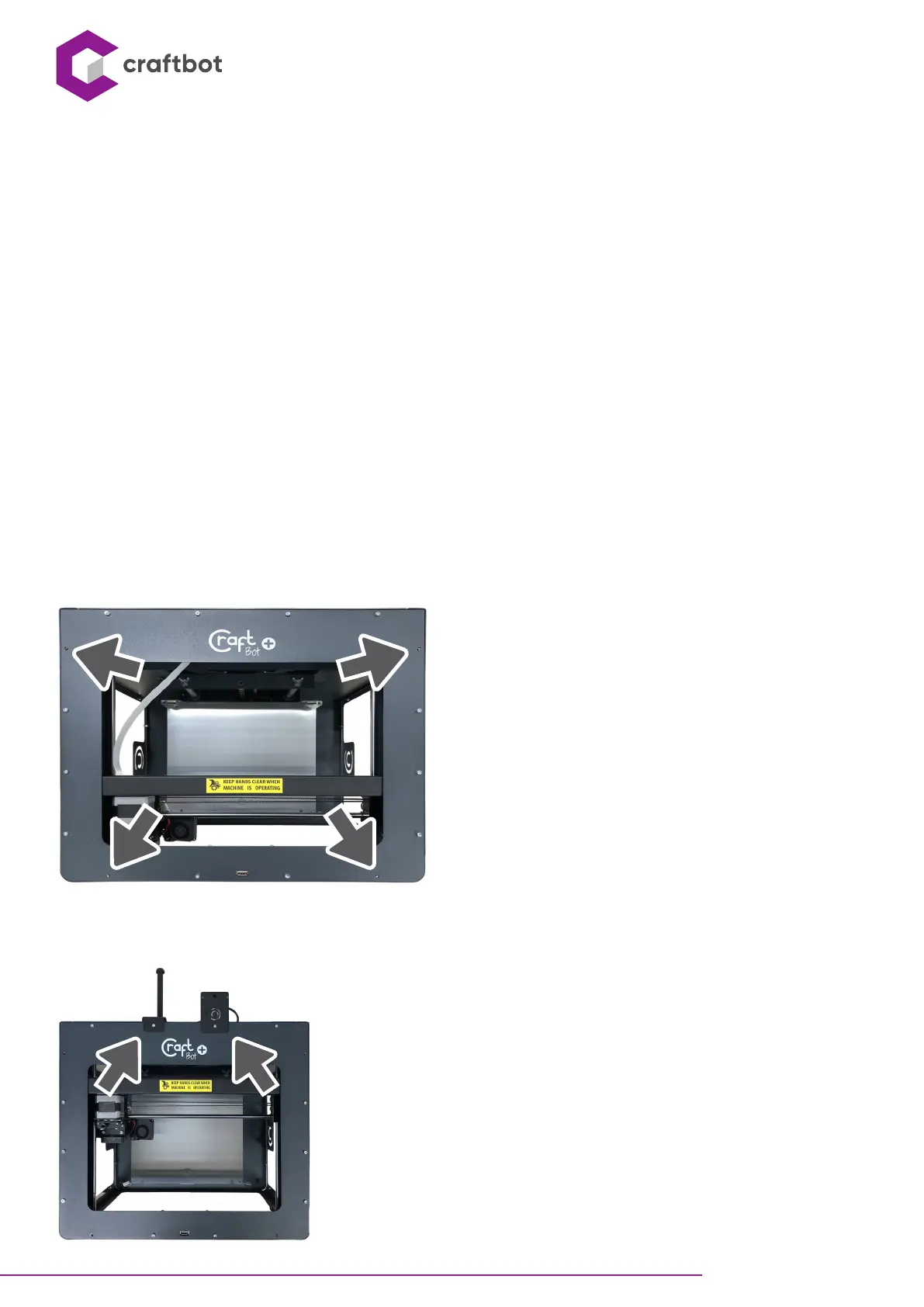
• Remove the screws marked with an arrow on the top cover of the printer. (4x)
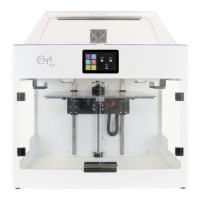
• Aach the filament spool holder to the indicated position.
• Aach the FMS sensor to the indicated position.


 To Next Page