16
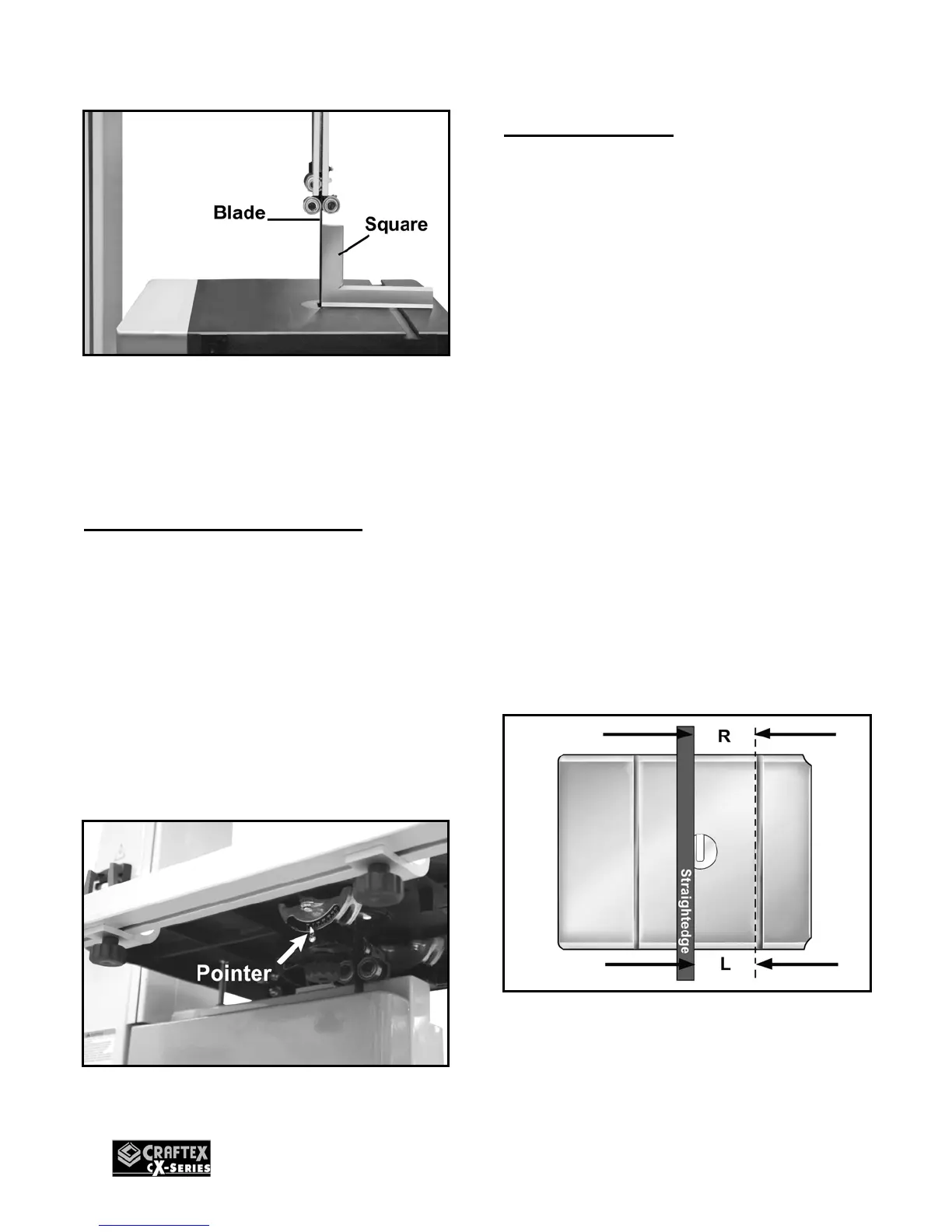
Figure-24 Adjusting the table at 90° to the
table using square
Once the table is at 90° with the blade,
tighten the hex nut and the knobs.
Table Tilt Scale Calibration
To calibrate the table tilt scale:
Make sure the table is at 90° to the blade
and the blade tensioning and tracking is
properly set. (See Page 12 & page 14 for
details)
Disconnect the machine from the power
source and loosen the pointer screw shown
in figure-25. Align the tip of the pointer with
the 0” mark on the tilt scale and tighten the
pointer screw.
Figure-25 Table tilt scale
Table Alignment
To make accurate cuts with your band saw,
the table should be aligned properly with
the blade.
To align the table:
Make sure the blade tension and tracking is
done correctly. Disconnect the machine
from the power source and loosen the two
knobs under the table. Place a straightedge
on the table so that the straightedge
touches the blade and is parallel to it as
shown in figure-26. Make sure the straight-
edge touches only the flat part of the blade,
not the teeth.
Now, use a ruler to measure the distance
between the miter slot and the straight edge
on both sides on the table R & L. See
figure-26
Adjust the table until the distance on both
sides of the table is equal and tighten the
knobs.
Figure-26 Aligning the table with the blade
using a straight-edge


 To Next Page