3
INSTALLATION
Remove the two hex bolts from the switch
bracket and insert into the bottom slot of the
fence rail. See figure-1. This will be used to
mount the switch later.
Figure-1 Inserting the hex bolts to the
bottom slot of the fence rail
Install the end cap on the left end of the
front fence rail. See figure-2.
Figure-2 Installing the end cap
INSTALLING CX250
Slide eight hex bolts into the open slot on
the fence rail.
INSTALLING CX230
Slide twelve hex bolts into the open slot on
the fence rail. See figure-3.
Align the hex bolts with the hole on the
table and extension wings and insert them
into the holes. Hand tighten the hex bolts.
Figure-3 Installing the front fence rail
Attach the rear fence rail on the rear of the
table and extension wings and secure it
using cap screws provided. See figure-9.
Figure-4 Installing the rear fence rail
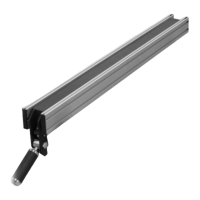
Place the fence on the fence rails and press
the handle down to lock the fence in
position. See figure-5.
Figure-5 Installing the fence


 To Next Page