6
Fitting sanding sheets (fig. F)
• Detach the two diamond-shaped tips (13)
from the sanding sheet (14).
• Hold the tool with the sanding base facing
upwards.
• Place the sanding sheet (14) onto the
sanding base, making sure that the holes
in the sheet line up with the holes in the
base.
The diamond-shaped tip (13) can be
reversed and replaced when worn.
• When the front part of the tip is worn,
detach it from the sheet, reverse it and
press it onto the sanding base again.
• When the whole tip is worn, remove it from
the sanding base and fit a new tip.
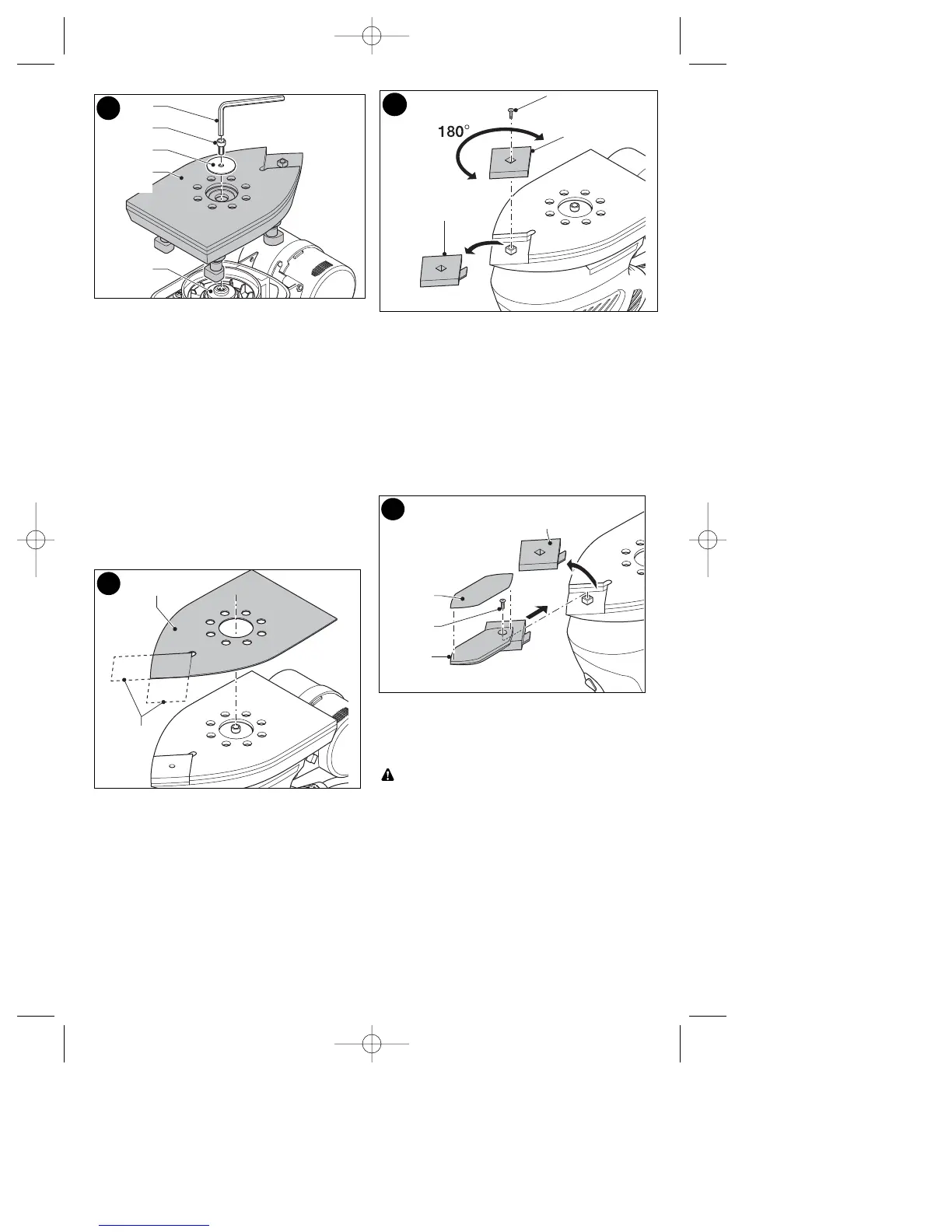
Tip of the sanding base (fig. G)
When the sanding base tip (5) or tip holder
(16) is worn, it can be reversed or replaced.
• Remove the screw (15).
• Reverse or replace the worn part.
• Fit and tighten the screw.
Finger attachment (fig. H)
The finger attachment is used for fine detail
sanding.
• Remove the screw (15).
• Remove the diamond-shaped tip holder (5)
from the sanding base.
• Fit the finger attachment (6) onto the
sanding base.
• Fit and tighten the screw.
• Fit the finger sanding sheet (17) onto the
finger attachment.
Operation
Let the tool work at its own pace. Do not
overload.
Warning: Do not cover the ventilation slots
when using the tool. Hold the tool as
shown in fig. L & M. Make sure that the
sanding base is flat on the workpiece.
Switching on and off (fig. I)
• To switch the tool on, set the on/off switch
(1) to position I.
• To switch the tool off, set the on/off switch to
position O.
F
13
G
15
14
5
16
H
5
17
15
6
E
7
12
8
9
10









 To Next Page