CRAMERTOOLS.COM
22
EN
Version 3 - 2022.09.22
Maintenance
Replacing the Battery
WARNING! Press the STOP button and remove the safety
key before replacing batteries and wear protective gloves.
CAUTION: Use only original replacement parts.
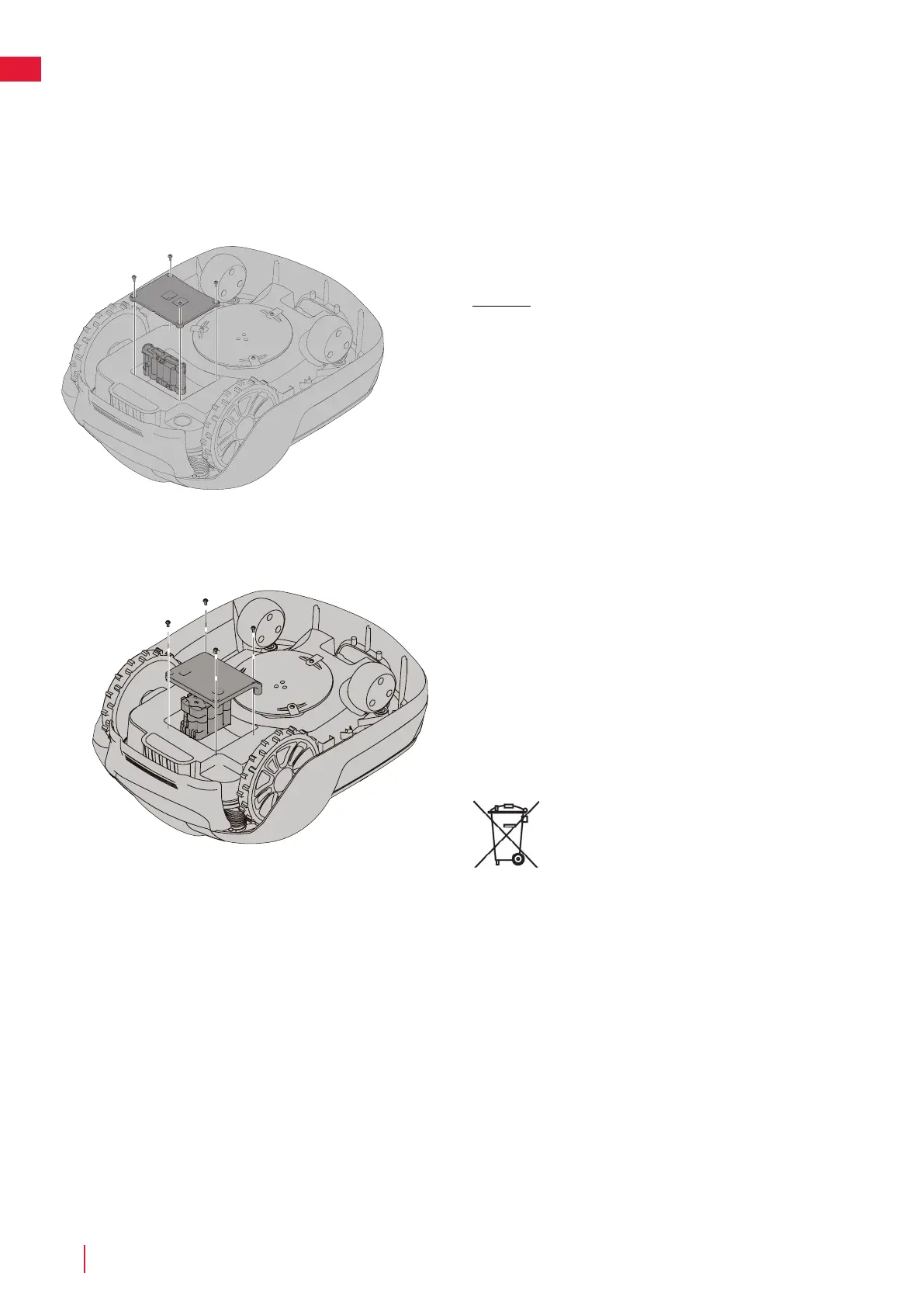
Turn the mower upside down and remove the four Torx T20 screws and
remove the battery cover.
Disconnect the battery terminal connector.
Lift the battery straight out.
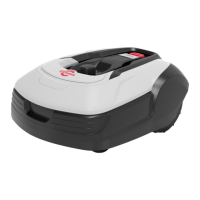
Insert the new battery in slot 1 (the rear slot).
Connect the battery terminal connector to the new battery.
Put the battery cover back into place and insert and tighten the four Torx
T20 screws.
Also secure that the sealing is in good condition and attached correctly.
Insert the safety key into the underside of mower and turn to the Enable
position.
Place the mower into the charging station for enable and charing the
battery.
Discard the old battery in accordance with local
environmental regulations.


 To Next Page