CRAMERTOOLS.COM
7
EN
Version 3 - 2022.08.30
Troubleshooting
This section also presents some symptoms that can guide you if the mower does not work as expected.
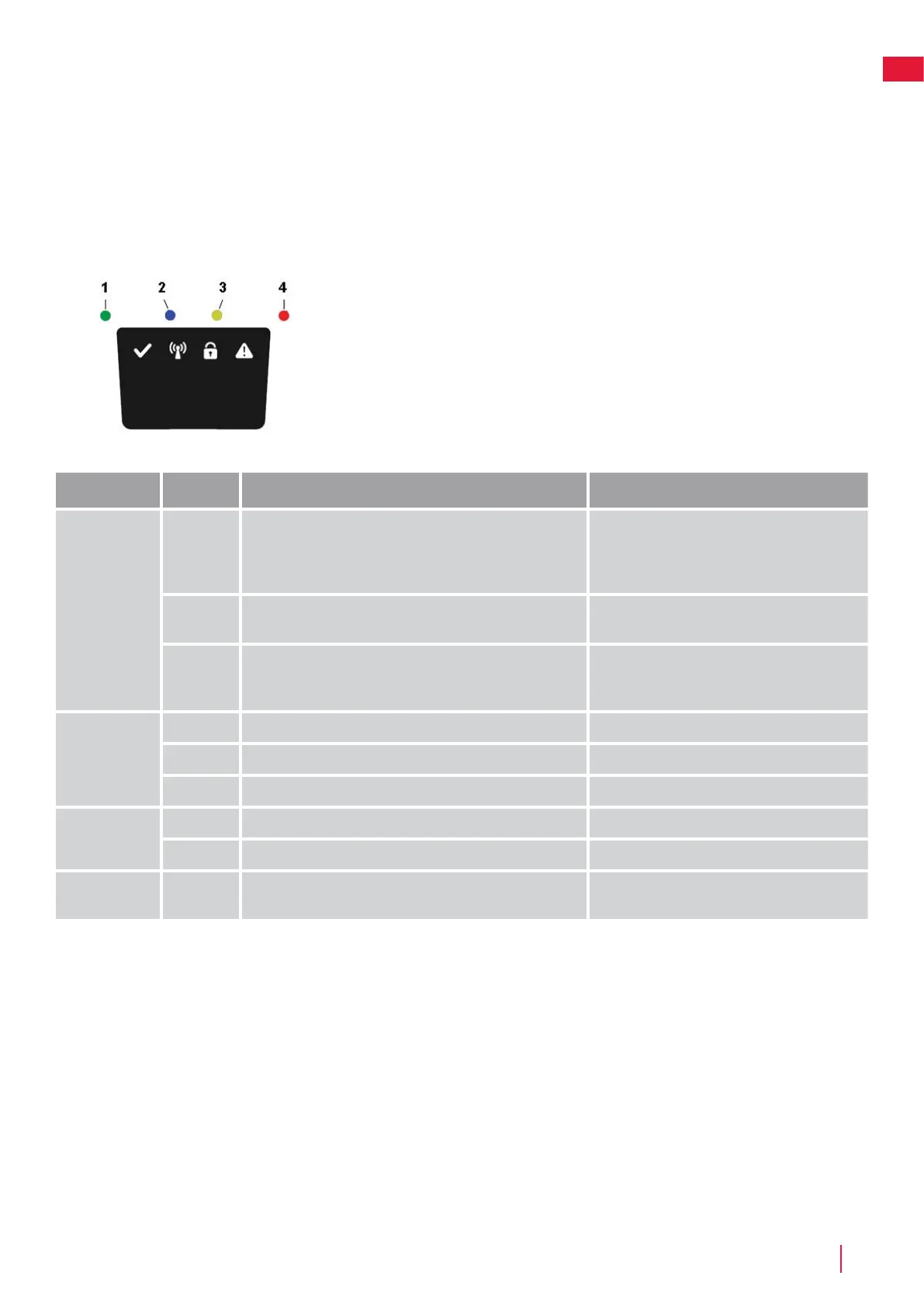
Indicator LEDs on Mower
LED Status Meaning Action
1. Operating
(Green)
Flashing Recovery mode Place the robot in charging station for up to 5
hours and wait for the green LED to stop flash.
If LED doesn’t stop flash then restart the robot
outside the CS and try again.
On Mower in operation mode (charging, parked in Charging
station, paused, mowing or searching)
O Mower stopped with Stop button on mower, safety key in
Disabled position, mower in error state or mower waiting for
PIN code.
2. Connectivity
(Blue)
Flashing Trying to connect to internet server
On Connected to internet server
O Mower not in ”Power on mode”
3. Security
(Yellow)
Flashing PIN code authorization required ... via Mobile App.
O No pin required No action required
4. Error
(Red)
Flashing Mower stopped with error Check the reason for the error and then restart
by pressing the Start button on the mower.
Breaks in Boundary Wire and Guide Wire
Breaks in the boundary wire and guide wire (if installed) are usually the result of unintentional physical damage.
Inspect the entire boundary wire from the charging station and back.
Inspect the guide wire (if installed) from the charging station to the splice into the boundary wire.
Inspect that all the couplings have been properly squeezed to make connections.


 To Next Page
 Loading...