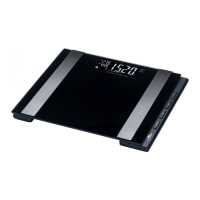
Use without app
If you use the scale without the app, the scale
is only capable of correctly determining your
weight. Without the app all other measurements
are performed using standard parameters and
will therefore be more or less inaccurate.
Furthermore, the measured data will not be saved
on the scale if you use the scale without the app.
In order to calculate your percentage of body fat, body water, mus-
cle mass, bone mass as well as your BMI, AMR and BMR, the scale
requires individual parameters such as your gender, height and
age. However, it is not possible to enter these parameters on the
scale itself, instead this must be done with the app or on the Crane
website (see chapter “Creating a user account”).
If these individual parameters are not entered, the resulting
measurements may differ considerably from the actual indi-
vidual values. Thus, weight will be displayed without user rec-
ognition if the app is not used. We recommend using the scale
in combination with the app.
Setup
Inserting batteries
1. Place the scale on a soft base with the bottom facing up.
2. Open the battery compartment
4
(see fig.B).
3. Remove the protective foil from the enclosed batteries
3
.
4. Insert the batteries in the battery compartment. The polar-
ity is correct if the negative poles of the batteries are lined
up with the corresponding spring contacts in the battery
compartment.



 To Next Page