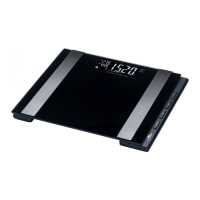
Changing the batteries
If you stand on the scale and “Lo” appears on the display in-
stead of the measurements, the batteries are no longer sup-
plying sufficient power.
If you stand on the scale and nothing appears on the display,
the batteries are empty. To change the batteries, proceed as
follows:
1. Place the scale on a soft base with the bottom facing up.
2. Open the battery compartment
4
(see fig.B).
3. Take the batteries
3
out of the battery compartment.
4. Insert new batteries in the battery compartment. Use bat-
teries of the same type.
The polarity is correct if the negative poles of the batteries
are lined up with the corresponding spring contacts in the
battery compartment.
5. Close the battery compartment.
6. Turn the scale over.
The reading “0.0” will appear on the display
1
.
7. If nothing appears on the display, remove the batteries
and insert them again.
Storage
If you do not use the scale for a prolonged period of time,
please observe the following notes:
− Take the batteries
3
out of the
battery compartment
4
.
− Do not store the scale near heat sources.
− Do not place any heavy objects on the scale if you do not
use the scale.



 To Next Page