
 Need help?
Do you have a question about the Crane Merchant MEDIA and is the answer not in the manual?
Lists necessary tools like socket set, gloves, and screwdriver, plus personnel requirements.
Details the sequence for removing monetary, glass doors, and delivery bin for access.
Provides weights for monetary door (16kg), glass door (23kg), and delivery bin (16kg).
Link to a YouTube video demonstrating the removal of parts for narrow passages.
This manual outlines the procedure for removing the monetary door of a Crane Merchant MEDIA vending machine to facilitate its passage through narrow openings. This process is crucial for installation or relocation in spaces with restricted access, allowing the machine's depth to be reduced from 810 mm to approximately 740 mm, enabling it to fit through openings as narrow as 750 mm (29.5 inches). The instructions are designed to ensure the safe and efficient disassembly and reassembly of key components.
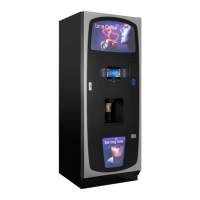
The Crane Merchant MEDIA vending machine is designed to dispense various products, featuring a robust construction and advanced merchandising capabilities. Its primary function is to provide a convenient and automated retail solution. The machine incorporates a monetary door for payment processing, a glass door for product display, and a delivery bin for dispensed items. The ability to remove these components temporarily allows for greater flexibility in deployment, making it suitable for a wider range of locations that might otherwise be inaccessible due to spatial constraints.
The Merchant MEDIA machine is user-friendly, offering a straightforward interface for product selection and payment. Its design emphasizes ease of use for both the end-consumer and the operator. The internal layout is structured to allow for efficient stocking and maintenance. The modular design, as highlighted by the removal procedure, underscores its adaptability. The machine's core functionality remains consistent whether fully assembled or temporarily disassembled for transport, ensuring that its operational integrity is maintained.
The manual provides a clear, step-by-step process for disassembling and reassembling critical parts, which is a key maintenance feature. This procedure is not only for transport but also implicitly supports deeper maintenance tasks that might require access to internal components. The requirement for an anti-static wristband, socket set, protection glasses, gloves, screwdriver, and wire cutter indicates that the machine is designed for professional servicing. The emphasis on safety, requiring two people to perform the task, highlights the importance of proper handling during maintenance.
The process summary for removing the monetary door includes:
The manual also provides crucial information regarding the weight of the assemblies:
This information is vital for safe handling and emphasizes the need for two people to perform the task, as stated in the "Equipment Required" section. The ability to reverse the entire process for reassembly ensures that the machine can be restored to its original operational state without compromising its functionality or structural integrity. The availability of an instructional video further enhances the maintenance process by providing a visual guide, reducing the potential for errors and ensuring consistency in execution. This comprehensive approach to disassembly and reassembly underscores the machine's design for long-term serviceability and adaptability.
 General
| Category | Vending Machines |
|---|---|
| Manufacturer | Crane |
| Model | MEDIA |
| Payment Systems | Cashless payment, credit/debit cards, mobile payments |
| Display | LCD |
| Connectivity | Ethernet, Wi-Fi, cellular |






 To Next Page