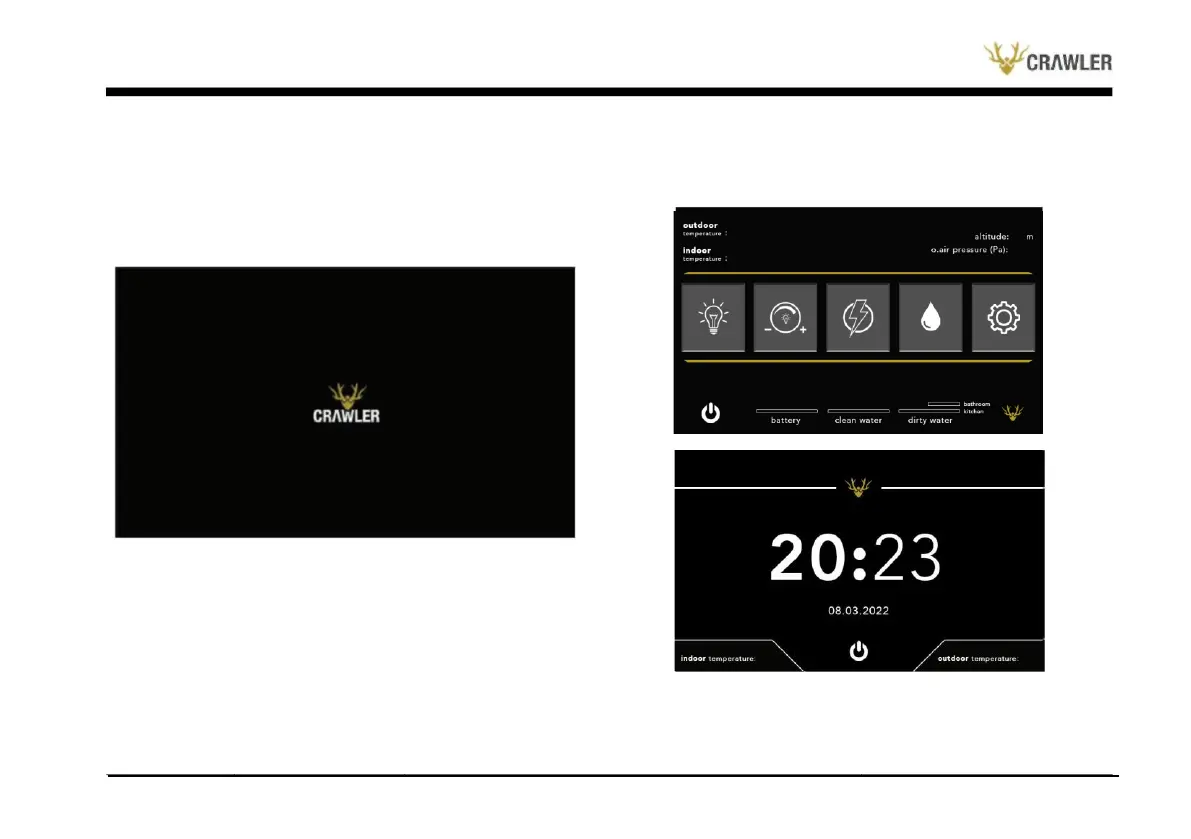
ensures access to menu. The fourth button from the left and the
"Water Drop” button on it provides access to the menu where
ANKA300's clean/dirty water tanks status, booster, frost protection
operations are managed and displayed.
Crawler Smart Panel is opened by pressing the physical unlock
button at the bottom of its screen once. Each time the physical
button is pressed, the system is restarted. When the screen is
opened for the first time, a visual like the illustration below will
appear on the screen.
The first button from the left and the "Light” symbol on it allows
you to control the entire lighting system connected to the panel
inside and outside the ANKA300. The button second from the left
and with the "+/- Light” symbol on it provides access to the menu
where the light intensity (dimmer) of the lightings in ANKA300 is
adjusted. The third button from the left with the "Lightning" symbol
contains information about the electricity and solar panel of
ANKA300.
The button on the far right with the "Wheel” symbol provides
access to the battery capacity, time and date adjustment menu, and
the menu that provides access to the screen brightness controls.


 To Next Page