SettingUpYourCreatBot3DPrinter
A‐InstalltheHandles
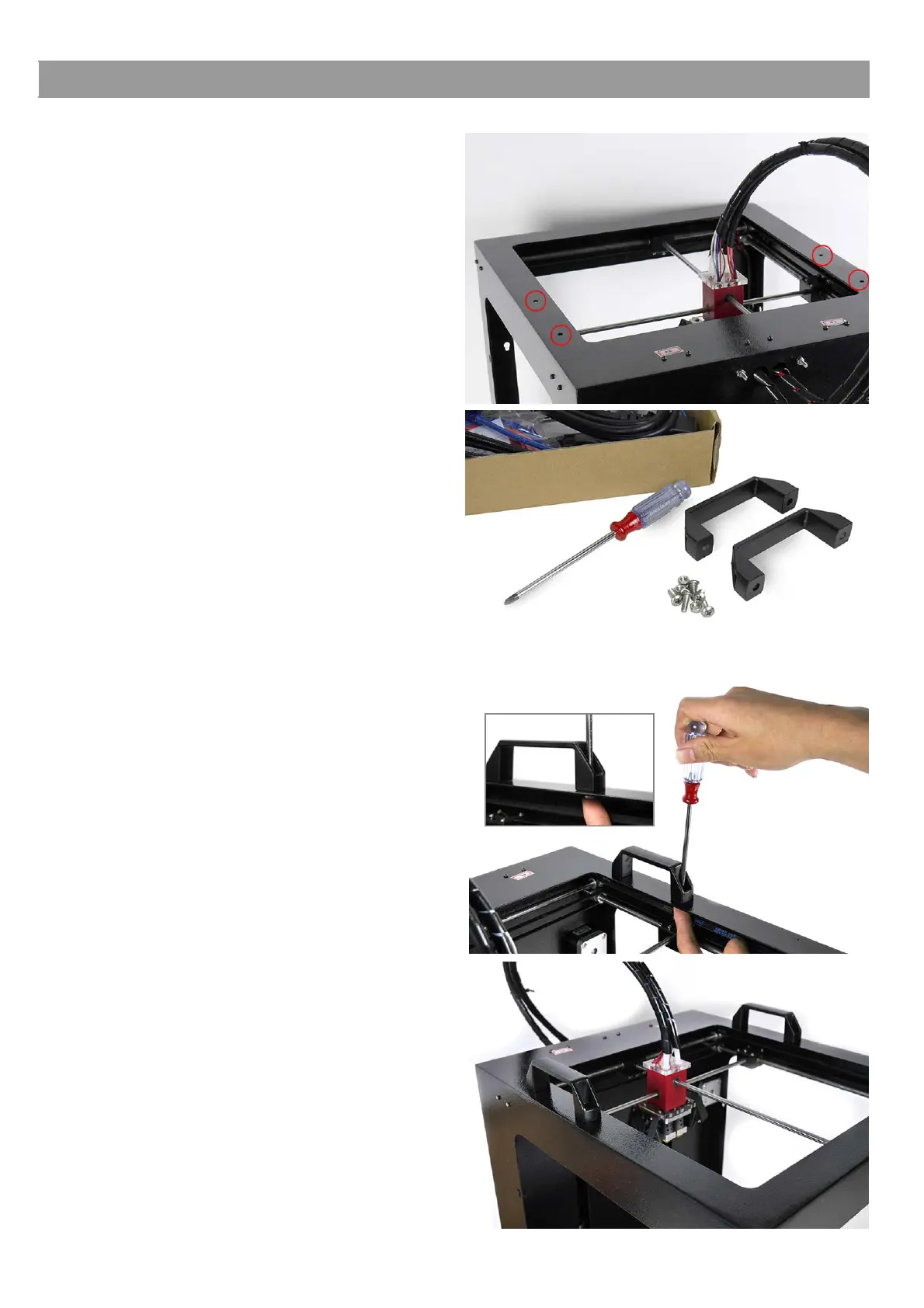
1).Locatethefourholesareonthetopofthe
printer.Theseareusedtomountthehandles.
2).Youwillneedascrewdriver,fourscrewsand
twothetwohandles.
3).Usethescrewdrivertofixthetwoholderson
leftandrightoftheprintertopside.
Note:Pleaseensurethatyouhavetightenedthe
nutsufficiently.Useaspannertoholdthenutin
placewhentightening.
4).Handleinstallationcomplete.



 To Next Page