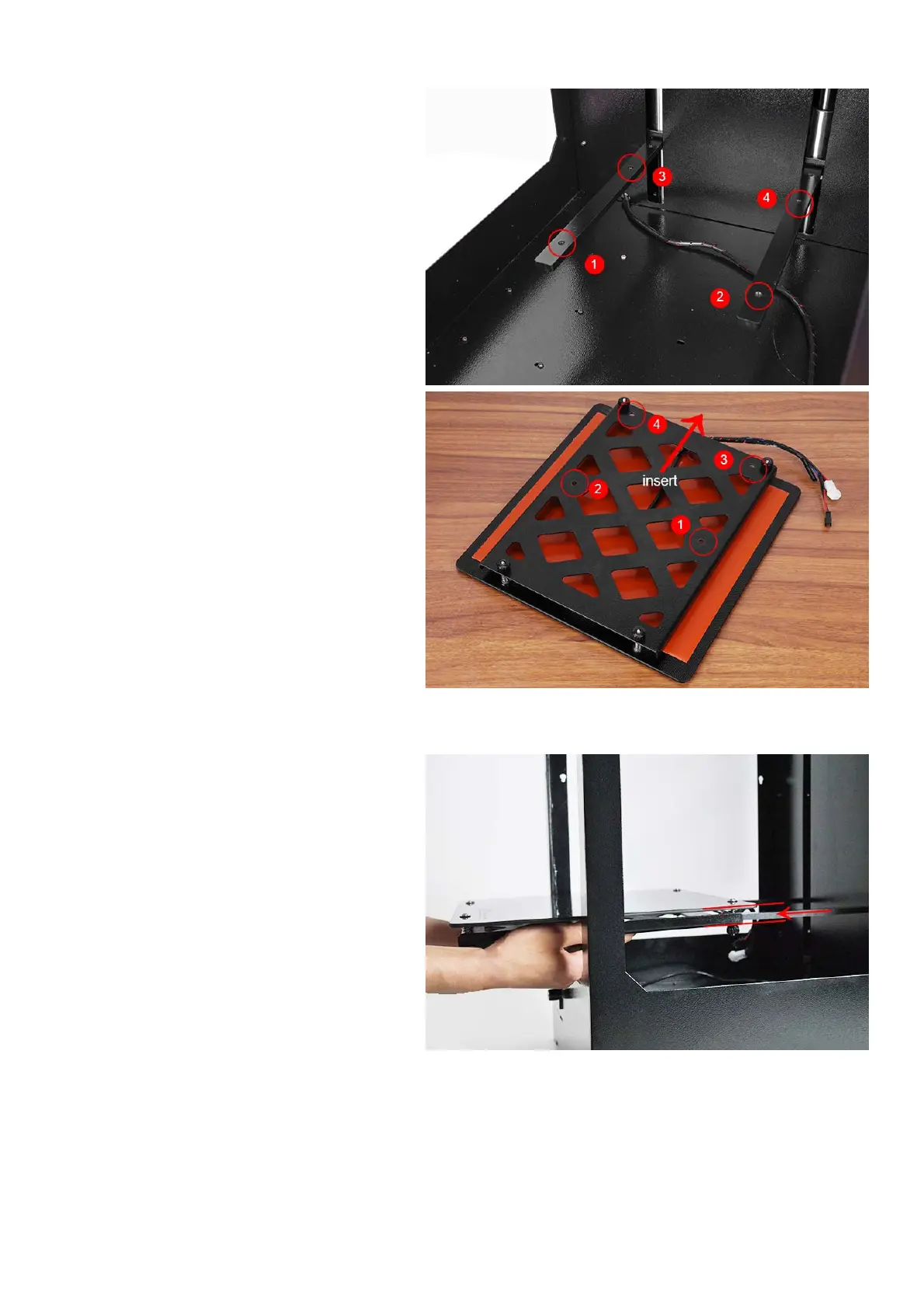
B‐InstalltheBuildPlatform
1).Turnonyourprinter,enter“Prepare>Move
axis>Move1mm>MoveZ”,loweringZaxisa
little(forexample30mm)toavoidcollision
betweennozzleandbuildplatformwhile
installation.
Checktoensurethatthebars(shown)arebothat
bothparalleltoeachotherandat90degreesto
thebackplate
2).Inserttheplatform’sholderintothemiddleof
platform.Slideintheplatformfromthefrontof
themachine.
Note:Theendofplatformwithblackconnection
wireshouldtowardtheprinter



 To Next Page