EasyManua.ls Logo

Creation CT630 - Page 16

Default Icon
31 pages
Print Icon
To Next Page IconTo Next Page
To Previous Page IconTo Previous Page
Loading...
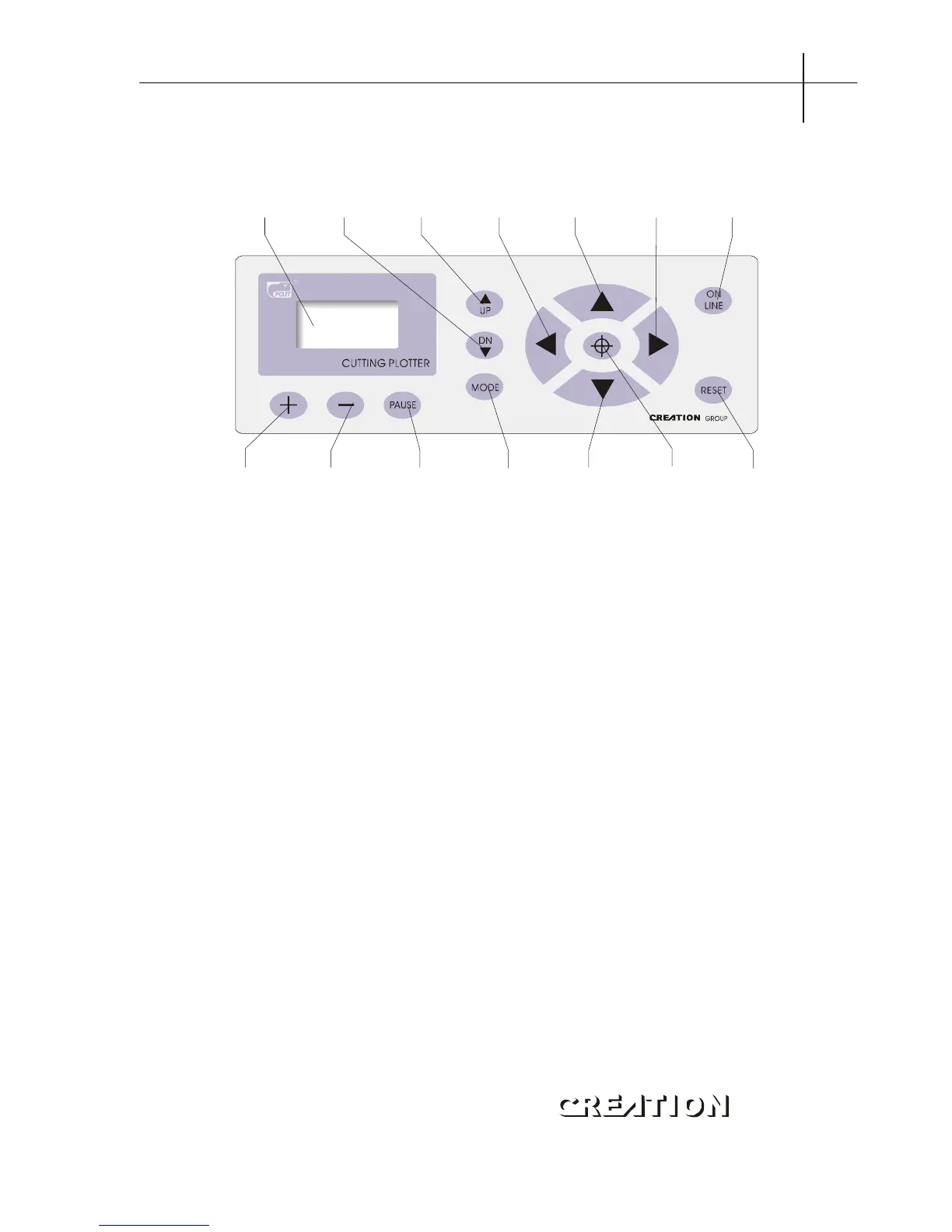
6.1.3 Control panel
14 13 12 11 10 9 8
1 2 3 4 5 6 7
1.LCD Display 8.Host reset
2.Knife-dropping button 9.Origin setting button
3.Knife-raising button 10.Paper-feeding button
4.Leftward button 11.Systemic parameter setting button
5.Paper-withdrawal button 12.Pause
6.Rightward button 13.Value +
7.Online/offline button 14.Value -

PCUT SERIES USER
S MANUAL Cutting plotter PCUT CT operating instructions
1
5

Related product manuals