Tutorials
0202 USB 2.0 Owner’s Manual 17
3 - Recording a MIDI Track using Proteus VX
You’ll need a MIDI interface and a MIDI keyboard (or other MIDI input device)
for this tutorial.
Make the Connections
1. Connect the MIDI out of your MIDI keyboard to the MIDI input of your MIDI
interface.
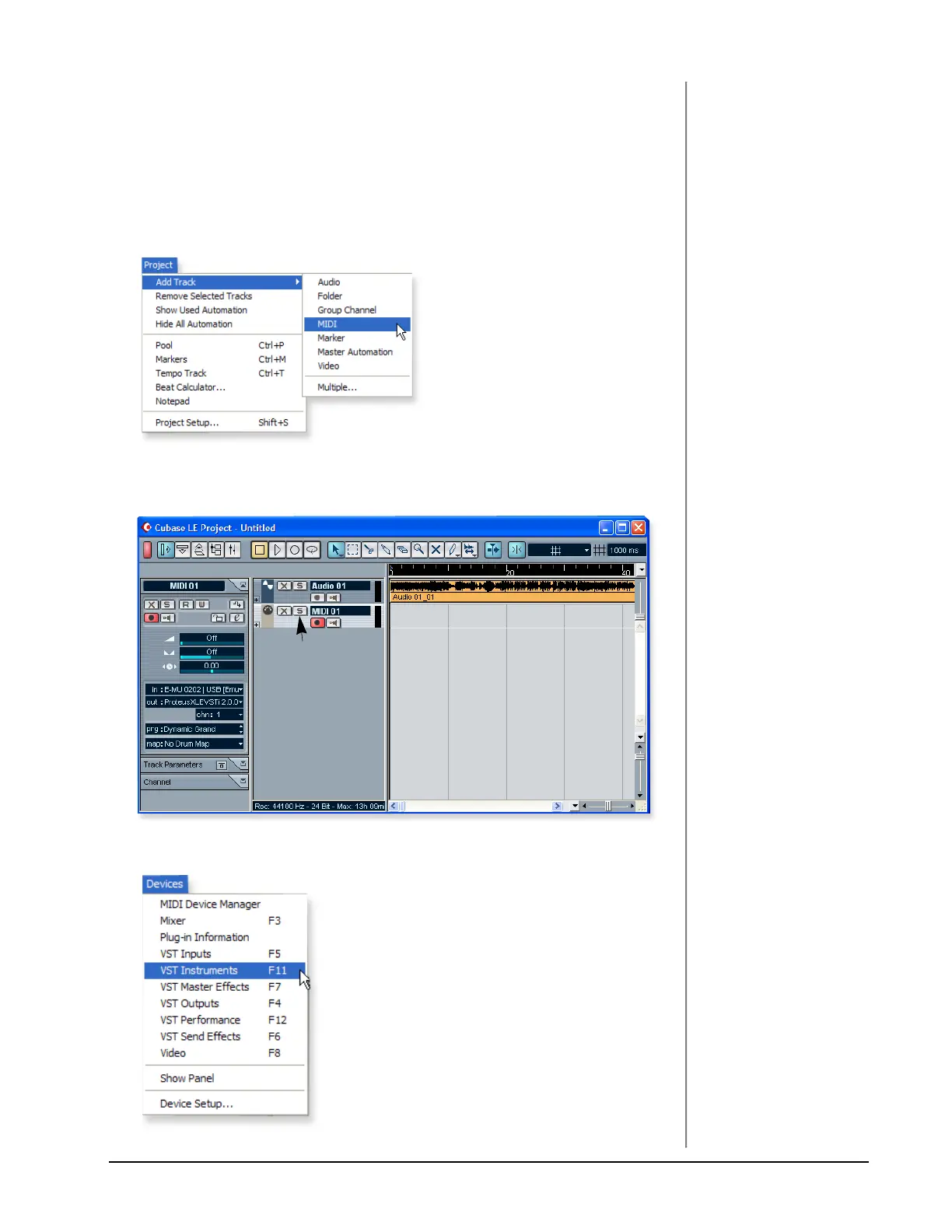
2. From the Project menu, select Add Track, MIDI.
The Cubase Project Window should now look more or less like the one below
with one or more Audio tracks and one MIDI track:
3. Click the Devices menu, and select VST Instruments.
MIDI Track



 To Next Page