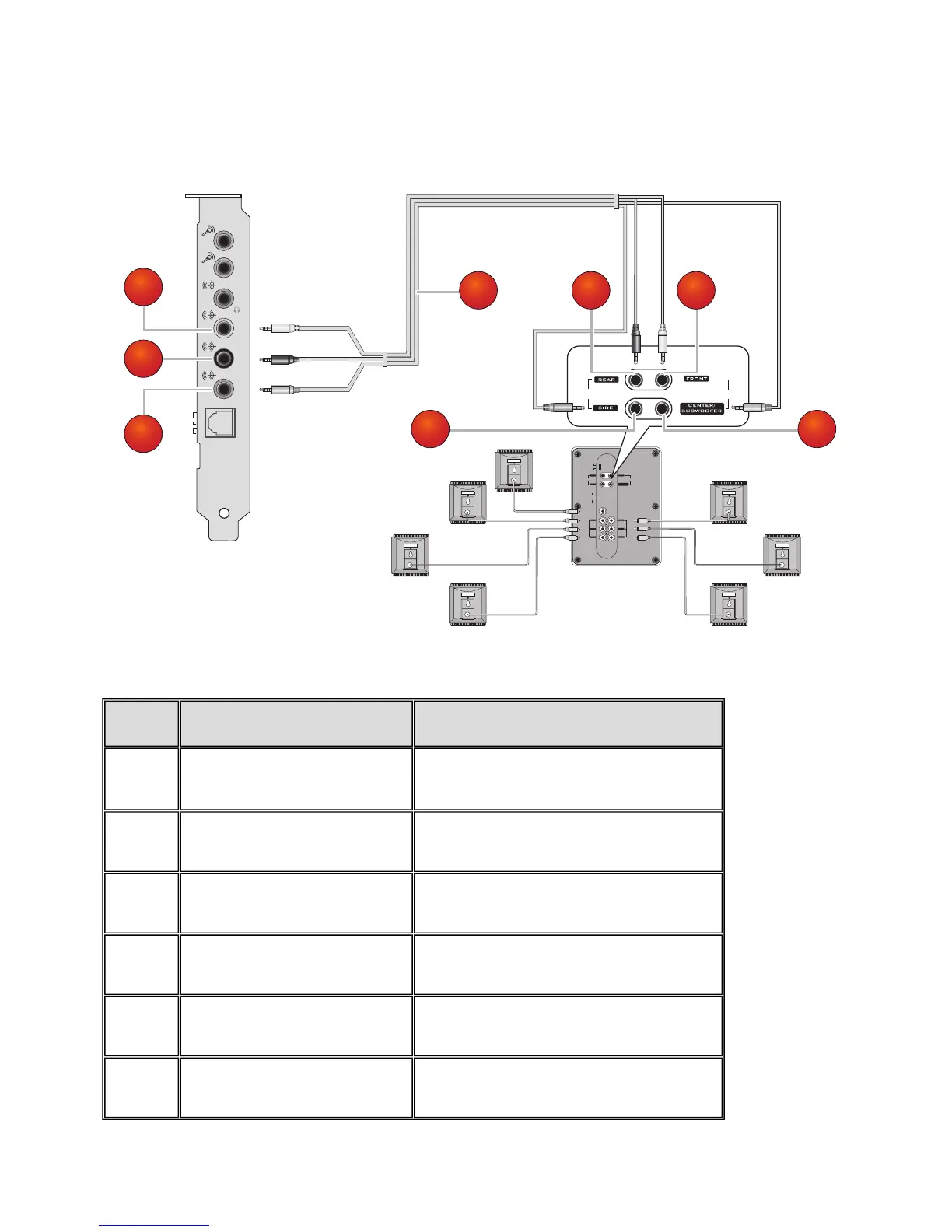
Watching DVDs
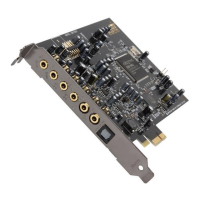
You can connect your multichannel speaker system to your Sound Blaster Audigy 5 audio card, to enjoy
watching your favorite DVDs.
Jack, Connector or Cable Description
1.
Line Out 1 jack
Connects to the Line Out 1 jack on the Sound
Blaster Audigy 5.
2.
Line Out 2 jack
Connects to the Line Out 2 jack on the Sound
Blaster Audigy 5.
3.
Line Out 3 jack
Connects to the Line Out 3 jack on the Sound
Blaster Audigy 5.
4.
7.1 channel audio cable (avail-
able separately)
Connects the Sound Blaster Audigy 5 and 7.1
analog speaker.
5.
Front connector
Connects to the Front jack on your 7.1 analog
speaker.
6.
Rear connector
Connects to the Rear jack on your 7.1 analog
speaker.
Connecting Related Peripherals 11









 To Next Page