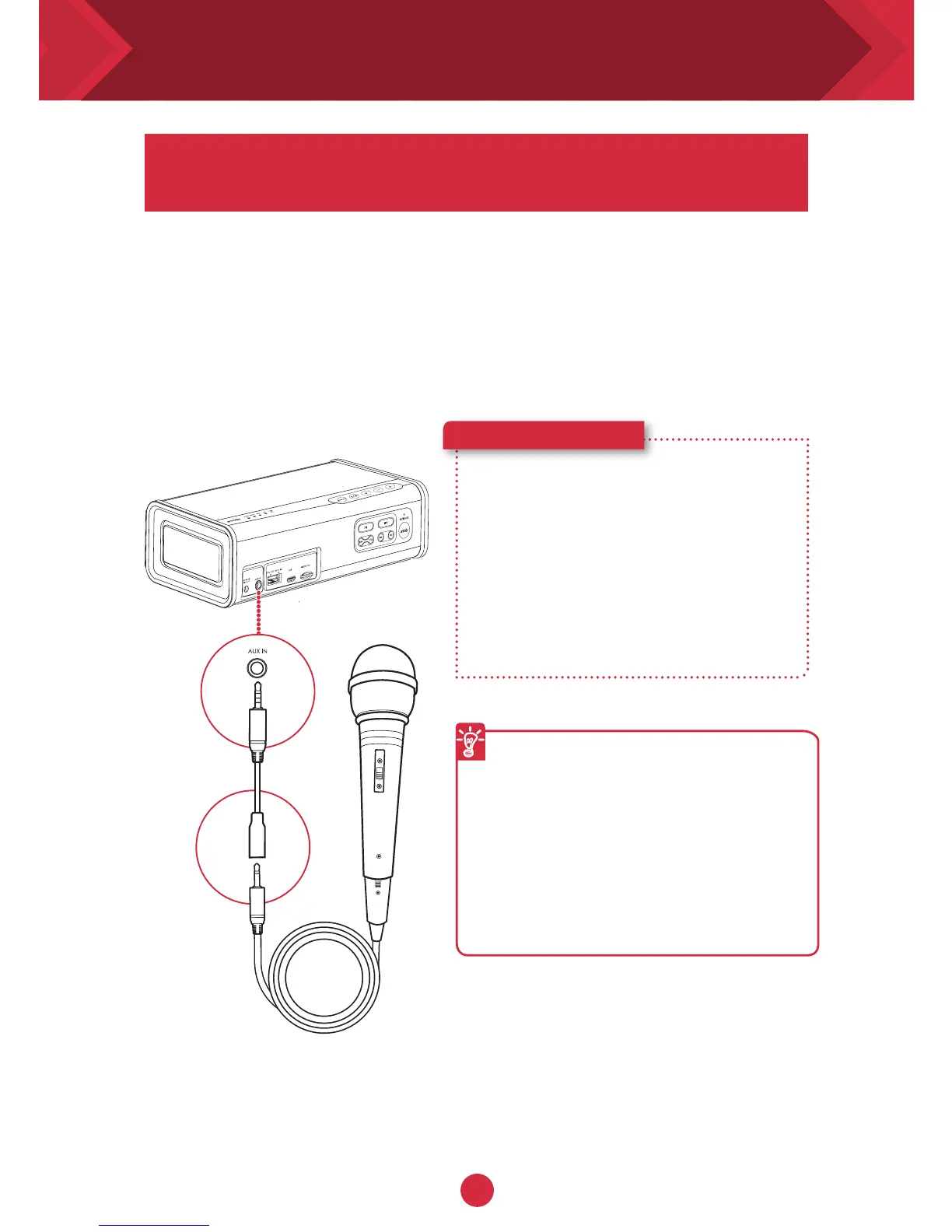
Connect an external microphone to your iRoar Go to
transform it to a portable public address (P.A.) system
The iRoar Go includes a built in microphone preamplifier with limiter
circuitry to help prevent distortion. Compatible with most electret
condenser and dynamic type microphones (cardioid / unidirectional
type microphone are strongly recommended) .
1 Connect an external
microphone to the mic adapter
2 Plug the adapter into the Aux-in
socket
3 Adjust the volume and the
system is ready to use
Here’s how you do it!
If you encounter howling noise
(feedback), try reducing the speaker
volume, facing the microphone away
from the speaker or increasing the
distance from the microphone to the
speaker. Do not cover the microphone
with your hand, as this will increase
the possibility and severity of
feedback.
Understanding the microphone input










 To Next Page