Product Guide 3
English
What’s Next... Follow Easy Steps 1-2-3
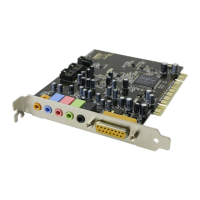
Follow Easy Steps 1-2-3 to quickly install SB Live! Player 5.1 audio
card on your computer:
Step 1
Installing the Audio Card
• Install card in spare expansion slot
• Connect CD-ROM audio cable
• Connect powered speakers or headphones
For more information, refer to “Step 1: Installing
the Audio Card” on page 4.
Step 2
Installing Device Drivers
• Insert installation disk in CD-ROM drive
• For Windows 95/98/ME installation, use
Update Device Driver Wizard
and follow
instructions
• For Windows NT 4.0/2000 installation, use
Creative Audio Software
screen and follow
instructions
• Check device drivers are correctly installed
For more information, refer to “Step 2: Installing
Device Drivers” on page 5.
Step 3
Installing the Software
• Insert installation disk in CD-ROM drive
• Use
Install Selected Components
screen and
follow instructions
For more information, refer to “Step 3: Installing
the Software” on page 7.








 To Next Page