User Manual for Handheld Pulse Oximeter
18
4.5.1 Data Recall
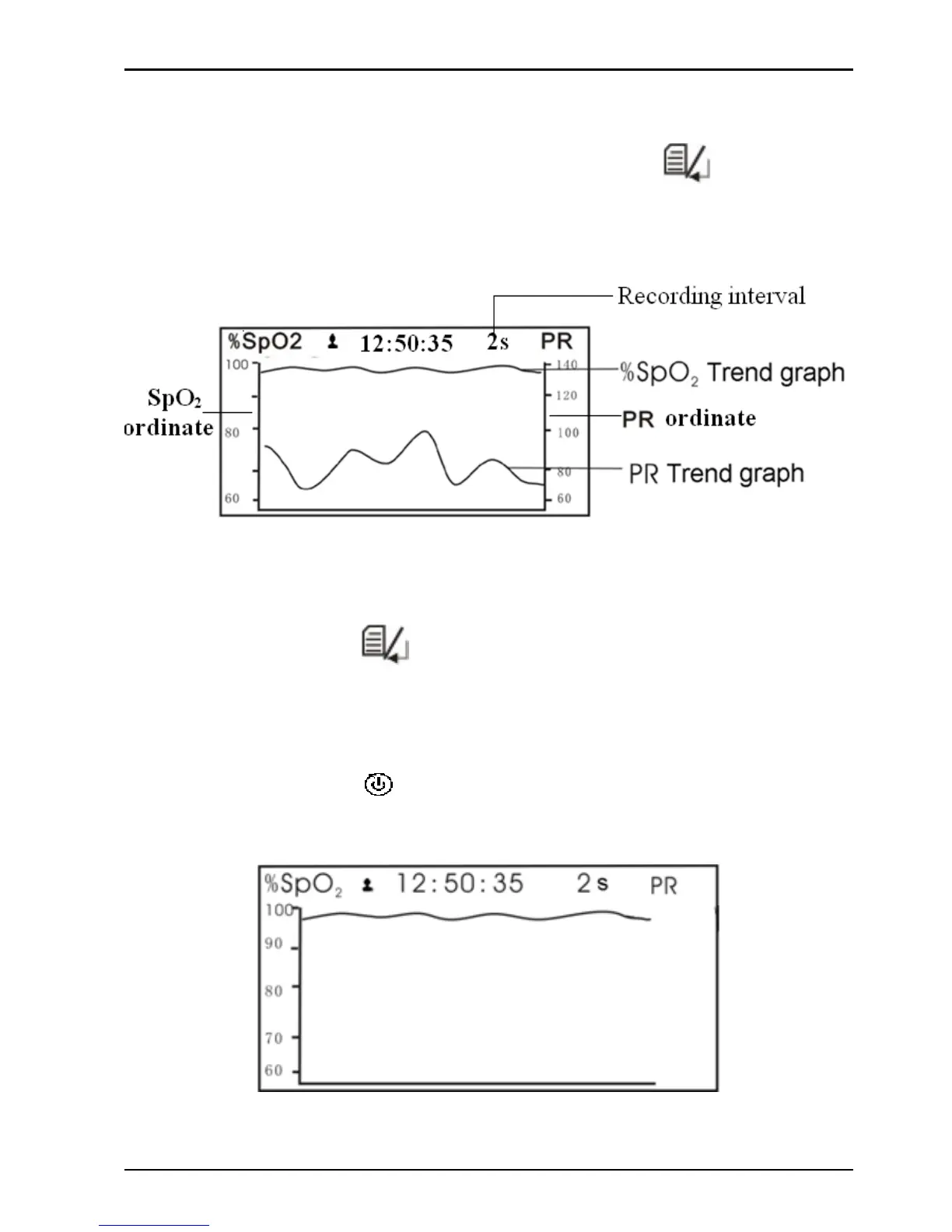
Choose record in the record list, then press “ ”(mode/OK)
key, the display screen will display trend graph, as shown in
Figure 4-9A.
Figure 4-9A Trend Graph Display Screen
Operation Instructions:
z
Short time p ress “
” mode/OK key to shift the trend graph
screens (as shown in Figure 4-9A , Figure 4-9B a nd Figure
4-9C)
z
Short time press "
" power/back key to return to record list
screen.
Figure 4-9B Trend Graph Display Screen



 To Next Page