Installing PC-DVD Encore 8
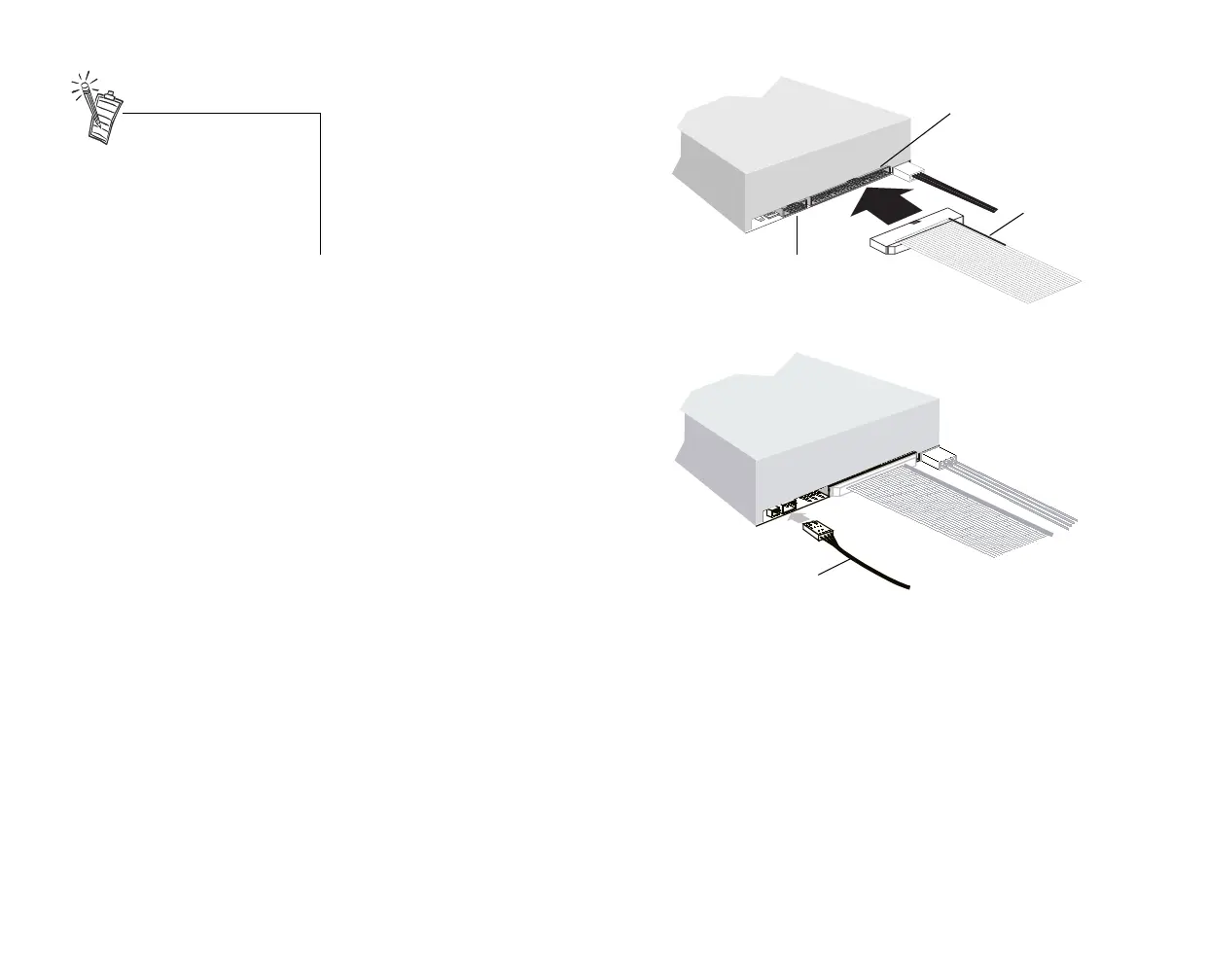
3. Connect the IDE data cable to
the PC-DVD drive.
4. Connect the PC-DVD audio
cable to the PC-DVD drive.
Pin1
Colored
stripe
o
e:
gn
e
colored stripe on the
IDE data cable to
pin 1 of the IDE data
connector.
IDE data
cable
IDE data
connector
PC-DVD
audio cable
Be sure that you are connecting
the correct end of the PC-DVD
audio cable to the drive. See the
figure on page 4 for a detail of the
connector for the Dxr2 decoder
card—use the other end for the
PC-DVD drive.
Dvd-fm.book Page 8 Thursday, December 17, 1998 9:44 AM



 To Next Page