Installing PC-DVD Encore 10
Secondary IDE
Connector with
CD-ROM Drive
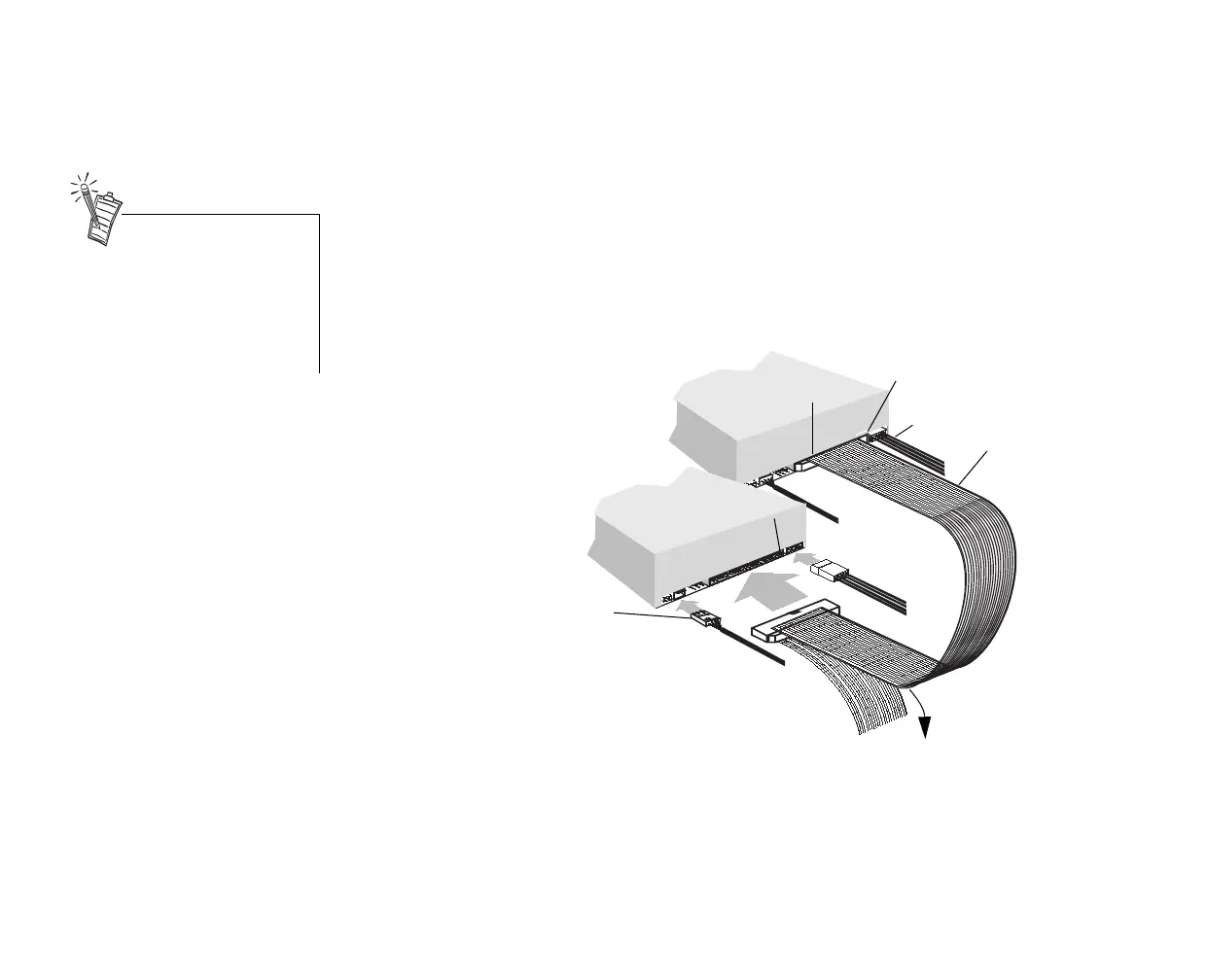
To connect to the secondary IDE connector with a CD-ROM drive:
1. Locate the secondary IDE connector on the motherboard.
2. Set the jumpers on the PC-DVD drive as master and the jumpers on the CD-ROM drive as slave
(see the figure on page 2).
3. Connect the PC-DVD drive to the CD-ROM drive with the IDE data cable as shown below.
4. Connect your new PC-DVD drive to the secondary IDE connector using the IDE data cable as
shown below.
5. Connect the PC-DVD audio cable to the Dxr2 decoder card’s Audio In (1) connector, and the CD
audio cable to the Dxr2 decoder card’s Audio In (2) connector (see the figure page 3 for location
of the connectors).
6. Slide the drives into place and secure them to the computer using the screws provided.
7. Proceed to “Step 5: Connect Other Devices to the Dxr2” on page 12.
Note: Align the colored stripe on
the IDE data cable to pin 1 of the
drives’ IDE data connectors.
Pin 1
IDE data
connector
Power
cable
Colored
stripe
Pin 1
Power
cable
CD audio cable
CD-ROM drive
(slave)
PC-DVD drive
(master)
To secondary
IDE connector.
PC-DVD
audio cable
Daisy-chaining the PC-DVD
drive with a CD-ROM drive may
be used with Windows 95 OSR2
(version 4.00.950B) only—it is
not
recommended for other
versions of Windows 95.
Dvd-fm.book Page 10 Thursday, December 17, 1998 9:44 AM



 To Next Page