Using Your Player 4-3
Playing music or
recordings
To play a track
In Music or Voice mode, press the Play/Pause button.
To pause a track
Press the Play/Pause button.
To stop a track
Press the Menu scroller.
To move ahead or move back a track
While playing a track, turn the Menu scroller towards the right and
hold to move ahead, or towards the left and hold to move back within
a track. When you reach the beginning or end of a track, the player will
go to the previous or next track.
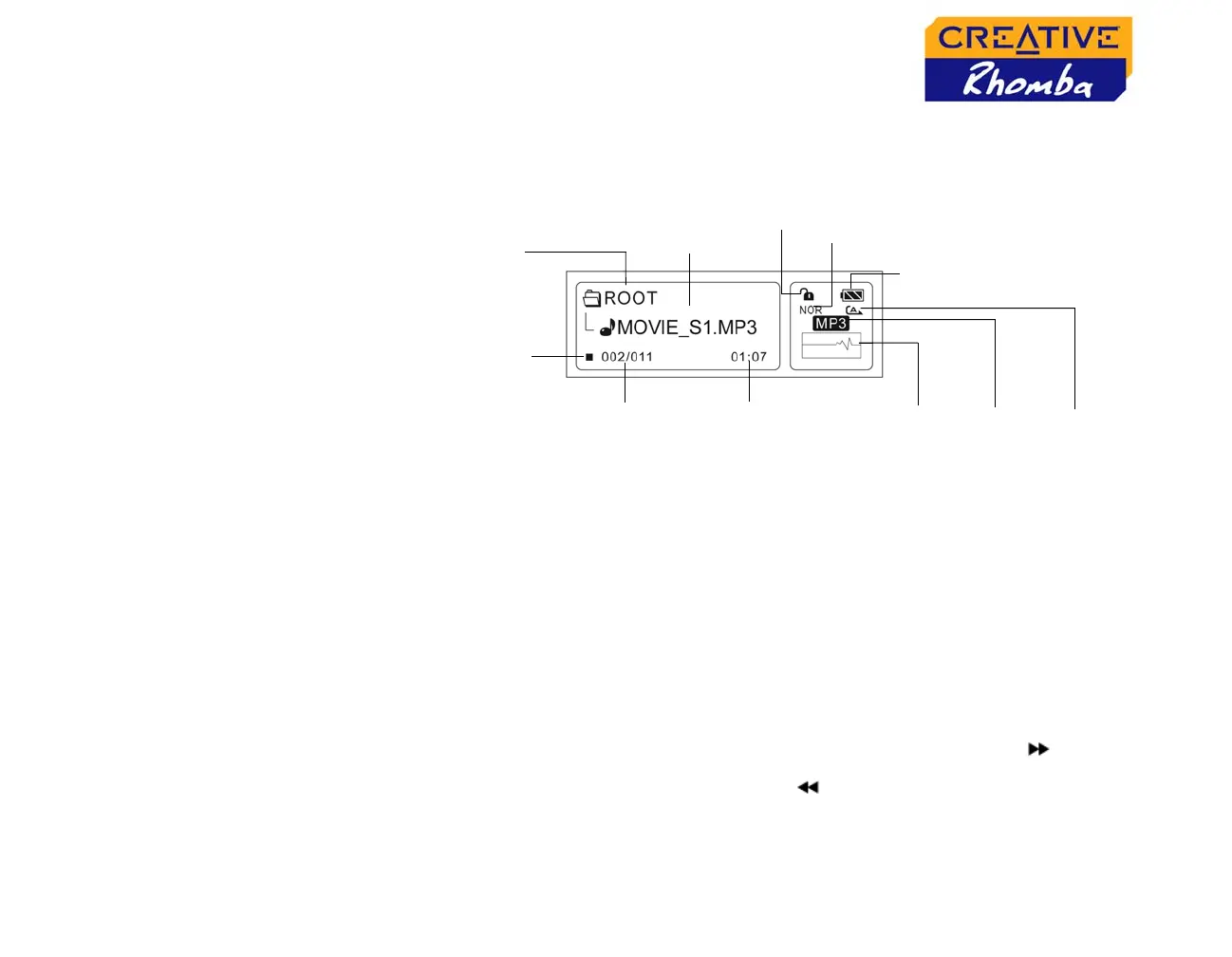
HOLD
Play Status icon
Repeat
mode
Battery status
Audio
format
Elapsed
time
Folder name
File name
EQ
Visualiser
Track number/
Total number of
tracks
Elements on the LCD












 To Next Page