Using Your Player 4-4
Repeating a
section
You can choose to repeat a portion of a track.
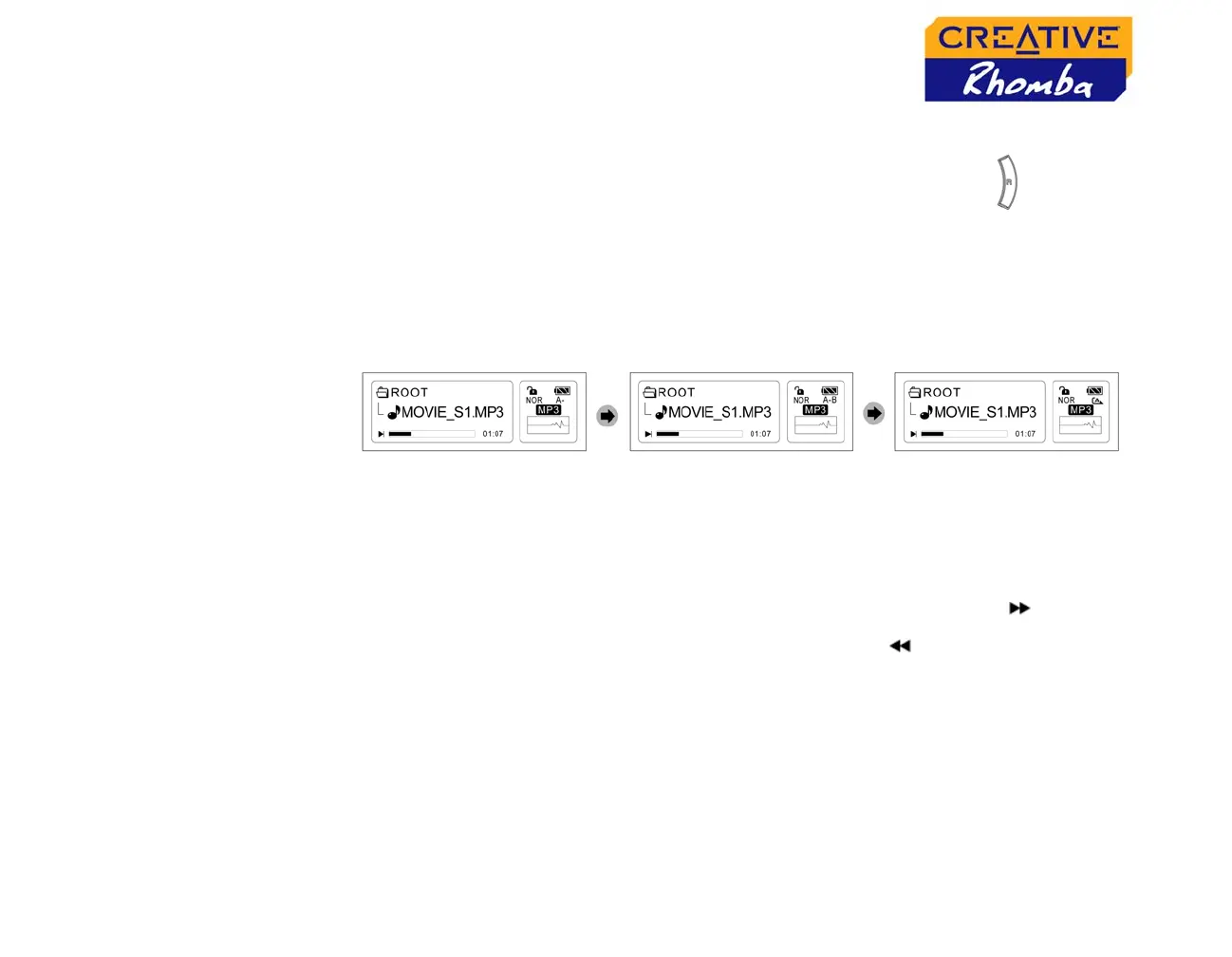
1. While playing a track, press the (R) Section repeat button once to
mark the start of the section you wish to repeat. The icon “A -”' will blink.
2. Press the Section repeat button again to mark the end of the section.
Your marked section automatically plays and the icon “A - B” appears on
the screen.
3. Press the Section repeat button again to resume normal play.
Playing FM
Radio
To enable FM Radio mode, see “To enable a mode” on page 4-2.
Changing FM
frequency
1. In FM Radio mode, turn the Menu scroller towards the right to
increase the frequency band, or towards the left to decrease the
frequency.
2. To perform an autoscan, move the Menu scroller towards the right or left,
and hold.
3. To select a preset channel, if you have any, press the Play/Pause
button.
4. To select the next available preset channel, press the Play/Pause button
again.












 To Next Page