Contents
Introduction
The All-Round Audio Solution for Internet and Digital Home Entertainment........xi
System Requirements.................................................................................................xii
Live!Ware Benefits.....................................................................................................xii
Getting More Information........................................................................................ xiii
Where To Go From Here ......................................................................................... xiii
Other Recommendations.......................................................................................... xiii
Document Conventions............................................................................................ xiii
1 Installing Sound Blaster Live! Player 5.1
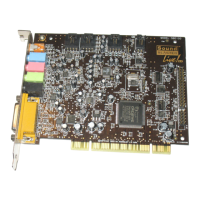
Your Audio Card................................................................................................................... 1-2
Installing the Card................................................................................................................. 1-3
Connecting Related Peripherals ...........................................................................................1-4
Enhancing Your Sound Blaster Live! Experience.............................................................. 1-5
Playing Games and Music, and Watching Movies ................................................. 1-5
Watching DVD Movies or Playing DVD Games...................................................1-5
Recording and Content Authoring........................................................................... 1-9
Positioning Your Speakers.................................................................................................... 1-9
2 Installing Software
Installing Audio Drivers and Applications..........................................................................2-1
Using Sound Blaster Live! ...................................................................................................2-2
Uninstalling the Applications...............................................................................................2-3
Reinstalling the Audio Drivers.............................................................................................2-4
Playing Legacy Games ......................................................................................................... 2-4


 To Next Page