Setting Up Your Audio Device
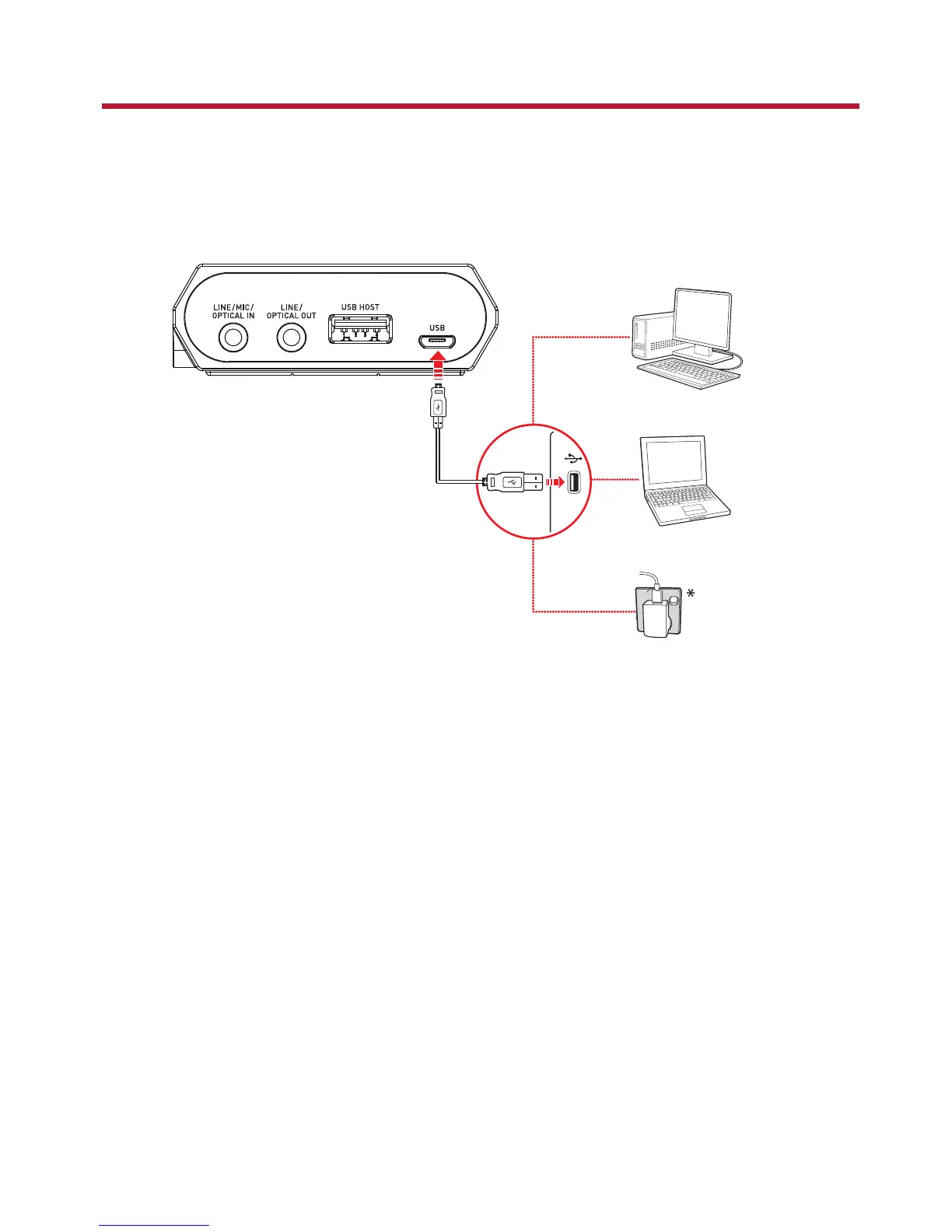
Step 1: Charging your Sound Blaster E5
Connect your Sound Blaster E5 directly to a USB port on your computer.
You can also connect to a wall outlet using USB power adapter* (not included).
* DC 5V, 1 A
Charge your Sound Blaster E5 for approximately 4 to 5 hours.
It is recommended that you charge it for at least 8 hours before it is used for the first time.
Note:
Lithium-ion battery life may suffer when it is constantly fully depleted or overexerted at low voltage.
It is a good practice to keep the battery well charged.
Sound Blaster E5 can be charged even when it is powered off. If a power source is present, it will go
into charging mode 3 seconds after it is powered off.
Sound Blaster E5 – Setting Up Your Audio Device 6



 To Next Page