Connecting To An External Stereo Audio Device 11
Connecting To An External Stereo Audio
Device
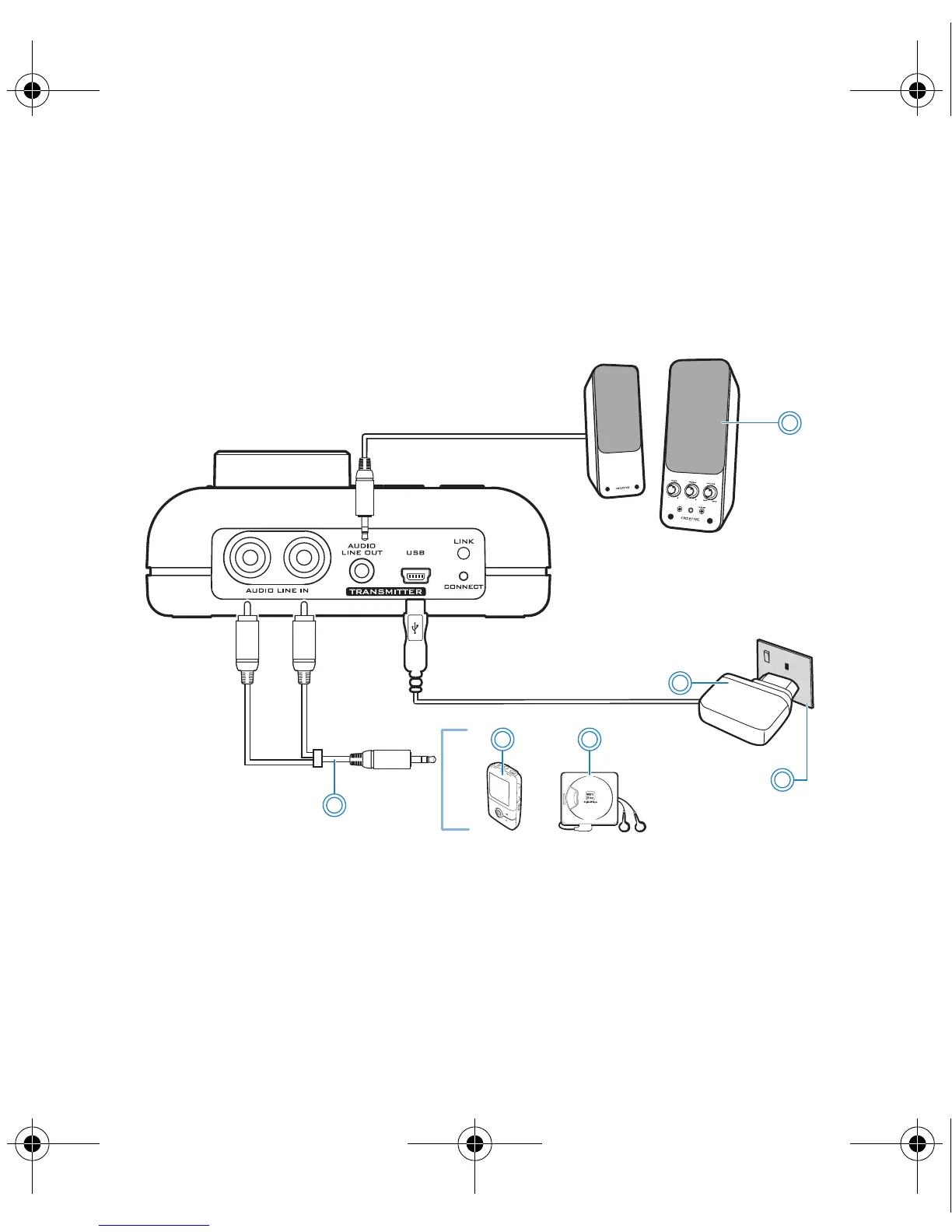
External audio devices that you can connect to Xmod Wireless include MP3
players, CD players, and any other stereo audio device with a Line-Out jack.
NOTES
You can also connect your external audio devices while Xmod
Wireless is connected to your computer. Xmod Wireless will be
powered by your computer instead of the power adapter.
2b
2a
3c
3a
3b
1
1 Powered stereo or 2.1 speakers
2a Power adapter
2b Power outlet
3a 3.5 mm-to-RCA audio cable
3b MP3 player
3c MiniDisc player
Bob UG.fm Page 11 Thursday, February 22, 2007 4:04 PM



 To Next Page