Using X-Fi Enhancements 9
Enabling wireless features
With one or more X-Fi Wireless Receivers, you can stream music wirelessly
throughout the house and control playback from one location using your
Xmod Wireless broadcasting and zone control features.
For more information on X-Fi Wireless Receivers, see the Creative X-Fi
Wireless Receiver User’s Guide.
Using X-Fi Enhancements
X-Fi Crystalizer and X-Fi CMSS-3D enhancements have been optimally
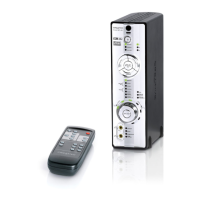
calibrated for your listening pleasure. Use the remote control to turn the
X-Fi Crystalizer or X-Fi CMSS-3D enhancements on or off.
By default, X-Fi Crystalizer and X-Fi CMSS-3D enhancements are enabled.
X-Fi CMSS-3D is dependant on your speaker or headphone setup.
X-Fi CMSS-3D Virtual - Enjoy immersive surround sound when your Xmod
Wireless is connected to your Hi-Fi system or any powered stereo speaker
system.
X-Fi CMSS-3D Headphone - Obtain immersive surround sound when your
Xmod Wireless is connected to your headphones.
Bob UG.fm Page 9 Thursday, February 22, 2007 4:04 PM



 To Next Page