About Your Remote Control 3
About Your Remote Control
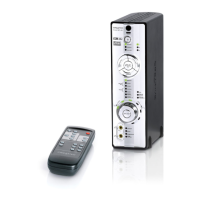
Your remote control has an operating distance of up to three meters
(approximately 9.8 feet).
1
2
3
4
7
6
11
8
10
9
12
5
5a
5b
5c
5e
5d
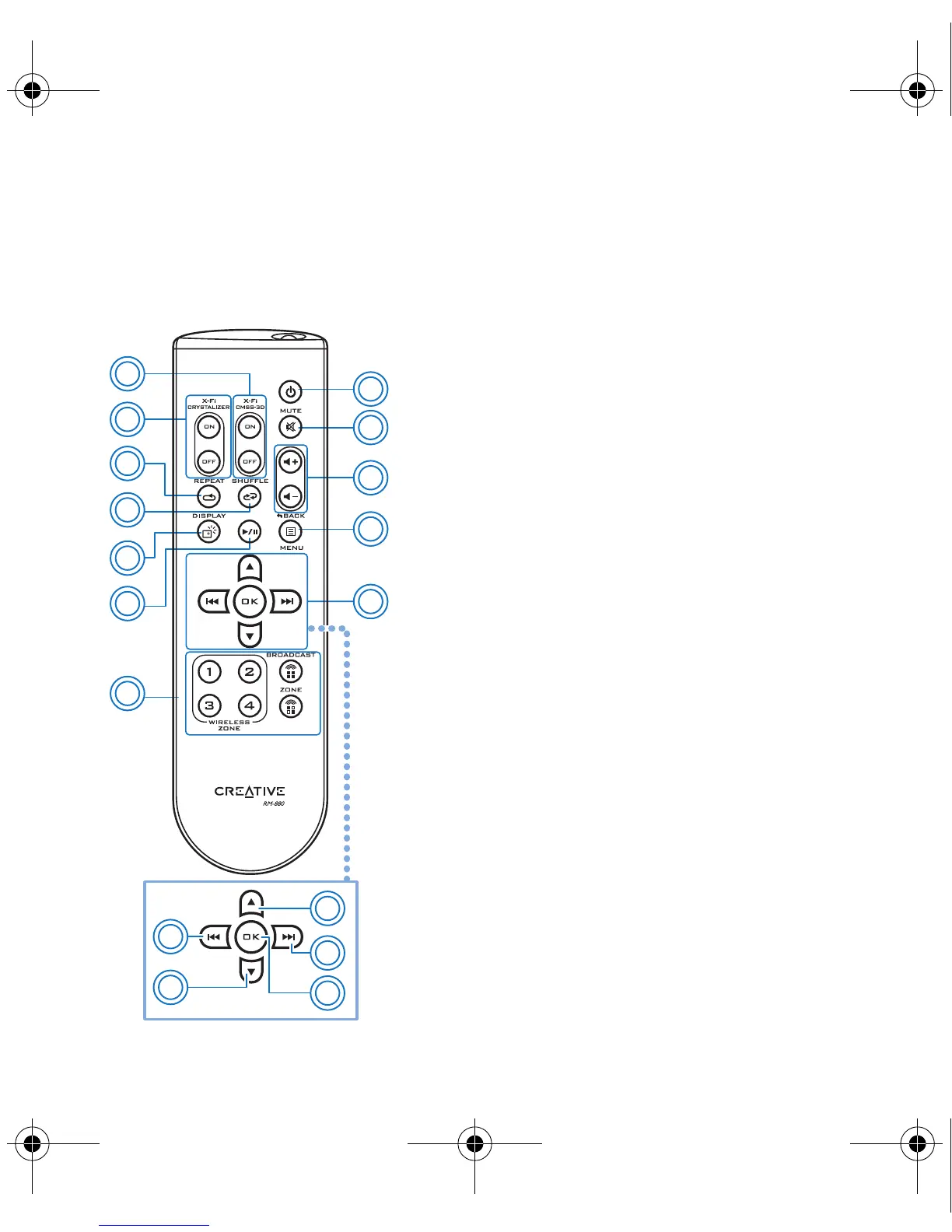
1 Power/Standby button
2 Mute on/off button
3 Volume buttons
4 Menu button*
This launches the default media player on your
computer.
5 Navigation keypad*
5a. Scrolls up.
5b. Skips to the next track or fast-forwards a
track.
5c. Executes a selected option in a menu.
5d. Scrolls down.
5e. Skips to the previous track or rewinds a track.
6 Broadcasting and Zone control buttons
For use with X-Fi Wireless Receivers. See “Enabling
wireless features” on page 9
7 Play/Pause button
8 Display button*
9 Media Player Shuffle button*
10 Media Player Repeat button*
11 X-Fi Crystalizer™ on/off buttons
12 X-Fi CMSS
®
-3D on/off buttons
NOTES
*With some media players,
some functions are not
accessible via the Xmod
Wireless remote control.
Bob UG.fm Page 3 Thursday, February 22, 2007 4:04 PM



 To Next Page