Creator C50X Single vehicle & OBDII Scanner
15
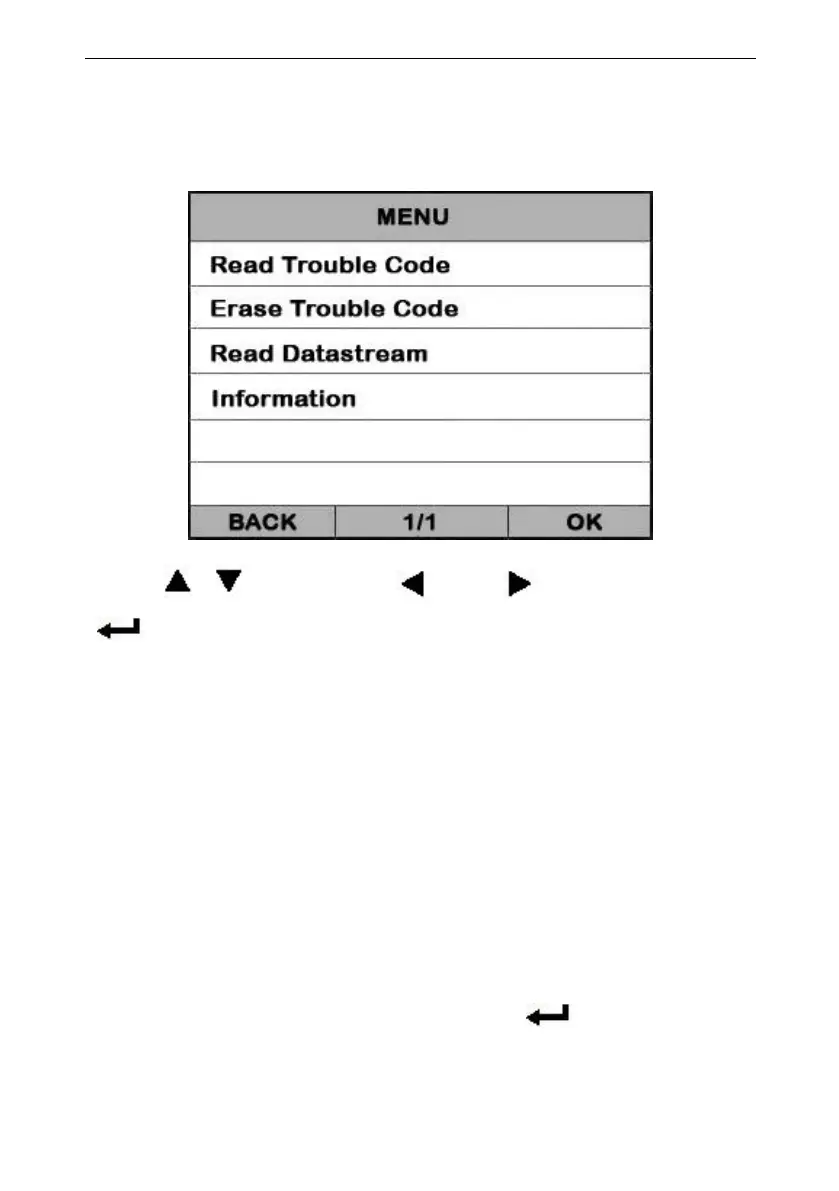
if the scan tool communicate with the vehicle, it will enter
the [function menu], the screen will display the interface
as shown below:
Press [ ][ ] to select, [ ] and [ ] to Page, and press
[ ] to confirm.
◆Reading Codes can be done with the key on
engine off (KOEO) or with the key on engine
◆Trouble codes cause the control module to
illuminate the malfunction indicator lamp (MIL)
when emission-related fault occurs.
select [Read Trouble Code] and press [ ] in [Diagnostic
Menu]. If there are some codes, the screen will display
the codes as show below:


 To Next Page