15
Clock/Minute Minder Operation (C161E, C261E, C365E & R365E)
TIMER FUNCTION BUTTONS
Minute Minder
Here you can set a time period of up to 23 hours 59 minutes, that will
count down. When it reaches zero, the timer will emit an audible tone.
For Example: If you set 20 minutes, the audible tone will occur 20
minutes later.
SETTING THE MINUTE MINDER
Step 1 Ensure the time of day is set correctly.
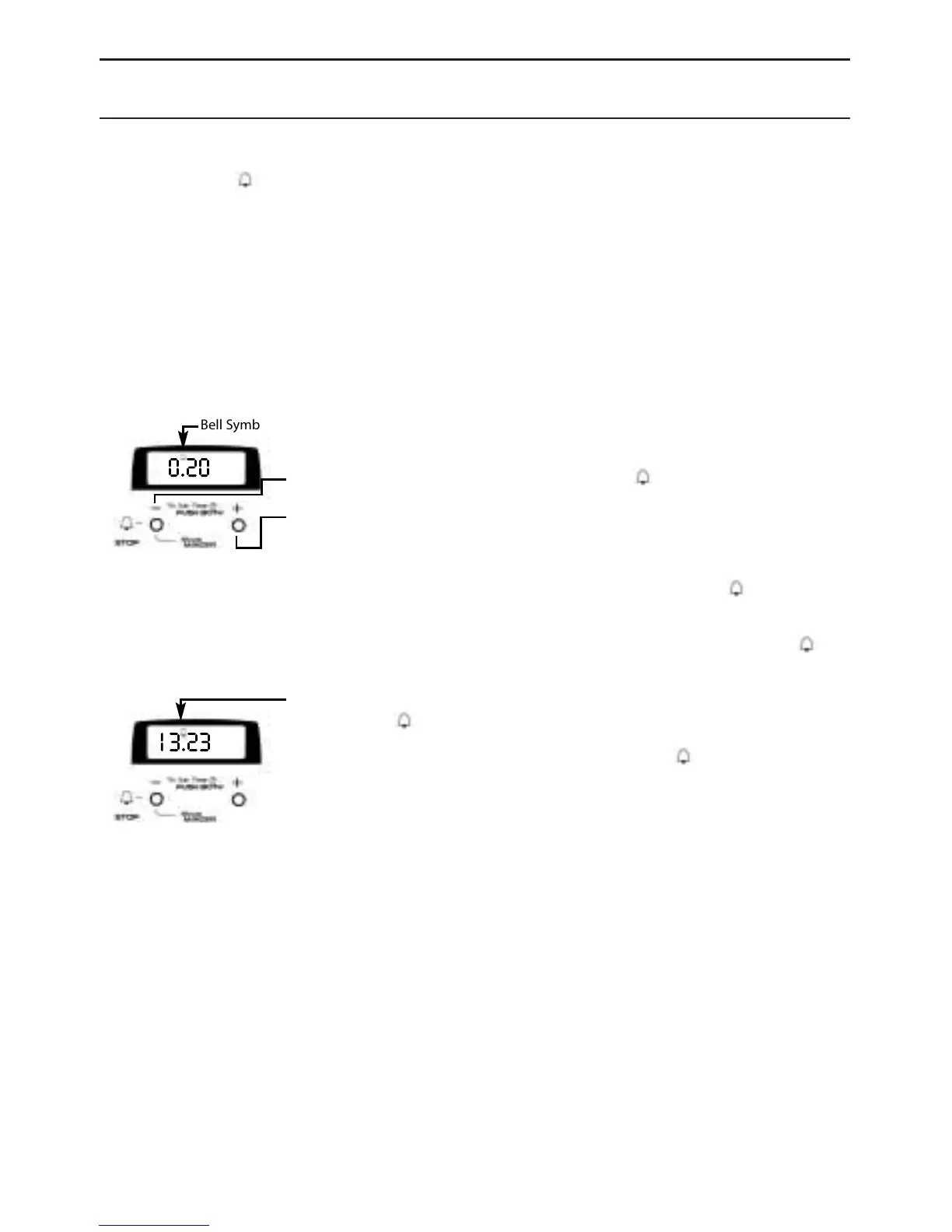
Step 2 Press and release the ‘-’ button, a symbol will light up.
Step 3 Within 4 seconds press the ‘+’ button to set the correct
period of time required.
Release the ‘+’ button.
The time is set and will continue to count down and the symbol will
be lit.
At the end of the set time a bleeping sound will be heard and the
symbol will flash for approximately 2 minutes.
After approximately 2 minutes the bleeping sound will stop.
To cancel the symbol flashing, press the ‘-’ button once.
Step 4 To cancel the bleeping sound and the symbol, within the
2 minutes, press the ‘-’ button.
To cancel the minute minder period press the ‘-’ button.
Press the ‘-’ button again until the display shows 0.00
After 5 seconds the display will return to the time of day.
If at any time the display shows flashing zero’s / AUTO, it is likely that
the electricity supply has been interrupted.
Reset the timer to the correct time of day.
NOTE: WHEN THE MINUTE MINDER HAS BEEN SET, THE DISPLAY
WILL REVERT TO SHOW THE TIME OF DAY.
ANY REMAINING TIMED PERIOD CAN BE VIEWED BY
PRESSING THE ‘-’ BUTTON.
13.23
0.20
Bell Symbol



 To Next Page