1.3.3 Watch Mode Settings
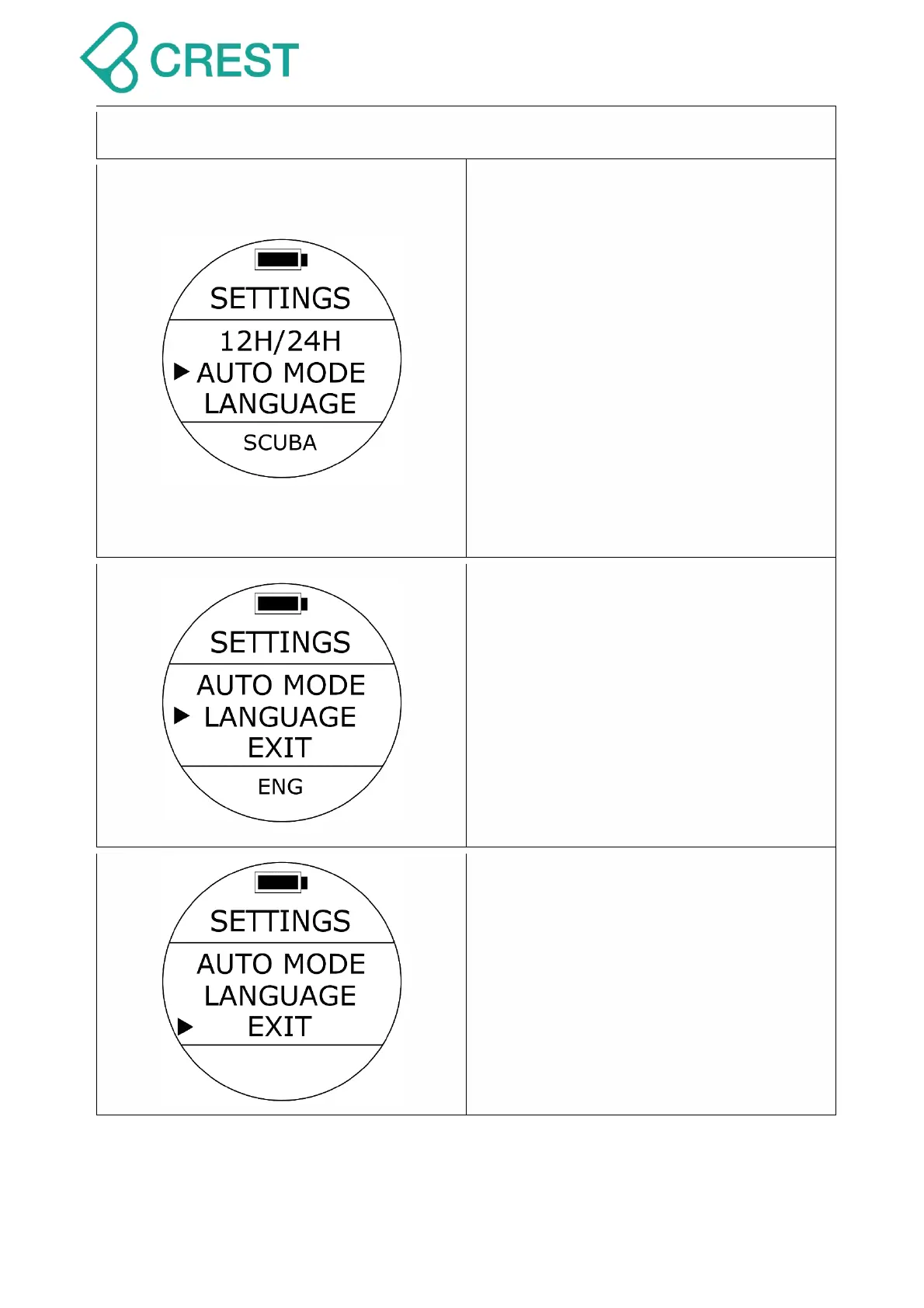
Description: Auto Active Mode at depth:
Scuba Diving, Freediving, or Gauge
(bottom timer).
To Access: Under Watch Mode, press the
UP Button once, and press UP Button /
DOWN Button to locate the cursor and
then press MODE Button once to select
the desired settings. The values at the
bottom of the screen will blink.
AUTO MODE will be the automatic
default option dive computer will
access immediately after it senses a
depth of at least 1.5m (4.9 ft.). For Log
Start Depth please go to Log Start Settings
on page 23.
Description: Language Settings
To Access: Under Watch Mode, press the
UP Button once, and press UP Button /
DOWN Button to locate the cursor and
then press MODE Button once to select
the desired settings. The values at the
bottom of the screen will blink.
Default option is English.
Note: Supports English/Traditional
Chinese after SW version of C01-4A.
Description: Exit
To Access: Under Watch Mode, press the
UP Button once, and press UP Button /
DOWN Button to locate the cursor at EXIT
and then press MODE Button to select; or
press Power Button once.



 To Next Page