Gauge Mode:
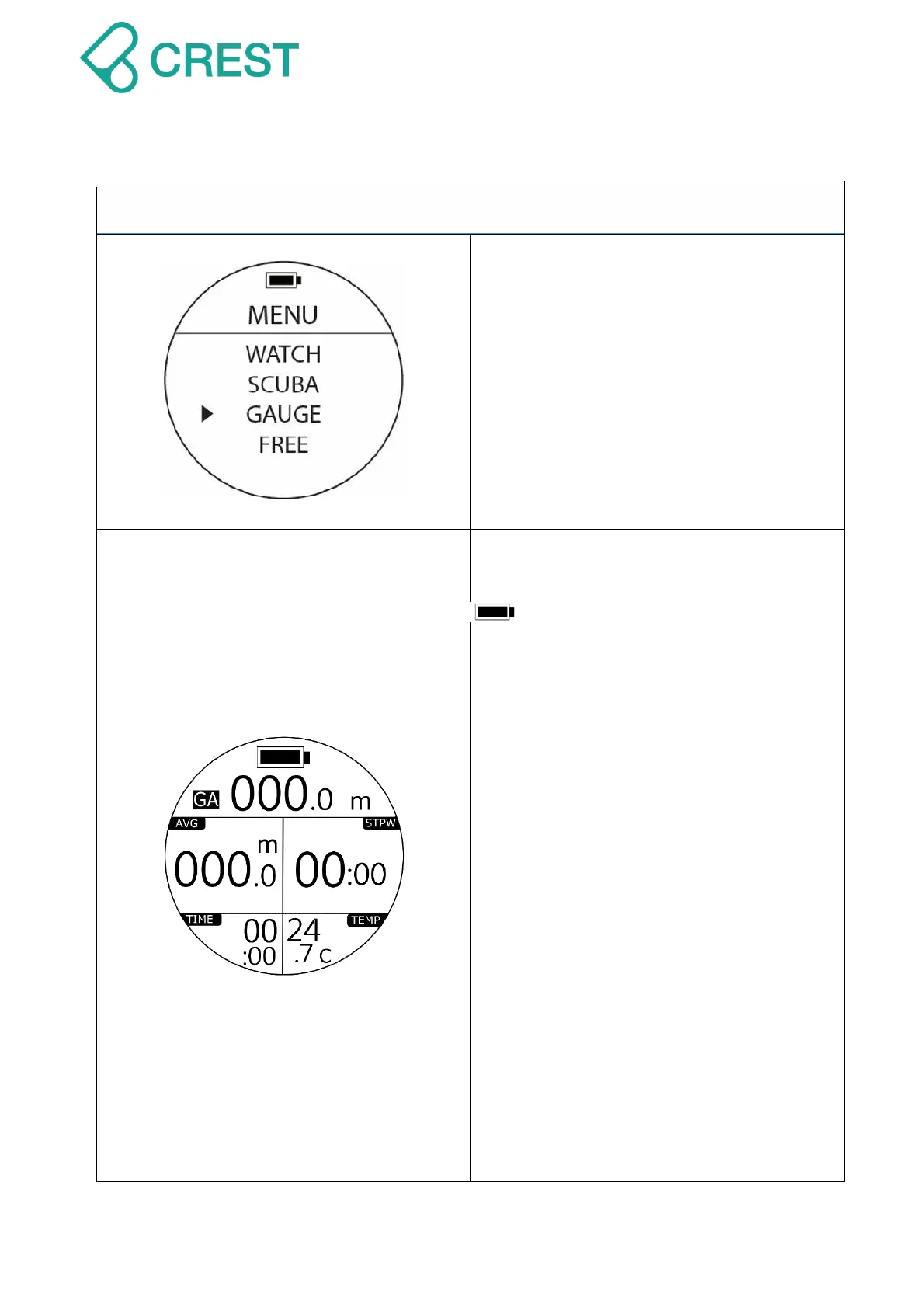
To Access: Under Menu, press t UP
Button / DOWN Button to locate the cursor
and then press MODE Button once to
select Gauge Mode.
To Exit: Press Power Button once.
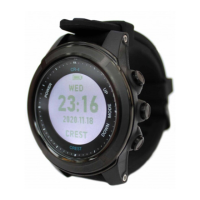
Description: Gauge Mode
GA: Gauge Mode
: Battery Indication
000.0m: Current depth
AVG: Average Depth
STPW: Stop Watch
TIME: Dive Time
TEMP: Water temperature.
Notes:
1. Press UP Button to calculate AVG
and reset STPW. Average Depth will
be calculated automatically.
2. STPW will Return-to-Zero and start
calculate dive time in current stage.
WARNING:
Gauge Mode is only a bottom timer, it
will only indicate the depth/time
parameters during a dive. It will not
provide NDL calculations. Please
make sure you have proper training
and dive equipment with you and
follow dive plans strictly.


 To Next Page